


Quick Summary:
- Most rentals have USB-A, while USB-C is more common in newer cars.
- Pack a 12V charger as a reliable backup for long drives.
- Bring a data-capable cable for wired CarPlay or Android Auto.
- Check ports at pick-up, because charge-only ports are common.
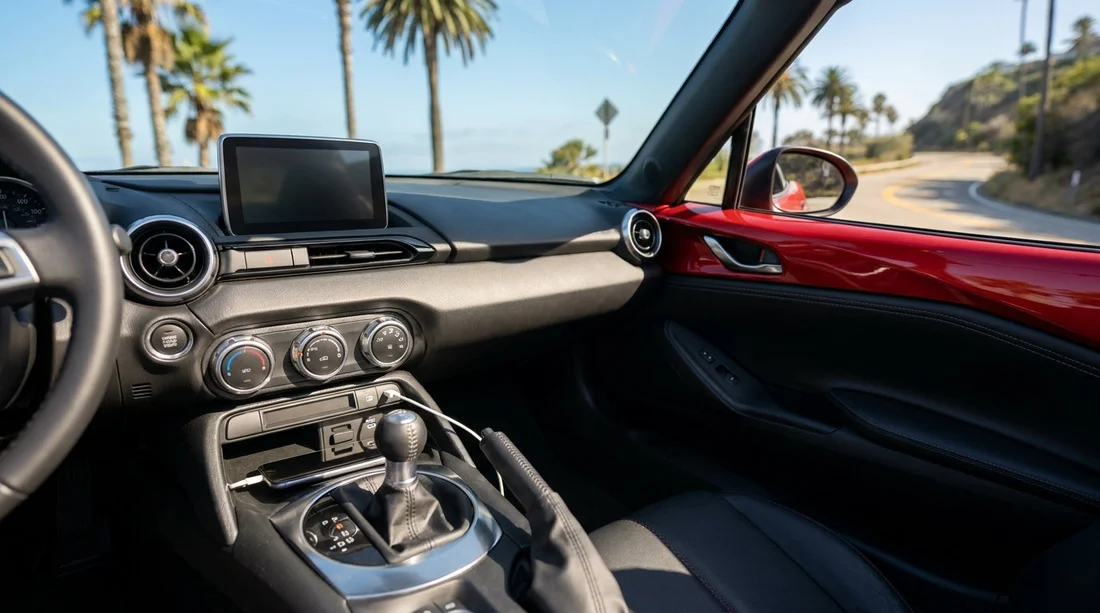
When you arrange car hire in California, it is easy to focus on price, insurance, and luggage space, then realise at pick-up that your phone is on 12% and you do not have the right cable. US rental cars vary a lot by make, model year, and trim, and that variation shows up most clearly in charging ports. Some cars have a single USB-A in the centre console, others have multiple USB-C ports front and rear, and a few still rely mainly on a 12V socket.
This guide explains the most common port types you will see in California rentals, how they relate to Apple CarPlay and Android Auto, and what to pack so you can keep navigation, music, and messages working without hassle.
Common charging ports in US rental cars
Most rental cars in California fall into compact, midsize, full-size, SUV, and minivan categories. Within each category, the charging setup depends on the vehicle’s age and infotainment system.
USB-A ports are still the most common. Many mainstream models from the last decade include one or two USB-A ports up front. USB-A ports can charge and also carry data, which matters for wired CarPlay or Android Auto.
USB-C ports are increasingly common, especially in newer vehicles and higher trims. Some cars provide USB-C only, or a mix of USB-A and USB-C. A rear-seat USB-C port might be charge-only, while the front port might be the only one that supports data.
12V sockets are the classic cigarette-lighter style outlet. A 12V socket is useful because you can plug in your own car charger with two USB outputs. For renters, it is often the most reliable fallback because it does not depend on the car’s infotainment design.
What varies by vehicle class in California
You cannot fully predict ports from the rental counter category, but there are patterns that help you prepare.
Economy and compact cars often have one or two USB-A ports in front, and sometimes no rear ports. If the vehicle is older, the USB port may supply low power, so charging is slow when using Google Maps, Waze, or Apple Maps.
Midsize and full-size cars are more likely to have a mix of USB-A and USB-C, plus at least one 12V socket. Many provide a better infotainment system with clearer CarPlay or Android Auto integration, but do not assume it is wireless.
SUVs commonly include additional rear USB ports, which is helpful for families. The front ports are still the ones most likely to support data for wired smartphone mirroring.
Minivans often offer the most charging options, including multiple rear ports. If you are travelling with several devices, a people carrier can reduce cable stress. If your trip starts at LAX, browsing options on minivan rental Los Angeles LAX can help set expectations for a more family-friendly cabin setup.
CarPlay and Android Auto, why ports and cables matter
Charging is only half the story. Many travellers want their phone to connect for navigation, hands-free calls, and music. Whether the car supports Apple CarPlay or Android Auto, and whether it is wired or wireless, affects which port you must use and which cable you should bring.
Wired CarPlay and Android Auto require a data-capable cable. Some cheaper cables only support charging, and they can cause connection drops or complete failure. Many cars have multiple USB ports, but only one is wired to the infotainment system. If you plug into a charge-only port, your phone charges but CarPlay or Android Auto never appears.
Wireless CarPlay and Android Auto are growing, but not guaranteed. If wireless is available, your phone will still use battery faster due to the wireless connection and constant GPS use. In practice, even with wireless mirroring, you will want to charge by cable or 12V during longer drives.
What to pack for car hire in California
The safest approach is to assume nothing, then pack a small kit that covers the main outcomes. It does not take much space and it prevents the common holiday annoyance of a dead phone at the worst moment.
Bring both USB-A and USB-C charging options. If your phone uses USB-C, pack a USB-C to USB-C cable and a USB-A to USB-C cable. If you have an iPhone, pack a USB-A to Lightning cable and, if you own one, a USB-C to Lightning cable for newer cars with USB-C only.
Pack a 12V car charger you trust. A compact charger with two ports can rescue you if the car has only one usable USB port or if the built-in ports are low power. Look for a charger that supports fast charging standards compatible with your phone.
Choose at least one high-quality data cable. For wired CarPlay or Android Auto, your cable quality matters more than people expect. A short, sturdy cable reduces clutter and connection problems, while a longer spare helps if the port is placed awkwardly.
Pick-up checks that take 30 seconds
Once you are at the vehicle, do a quick scan before you leave the car park. Locate the ports in the front cabin and identify which one is likely for data. Plug your phone in, see whether it starts charging, then check the infotainment screen for a CarPlay or Android Auto prompt.
Next, test the 12V socket with your own charger if you brought one. Finally, if you are travelling with others, point out any rear ports so passengers can plug in without pulling on the driver’s cable.
If you are collecting your vehicle at a major hub, this quick check can save time later when traffic is heavier. For example, travellers arriving via Orange County can compare typical fleet categories around car hire at Santa Ana SNA, while Bay Area arrivals may want to note that newer cars are more common at car rental San Francisco SFO.
How charging choices affect navigation and data use
California driving often involves longer distances than visitors expect. Running maps, streaming audio, and using wireless CarPlay or Android Auto can drain a phone quickly, especially if you are taking photos and using mobile data between stops.
If you plan to rely on your phone for navigation, prioritise stable charging. Wired CarPlay or Android Auto plus a solid cable usually delivers the most reliable experience. If you use wireless mirroring, consider plugging in anyway to avoid arriving with a flat battery.
Also consider passengers. If only one port charges well, you may need a charger with multiple outputs. This is especially relevant for families driving between Southern California attractions. If your trip includes pick-up in Southern California, a helpful reference point is car rental San Diego SAN, where many renters head straight to the freeway and need their phones working immediately.
FAQ
Do US rental cars in California usually have USB ports? Yes, most do, typically at least one front USB-A port. However, the number of ports and whether you get USB-C depends on the specific vehicle you receive.
Will the USB port in my rental car support Apple CarPlay or Android Auto? Not always. Many cars have multiple USB ports, and only one supports data for CarPlay or Android Auto. Charge-only ports will power your phone but will not enable smartphone mirroring.
Should I bring a 12V car charger for car hire in California? It is a smart backup. A 12V charger helps if the car has limited USB ports, low-power USB charging, or if you need to charge multiple devices at once.
Is wireless CarPlay or Android Auto common in California rental cars? It is becoming more common, especially in newer models, but it is not guaranteed. Even when it is available, your phone battery can drain faster, so a cable is still useful.
What cables should I pack to cover most rental cars? Pack at least one USB-A cable and one USB-C cable that fit your phone, plus a data-capable cable for wired CarPlay or Android Auto. Adding a 12V charger makes the setup more reliable.

























































































