


Quick Summary:
- Have your number plate and issuing state ready for any parking account.
- Confirm make, model and colour from the rental agreement before arrival.
- Check the plate on the car itself, not only paperwork.
- If the plate changes, update parking profiles immediately and keep screenshots.
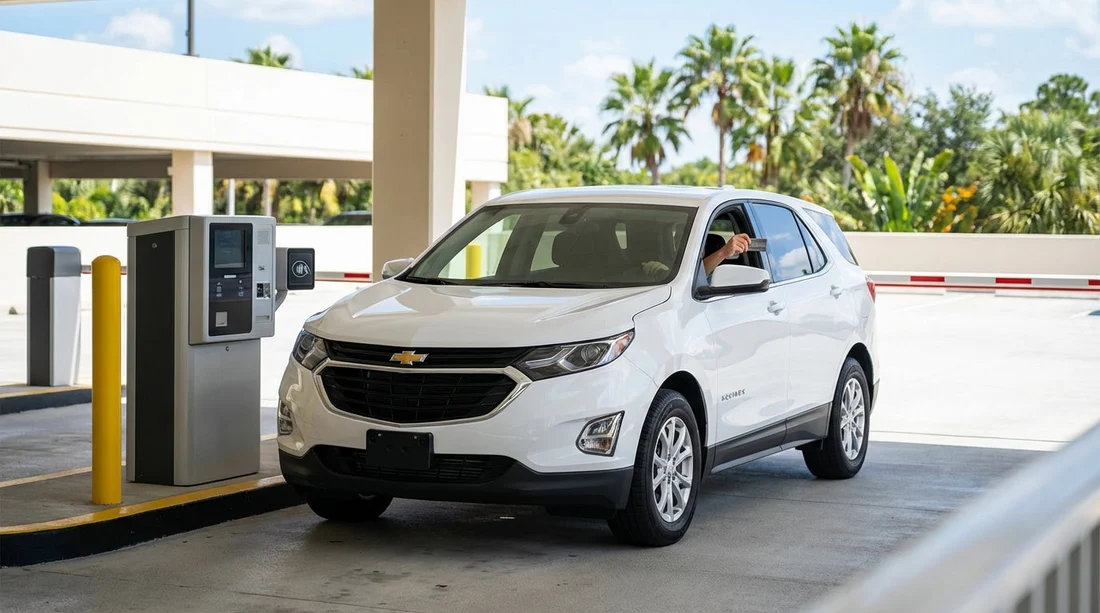
Parking at Walt Disney World and Universal Orlando has become increasingly account-led. Whether you are linking parking to an on-site hotel stay, using a mobile pay option, or simply entering a registration number at a kiosk, you will usually be asked for a set of vehicle details. If you are visiting Orlando with car hire, the challenge is that the vehicle is not yours, the paperwork can be confusing, and occasionally the number plate can change mid-stay due to a vehicle swap.
This guide explains exactly which details the parking systems typically need, where to find them on a rental car, and what to do if your plate changes while you are still in Orlando.
Which vehicle details you should expect to provide
Across both Disney World and Universal Orlando, the most common vehicle identifiers are straightforward. The goal is to uniquely identify your car at entry points, payment systems, and resort parking controls.
1) Number plate (licence plate number)
In the US, the number plate is the primary identifier. If you are asked for one detail only, it is usually the plate.
2) Issuing state (plate state)
Many systems request the state that issued the plate, for example Florida, Georgia, Texas. This matters because the same plate characters can exist in different states.
3) Make (manufacturer)
Examples include Toyota, Ford, Chevrolet, Nissan. Some systems also ask for model (Camry, Escape, Malibu), but make is the more common field.
4) Colour
Often a drop-down list such as white, black, silver, blue. Rental fleet colours can be similar, so choose the closest match based on what you see in daylight.
5) Optional extras you might see
You may occasionally encounter fields for vehicle type (car, SUV, van), year, or VIN. For normal theme park parking, VIN is rarely required and is generally more relevant to insurance or toll account disputes than day-to-day parking access.
If you are collecting from the airport, it helps to set expectations early. Hola Car Rentals provides Orlando airport options such as car hire at Orlando MCO and other MCO pages you can use to compare providers and vehicle classes before your trip.
Where to find these details on a rental car
With car hire, you will see vehicle details in three places, the rental agreement, the vehicle itself, and sometimes a key tag. Use the vehicle as the final source of truth, especially for the plate.
Number plate and state, check the car, not just the agreement
Walk to the rear (and front) of the car and read the plate characters carefully. Then note the issuing state shown at the top of the plate. In Florida it often says “Florida” clearly, but other states may have slogans, designs, or smaller text. If you are unsure, take a clear photo.
Make and model, confirm using the agreement and the badges
The rental agreement usually lists year, make, and model, sometimes abbreviated. Confirm by checking the make badge (for example, “Toyota”) and the model badge (for example, “RAV4”) on the tailgate or boot lid.
Colour, use plain language
Rental paperwork may say “Silver” while the car looks “Grey.” Choose the most accurate option available in the parking form. If a form offers “Grey” and “Silver,” pick the one that best matches in natural light.
Why your agreement might not match the car
Last-minute fleet substitutions happen. You might reserve a mid-size car and receive a different model. That is not usually a problem for parking as long as the plate and state are correct, but it is a reason to double-check the physical car details before you type anything into an app.
If you are finalising plans for arrival day, these MCO-specific pages can also be useful for understanding typical pick-up flows: Orlando MCO car rental and car hire Orlando MCO.
Disney World parking, what to enter and when
At Walt Disney World, you may encounter different parking contexts: theme park day parking, resort guest parking, and special cases such as dining reservations or events. The exact screen you see can change, but the same data points come up repeatedly.
Theme park day parking
For standard theme park parking, you typically pay on arrival and proceed. In some cases, licence plate capture and staffed booths mean you may not need to type plate details at all. Still, keep your plate and state handy in case a kiosk or a guest services interaction requires it.
Resort hotel parking
If you are staying at a Disney resort, you may need to associate your vehicle with your stay. This is where plate and state are most likely to matter. Enter the plate characters exactly as shown, without guessing. If the form asks for spaces or hyphens, follow what is printed on the plate, but if it does not, enter characters with no spaces.
Make and colour at Disney
If you see these fields, treat them as secondary verification. The plate and state are the key identifiers, but make and colour can help staff confirm the correct car if there is an access issue.
Universal Orlando parking, what to enter and when
Universal Orlando’s main theme park parking is centred around its parking garages and entry plazas. As with Disney, you may not always be asked to pre-register details for standard day parking. However, you can still encounter situations where vehicle details are required, for example, if you are linking parking benefits to an on-site stay, resolving a payment issue, or dealing with a misplaced receipt.
Plate and state are the essentials
When a system asks for a plate, it is normally expecting the exact characters and the issuing state. Get these from the car itself. A quick photo on your phone helps you avoid typing errors after a long day.
Make and colour fields
As at Disney, these are commonly used as matching fields. Choose the closest colour option available and use the manufacturer name as displayed on the vehicle.
How to capture the details quickly at MCO pick-up
The simplest way to avoid stress later is to collect the details immediately when you pick up your car hire in Orlando.
Do this before you leave the car park
Stand behind the car and take a photo of the plate that clearly shows the characters and state. If the front plate is present, photograph that too. Then take one photo of the whole vehicle showing colour and body type. These images are handy if you need to refer back at night or in heavy rain.
Save the information in a note
In your phone notes, record plate, state, make, and colour. If multiple drivers might be updating apps, share the note with your travel party.
Keep the rental agreement accessible
The agreement usually has the vehicle description and sometimes a “Unit” number. That unit number is not usually needed for theme park parking, but it can help when speaking with the rental provider.
If you are choosing a larger vehicle for luggage, prams, or a bigger group, it can help to know what you are collecting in advance. This page provides relevant context for vehicle class planning: SUV hire for Disney Orlando MCO.
Common mistakes that cause parking access problems
Mixing up “0” (zero) and “O” (letter O)
Plates can be hard to read quickly. Use your photo and zoom in.
Choosing the wrong state
Do not assume Florida. Rental fleets at Orlando often use Florida plates, but out-of-state plates are common too. The state is printed on the plate.
Entering a temporary tag that later changes
Some vehicles may have temporary tags (often paper) rather than a standard metal plate. If you later receive a different vehicle, or the tag is replaced, you must update your parking details.
Using the registration sticker rather than the plate number
US plates may have stickers with different numbers. Parking systems want the plate characters, not sticker codes.
Typing the rental “unit number” instead of the plate
The rental agreement might show internal fleet IDs. Those are not the plate.
What to do if your number plate changes mid-stay
A plate change mid-stay usually happens because you swap vehicles, you return to the rental desk for a different model, or the original car has a maintenance issue. From a parking system’s perspective, it is a completely different vehicle, even if you are still the same guest.
Step 1, confirm what changed
Check the new car’s plate and issuing state, then re-check make and colour. Do not rely on “same class” assumptions.
Step 2, update any resort or account-linked vehicle profiles immediately
If you registered your vehicle for resort parking, update the profile as soon as you have the new plate. The faster you update it, the less likely you are to be flagged overnight or on re-entry.
Step 3, keep proof of the change
Keep the vehicle swap paperwork and take fresh photos of the new plate. If you had saved screenshots of your old registration entry, keep those too. If you later need to explain a mismatch, a clear timeline helps.
Step 4, allow time on the first re-entry
After updating, allow a little extra time the first time you drive back in, in case the system takes time to sync. If you are challenged at an entry gate, calmly provide the new plate details and show the updated confirmation if you have it.
Step 5, consider toll accounts too
Orlando driving often involves toll roads. If you are using any toll programme linked to a plate, the same logic applies, update the plate where required so charges are attributed correctly.
Vehicle swaps can be more common during busy periods, and provider processes vary. If you are comparing suppliers, these pages offer additional context about MCO options: Alamo car hire Orlando MCO and Thrifty car rental Orlando MCO.
Practical checklist for theme park days with car hire
Before you set off for the parks, do a 20-second check that saves time at booths, kiosks, and hotel gates.
Carry these details on your phone
Plate characters, issuing state, make, colour, plus a photo of the plate.
Re-check after any valet, service visit, or vehicle swap
If anything changes, update your saved note immediately.
If you cannot find a field that matches your plate format
Some plates include symbols or separators. Enter only letters and numbers unless the form explicitly requests punctuation.
If a staff member asks for vehicle details
Give plate and state first, then make and colour as confirmation. This sequence aligns with how most systems identify vehicles.
FAQ
Do Disney World and Universal Orlando parking systems usually need the plate state as well as the number? Yes, many systems ask for both, because the same characters can exist in different US states.
Where is the plate state shown on a hire car? It is printed on the physical licence plate, usually along the top edge, and it may also appear on the rental agreement.
If my rental agreement lists a different vehicle than the car I receive, what should I use? Use the details from the car you are actually driving, especially the plate and state, and ask the rental desk to correct paperwork if needed.
What if my hire car has a temporary tag instead of a normal plate? Enter the temporary tag number exactly as displayed and keep a photo, then update your parking details if the tag or vehicle changes.
If the plate changes mid-stay after a vehicle swap, can I still park at the resorts? Usually yes, but you must update any registered vehicle profiles promptly and keep swap paperwork in case access staff need confirmation.

























































































