


Quick Summary:
- In Florida, texting while driving is illegal and enforceable as a primary offence.
- Handheld phone use is restricted in school and work zones.
- Expect fines plus court costs, and possible points for violations.
- Set up Bluetooth, mounts, and navigation at MCO before moving off.
Picking up a car hire in Orlando is usually the easy part, it is what happens in the first ten minutes after leaving Orlando International Airport (MCO) that can catch visitors out. Florida’s phone rules are not complicated, but they are specific, and enforcement can vary by area and situation. The safest approach is to assume you should drive hands-free, avoid touching your phone while the vehicle is moving, and treat navigation setup as something you do before you pull away.
This guide covers what drivers can and cannot do with mobile phones and sat-navs in Florida, what fines may apply, and a practical pre-departure checklist you can complete in the car park before joining airport traffic.
If you are arranging car hire at Orlando Airport (MCO), it is worth planning your phone and navigation setup as part of your arrival routine, just like checking fuel policy and photographing the vehicle condition.
Florida phone laws in plain English
Florida’s core rules are set by state law, then enforced by local police and Florida Highway Patrol. The key idea is that texting while driving is illegal statewide, and certain places have stronger restrictions on handheld phone use.
Texting while driving is prohibited across Florida. That includes typing a message, reading a message, and generally operating your phone for text-based communication while the vehicle is in motion. The law is intended to stop drivers looking down and interacting with a screen for messaging.
Handheld phone use in school zones and active work zones is also restricted. In these zones, Florida requires hands-free operation. If you are holding a phone to make a call while passing through a school zone or an active work zone, you can be stopped for that alone.
Distracted driving still applies beyond texting. Even if something is not strictly “texting”, you can still be cited if an officer believes your driving was impaired by distraction. This matters for tourists because fiddling with a sat-nav, searching playlists, or entering a destination while moving can draw attention, especially near busy junctions around the airport, International Drive, and theme park approaches.
What you can and cannot do with phones while driving
Because visitors often ask what is actually allowed, it helps to think in scenarios.
Allowed in practice (safer and usually compliant): using Bluetooth to make and take calls, using voice commands (Siri, Google Assistant) to start navigation, and using a properly mounted phone for turn-by-turn directions without touching it while moving. You can also glance at the map like you would a built-in screen, but keep eyes-on-road as the priority.
Not allowed (or very likely to get you stopped): composing or reading texts, holding the phone while driving through school zones or active work zones, and manipulating your phone in a way that looks like messaging. Even if you are stopped at a light, it can still be risky, because the law focuses on driving, and officers may interpret “operating” the device as part of driving behaviour.
Grey areas to avoid: searching for a restaurant, changing a destination, scrolling apps, or picking up the phone from a seat. These actions can look exactly like texting from outside the vehicle. If you must do something, pull into a safe parking area first.
Sat-navs and mapping apps, what Florida expects
Florida does not ban navigation, but the same distraction principles apply. Whether you are using the car’s built-in screen, a portable sat-nav, or a phone running Google Maps or Waze, you should set your route before you move off. If you need to change your plan, take an exit and pull into a safe place, such as a petrol station or car park, rather than trying to edit on the fly.
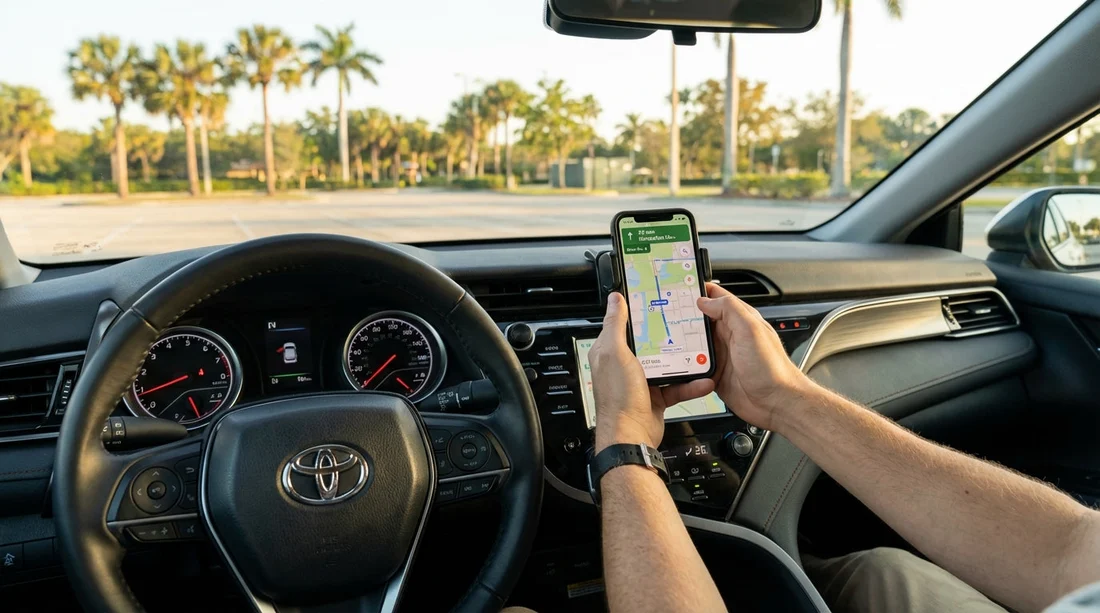
A phone mount helps. A device sitting in your lap or in a cup holder encourages longer glances and more reaching. Mount it high enough that you can quickly glance without taking your eyes away from the road for long periods, but not so high that it blocks your view.
Typical fines and consequences
Fines can vary by county once you add surcharges and court costs, but the important point for travellers is that the “ticket price” is rarely the full cost. Florida citations often include additional fees, and if the officer records it as a moving violation, you may also face points on your licence record.
Texting while driving: commonly starts around the $30 range as a base fine, but with costs it can rise meaningfully. Repeat offences can be higher, and if texting happens in a school zone, penalties can increase.
Handheld use in school zones and work zones: fines are often higher than basic texting citations, again with additional costs. Work zones are taken seriously, particularly when workers are present and signage indicates an active zone.
Insurance and car hire implications: a ticket itself is your responsibility, but distraction-related incidents can also affect liability if there is a collision. If an officer cites distracted driving as a factor, it may complicate claims, especially if your phone activity is involved. The simplest risk control is to keep the phone untouched while the car is moving and use voice functions where possible.
Practical setup tips before leaving MCO
MCO roads can be busy and sign-heavy, which is exactly when drivers tend to look down. Build five minutes into your pickup time to set everything up while parked. Whether you collect from Orlando MCO car rental desks or a shuttle-based facility, do this before you reach the exits.
1) Pair Bluetooth and test audio
Enable Bluetooth on your phone, pair it with the vehicle, and make a quick test call or play a short audio clip. Confirm you can answer via steering wheel controls or the car screen. If pairing is difficult, switch to speaker-independent use by pulling over later, do not attempt to troubleshoot in traffic.
2) Turn on “Do Not Disturb while driving”
On iPhone, enable Focus for Driving. On Android, enable Driving mode. Set it to auto-activate when connected to the car’s Bluetooth. This reduces temptation and helps avoid notifications that lead to glances.
3) Choose navigation and download offline areas
Mobile coverage is generally good in Orlando, but garages and some areas can be patchy. Download an offline map area for Orlando, and cache your first destination. Make sure your phone is set to the correct time zone and that location services are enabled.
4) Fit a mount and power
Attach a vent or windscreen mount securely, then connect a charger. Florida heat can drain batteries and soften suction cups, so check the mount grip after a few minutes. If your phone overheats in direct sun, move it slightly or use the car’s built-in screen if available.
5) Set your first two stops before moving
Enter your hotel or villa first, then add a second stop such as a supermarket. That reduces mid-journey fiddling. If you are heading towards the parks, traffic patterns around I-4 can change quickly, so leave the route guidance running even if you “know” the way.
6) Decide who is the navigator
If you have passengers, make one person responsible for any phone interactions. Florida law targets the driver, so keep the device in passenger hands when changes are needed.
Common Orlando driving situations where phone mistakes happen
Airport exits and toll choices: leaving MCO often involves quick decisions about toll roads. Set your route while parked so you know whether you are taking SR-528, SR-417, or avoiding tolls. Do not try to compare routes while rolling.
I-4 interchanges: Interstate 4 around Orlando can be fast and busy with short merge lanes. It is not a good place to glance down at a phone. If you miss an exit, continue and reroute, do not make sudden lane changes.
School zones: you will see school zones in residential areas and near some attractions. Reduce speed early and go fully hands-free. Even a quick handheld call can be costly here.
Work zones: Florida has frequent roadworks. If you see cones and work zone signage, keep both hands available and increase following distance. Any phone handling becomes more obvious to officers in these zones.
Choosing the right vehicle features for hands-free driving
If hands-free capability matters to you, it can be worth selecting a vehicle type that typically includes modern infotainment. For example, an SUV or minivan is more likely to offer Apple CarPlay or Android Auto, which reduces the need to touch your phone. If you are travelling with family and lots of luggage, consider options like SUV hire in Orlando MCO or minivan hire in Orlando MCO, then set up phone projection before leaving the lot.
Even with CarPlay or Android Auto, treat the screen like a driving aid, not a tablet. Pre-load your playlist, start navigation, and then keep interactions minimal.
If you are stopped, what to do
If an officer stops you for a phone-related offence, stay calm and follow instructions. Keep your hands visible, provide your licence and rental agreement if asked, and avoid arguing roadside. If you were using navigation, explain clearly what you were doing, but do not assume that will prevent a citation. The best approach is prevention, set up before moving, and pull over for any changes.
Also remember that if you are a visitor driving on a UK licence, you are still expected to follow Florida law. A citation can still have administrative consequences, and it can certainly disrupt a holiday schedule.
FAQ
Is texting while driving illegal in Florida? Yes. Florida prohibits texting while driving, and it can be enforced as a primary offence, meaning you can be stopped for it.
Can I hold my phone to make a call while driving in Orlando? Avoid it. In Florida you must be hands-free in school zones and active work zones, and handheld use can still lead to distracted driving enforcement elsewhere.
Are sat-navs allowed in Florida rental cars? Yes. Navigation is allowed, but you should set your route before moving and avoid touching screens while the vehicle is in motion.
What fines apply for phone use while driving in Florida? Costs vary with surcharges, but texting citations often start around $30, and hands-free zone violations can be higher, with repeat and school zone offences increasing penalties.
What is the safest way to set up my phone after picking up a car hire at MCO? Pair Bluetooth, enable a driving focus mode, mount and charge the phone, start navigation, and only then pull away from the car park.

























































































