


Quick Summary:
- A printout is rarely required, phone confirmation is usually accepted.
- Have your booking reference, driver’s licence, and payment card ready.
- Check names, dates, and pickup location match before you arrive.
- Save an offline PDF or screenshot in case your phone fails.
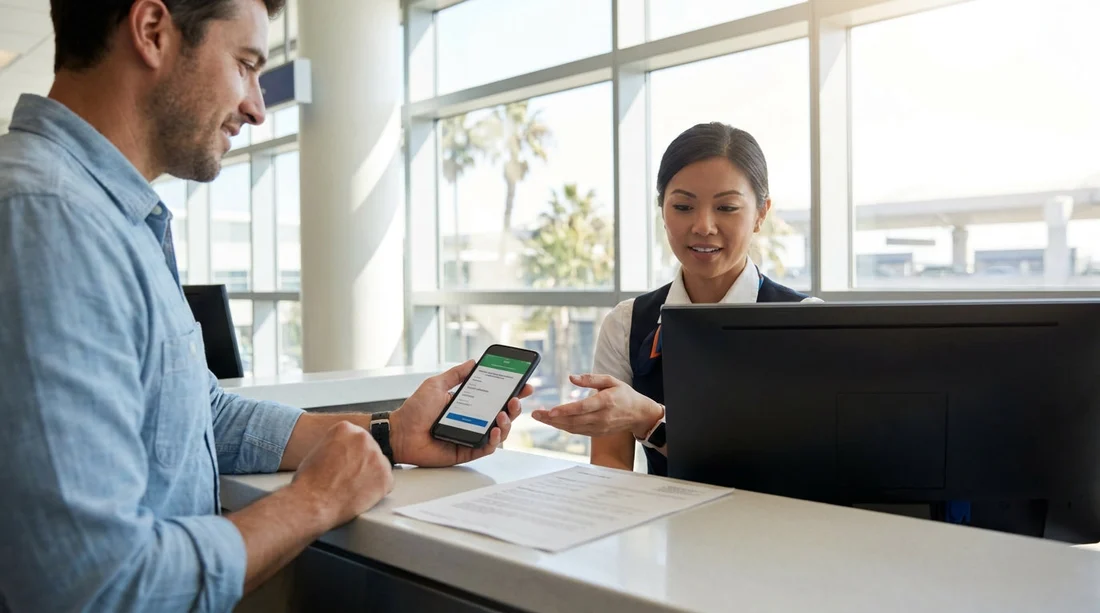
When you arrive at the counter for car hire in California, the practical question is simple, do you need to hand over a printed booking confirmation, or is showing it on your phone enough? In most cases, a printout is not required. Rental desks are set up to locate your reservation using your surname, booking reference, and sometimes your flight details, then they verify your identity and payment method. That said, having the right booking information ready can make the process faster and help avoid misunderstandings about what you reserved.
This guide explains what California rental desks typically accept, when a paper confirmation can still be useful, and the exact details to have ready at pick-up so you can get on the road with fewer delays.
Is a printed booking confirmation required for car hire in California?
Generally, no. For most major rental brands and airport locations in California, a printed booking confirmation is optional. Staff can usually retrieve your reservation from their system using your name, confirmation number, and sometimes your email address. If you booked online, the desk often already has your booking details queued by pickup time, particularly at airports.
What matters more than paper versus phone is that your reservation can be found quickly and matches the documents you present. If your booking was made through a third party, the confirmation number format may differ, so it helps to have both the third-party reference and any supplier reference shown on the confirmation.
If you are collecting at a busy airport desk, for example near Los Angeles International Airport, staff may simply ask, “Do you have your confirmation number?” rather than asking for a printed page. If you want to see typical pickup setups around LAX, you can review the location information on car rental California LAX.
What you can show instead of a printout
In California, it is normally acceptable to show your booking confirmation on a phone screen, whether that is an email, a PDF, or an in-app itinerary. A screenshot works too, as long as it clearly shows key reservation details.
To avoid issues at the counter, make sure the confirmation you present includes:
Your booking reference number, this is the quickest way for staff to find the reservation.
The renter’s name, it should match the name on the driver’s licence exactly, including middle names or initials where relevant.
Pick-up and drop-off dates and times, especially important if you are arriving late or returning outside standard hours.
Pick-up location, California has multiple airports and city branches with similar names, so confirm the exact site.
Vehicle category, for example economy, SUV, or people carrier, plus any prepaid extras.
If you are picking up in Southern California, it is also worth checking which rental facility you need, since airport rental centres can be separate from terminals. For San Diego travellers, the local page on car rental San Diego SAN can help you confirm you are heading to the right place.
Booking details to have ready at the counter
Even if your confirmation is on your phone, the desk will still focus on identity, licence eligibility, and payment. Having these details prepared reduces back-and-forth, especially after a long flight.
1) Driver’s licence
Bring a valid licence for every additional driver you intend to add. California rental desks usually require the physical licence, not a digital copy. If you are visiting from abroad, check whether your home licence is sufficient or whether an International Driving Permit is recommended for your issuing country. The staff will confirm your licence is valid and readable.
2) Payment card in the main driver’s name
Many suppliers require a credit card for the security deposit, and they often want it in the primary driver’s name. Some locations accept debit cards with conditions, but this varies by supplier and location. If your booking is prepaid, the desk may still take a deposit or imprint authorisation.
3) Your booking reference and supplier name
Have the reference visible and be ready to state the supplier brand you are collecting from. If you booked a specific supplier, that helps staff route you correctly. For instance, if your reservation is with a particular brand at San Diego, you might find it useful to cross-check the pickup details on Enterprise car rental San Diego SAN or, if applicable, Budget car hire San Diego SAN.
4) Flight information (sometimes)
Airport desks may ask for your flight number if you are delayed or arriving late. This is more common when the booking includes a “meet and greet” element or when late arrivals affect vehicle allocation. Having your flight number in your notes can help if your arrival time changes.
5) Address and contact number
US rental agreements commonly ask for an address and contact number, sometimes your home address and a reachable mobile number. You can use your hotel address if asked for a local address, but it is best to be ready with both.
When bringing a printed confirmation still helps
Although a printout is usually not required, there are situations where it can be genuinely helpful:
Your phone battery is low, airport travel can mean long periods without charging. A printout or a saved offline PDF reduces stress at the counter.
You have limited mobile signal or roaming, some airport rental facilities have patchy reception. Download the confirmation before you land.
Your booking includes special terms, if you prepaid extras, have a promised upgrade, or have a negotiated rate, a printed page can make it easier to point to the exact wording. This is especially useful if you are discussing inclusions like additional drivers or any included mileage.
Multiple reservations in one email thread, it is easy to open the wrong message under pressure. A single-page printout, or a clearly labelled PDF, can reduce confusion.
Name mismatches or typos, if you spot an error at the desk, having the full confirmation helps staff understand what was entered at booking time.
Practical tips for a smooth car hire pickup in California
Save your confirmation offline, email access can fail at the worst time. Download a PDF to your device, or keep a screenshot showing the reference number and pickup location.
Keep key details in one note, store the booking reference, supplier name, pickup address, and opening hours in a single offline note for quick access.
Arrive with your group organised, if you need a larger vehicle or have multiple drivers, have everyone’s licences ready. This matters for categories like people carriers, where you may want to confirm baggage space and seating ahead of time. If you are collecting near Orange County, the page on minivan rental Santa Ana SNA can help you sanity-check you reserved the right category for your party size.
Check the agreement before signing, confirm the dates, location, vehicle category, and any pre-selected options. If something differs from your confirmation, ask for clarification before you sign.
Keep the return instructions, whether printed or on your phone, return location details and after-hours procedures can save time on the final day, especially at major airports.
FAQ
Do I need to print my booking confirmation for car hire in California airports? Usually not. Most airport rental desks can pull up your reservation using your name and confirmation number shown on your phone.
What is the single most important detail to show at the counter? Your booking reference number. It is typically the fastest way for staff to locate the correct reservation, especially at busy locations.
Will the rental desk accept a screenshot of my confirmation? In most cases, yes, as long as it clearly shows the reference number, renter name, dates, and pickup location. A screenshot is also useful if mobile data fails.
What if my phone dies before I reach the counter? Staff can often still find your booking with your name and email, but it may take longer. Carrying a printout or saving an offline PDF can prevent delays.
Does having a printed confirmation guarantee I will get the exact car model? No. Confirmations normally guarantee a vehicle category, not a specific model. Availability, substitutions, and upgrades depend on what is on site at pickup time.

























































































