


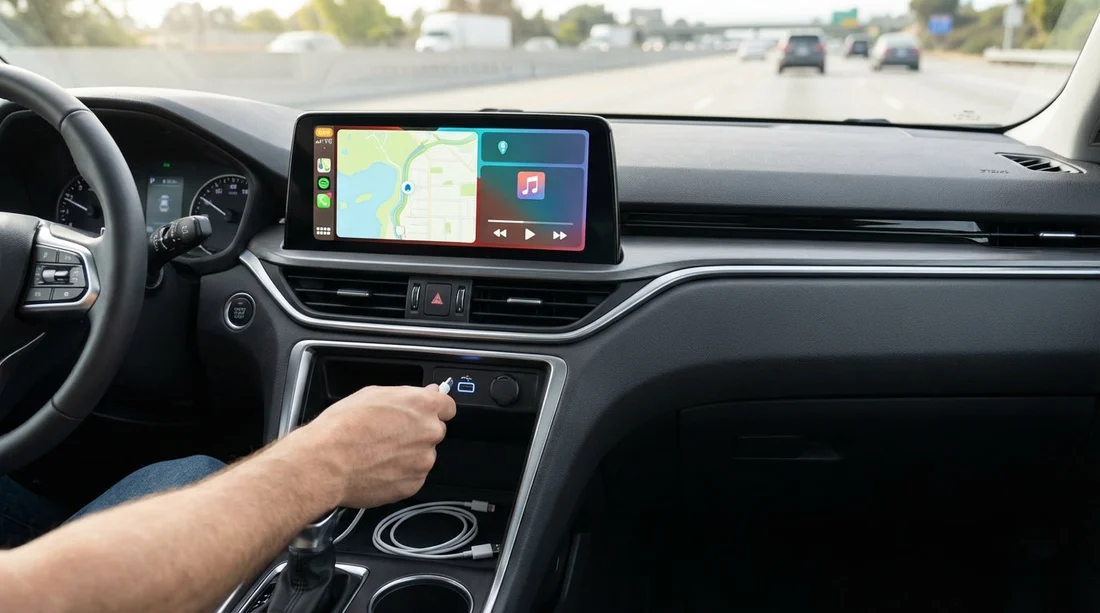
Quick Summary:
- Assume no USB-C or Lightning cable is supplied in US car hire.
- Expect USB-A ports most often, USB-C appears in newer models.
- Test wired CarPlay, Bluetooth, and charging before leaving the lot.
- Pack a short USB-A and USB-C cable, plus a 12V charger.
If you are picking up a car hire in the US, the safest assumption is simple: the vehicle comes with ports, not cables. Some drivers get lucky and find a stray lead in the console, but it is not something rental companies promise, standardise, or reliably keep in the car between customers. For travellers arriving in Los Angeles, that matters because your first drive often starts straight from LAX into heavy traffic, and the last thing you want is to discover your phone will not charge or connect to CarPlay when you are already on the road.
This guide focuses on what is rarely included, what ports you can reasonably expect in common US rental fleets, and the quick tests that help you avoid buying an overpriced cable at the airport convenience shop.
If you are collecting at Los Angeles Airport (LAX) car rental locations, treat your phone setup like you would treat fuel policy or tolls: check it early, before you exit the garage.
Do US hire cars include USB-C or Lightning cables?
In most cases, no. A typical US car hire does not include an Apple Lightning cable, a USB-C cable, or any cable intended for CarPlay. The standard practice is that the car provides built-in USB ports (and sometimes a 12V socket) and you bring your own lead that matches your phone.
Why are cables rarely included?
They walk away easily. Cables are low-cost, high-loss accessories. Even if a branch adds them, they frequently disappear between rentals.
Compatibility is messy. iPhones may need Lightning or USB-C depending on model. Android users could need USB-C, Micro-USB, or a specific data-rated cable for reliable CarPlay/Android Auto.
Cleaning standards vary. Many branches avoid storing loose accessories that can be forgotten, damaged, or deemed unsanitary.
Some cars need data-grade cables. Charging-only leads can fail for CarPlay, so a “free cable” can create support issues.
As a practical rule for Los Angeles arrivals, plan as if you will get no cables at all. Pack what you need in your hand luggage so it is available right after landing.
What ports should you expect in a US rental car?
Ports vary by manufacturer and model year, but US fleets tend to be a mix of mainstream sedans, compact SUVs, and mid-size SUVs. That means you will most often see a combination of USB-A, USB-C, and a 12V socket.
USB-A is still the most common. Many vehicles, especially slightly older models, provide one or more USB-A ports, often in the centre console area. If you only carry USB-C to USB-C cables, you may end up unable to connect at all.
USB-C is increasingly common, but not guaranteed. Newer vehicles may offer USB-C ports, sometimes multiple, and sometimes for rear passengers only. You can not assume the front ports are USB-C, even if you are renting a higher trim.
12V sockets remain useful. A 12V socket plus your own car charger is the most universal fallback, especially for fast charging on long drives.
Wireless charging pads are hit or miss. Some cars include a Qi pad, but it may not hold your phone securely, may overheat it, or may not charge effectively if your case is thick.
For visitors comparing pick-up points and vehicle categories, a larger category can sometimes mean a newer model year, but it is not a guarantee. If you are browsing options like SUV rental in California at LAX, treat the port mix as variable and pack both cable types anyway.
CarPlay basics: why the right cable matters
CarPlay can work either wired or wireless, depending on the car. In US rental fleets, you will find all three scenarios: wired-only CarPlay, wireless CarPlay, or no CarPlay at all (especially in older or base-trim vehicles).
Wired CarPlay requires a data-capable cable. A charging-only cable may power your phone but will not establish a CarPlay session. This is a common reason travellers think the car is “broken” when it is actually the lead.
Wireless CarPlay still benefits from a charger. Wireless CarPlay can drain the battery quickly, especially with navigation, music, and screen brightness. You may not need a cable to connect, but you still need a way to charge.
USB ports are not equal. Some ports are charge-only, some support data, and some are intended for media playback. Cars often label them, but not always clearly.
If you are relying on CarPlay for navigating Los Angeles freeways, pack a short, durable cable and a 12V charger as a backup. That combination covers wired-only systems and keeps you powered even when USB ports are weak.
What is rarely included in a US car hire?
Beyond cables, travellers often assume other small items will be in the vehicle, then discover they need to buy them. Here is what is rarely included, even when the car has the necessary sockets or features.
Phone mounts. Some cars have good dash placement, others do not. Do not expect a mount to be provided, and avoid suction mounts if you will park in strong heat.
AUX cables. Many newer cars have removed AUX entirely. If there is an AUX port, it still will not come with a cable.
Spare adapters. You should not expect USB-A to USB-C adapters, Lightning to USB-C adapters, or dongles for newer iPhones.
Fast charging bricks. Even if the car has USB ports, output can be low. Your own 12V fast charger is often the quickest fix.
Owner’s manuals. Gloveboxes may be empty, so figuring out which port supports CarPlay may take a minute of testing.
When you choose a provider, the vehicle itself is the product. Accessories are inconsistent. If you are reviewing different suppliers for car rental in California at LAX, plan your tech kit independently of brand promises.
What to test before you leave the pickup area
The best time to solve phone connectivity is while you still have staff nearby and can swap vehicles if needed. These checks take about three minutes and can prevent an hour of frustration later.
1) Identify the data USB port. Plug your cable into the port most likely to be data-enabled (often the one nearest the infotainment screen). If nothing happens, try other ports. Some cars have rear USB ports that are charge-only.
2) Confirm CarPlay connection method. If the car supports wireless CarPlay, pair Bluetooth and follow the on-screen prompts. If it is wired-only, connect using your own cable and see if the CarPlay icon appears.
3) Verify charging speed. Watch your phone battery indicator for a minute. If charging is slow or intermittent, switch ports or use a 12V charger. On a hot Los Angeles day with navigation running, slow charging can still mean battery drain.
4) Test audio and microphones. Place a quick call or record a voice note to ensure call audio routes through the car, and the microphone is usable.
5) Check the 12V socket. Make sure it is present and functional. Some are inside the armrest or low in the footwell.
6) Check for a second USB port for passengers. If someone else needs to charge, ensure there is a spare port, or plan to use a multi-port 12V charger.
Doing this at the branch matters because the fix might be as simple as trying a different vehicle. Even within the same class, the infotainment and port layout can vary.
What cables and adapters should you pack for Los Angeles?
Pack for flexibility rather than hoping the vehicle matches your current phone perfectly. For most travellers, a small kit covers every likely scenario in US car hire.
Bring at least two cables: one USB-A to Lightning (or USB-A to USB-C) and one USB-C to Lightning (or USB-C to USB-C) depending on your devices. Having both USB-A and USB-C on the car side matters because you do not know what ports you will get.
Bring a 12V fast charger. Look for a reputable dual-port model so you can charge two devices. This is the most universal solution if USB ports are weak or charge-only.
Bring a short cable for the driver. A 0.5 to 1 metre lead reduces clutter and keeps the cable from interfering with gear selectors or controls.
Consider a USB-A to USB-C adapter. If you carry mostly USB-C cables, a small adapter can save the day in a USB-A-only car.
If you use iPhone with USB-C, bring the right cable. Newer iPhones use USB-C. Many cars still offer USB-A. Pack accordingly.
Does vehicle type affect what you get?
Sometimes, but not reliably. Newer model years are more likely to have USB-C and wireless CarPlay, and those newer years may cluster in certain categories. However, rental fleets rotate, and a “standard” category can still be a late-model car with USB-C, while a premium category might be an older model without it.
If you have a strong preference for a specific brand’s infotainment setup, it can be helpful to choose a brand-specific page while comparing options, such as National Car Rental in California at LAX. Even then, plan for variation by packing the basics.
Common CarPlay and charging problems, and quick fixes
Problem: CarPlay does not appear when plugged in. Fix: try a different USB port, swap to a known data-capable cable, unlock your phone, and approve the “Trust This Computer” prompt if it appears.
Problem: Phone charges but CarPlay still will not connect. Fix: your cable may be charge-only. Switch to an original or certified cable, or try wireless pairing if the car supports it.
Problem: Wireless CarPlay connects, but audio lags. Fix: restart the infotainment system, forget and re-pair the device, and keep Wi‑Fi and Bluetooth enabled as required by the car.
Problem: Charging is too slow for navigation. Fix: use the 12V socket with a fast charger rather than relying on the built-in USB port.
Problem: The port is loose or intermittent. Fix: gently reseat the plug, try another port, and if it still fails, ask to change vehicles before leaving.
What to ask the counter, without slowing everything down
You usually do not need a long conversation, but two quick questions can save time:
“Is CarPlay wired or wireless in this vehicle?” This tells you whether the cable matters for connection or only for charging.
“Which USB port supports CarPlay?” Staff may know common layouts for the cars on their lot. If they are unsure, you can still test in minutes.
At busy pickup locations, you may prefer to self-check and only return to the desk if the setup cannot be made to work.
FAQ
Do US hire cars normally come with an iPhone Lightning cable? No. Most US car hire vehicles provide USB ports but not personal cables. Bring your own Lightning or USB-C lead to avoid last-minute purchases.
Will I definitely get USB-C ports in a rental car in Los Angeles? No. USB-C is common in newer models, but many cars still have USB-A only. Pack a cable that can plug into USB-A, or bring an adapter.
Can I use CarPlay without a cable? Sometimes. If the vehicle supports wireless CarPlay, you can connect without a cable, but you will still want a charging solution because navigation drains battery.
Why does my phone charge but CarPlay will not start? The cable may be charge-only, or you may be using a USB port that does not support data. Try a different port and a data-capable cable.
What should I check before driving off in my hire car? Confirm the correct USB port, test CarPlay or Bluetooth audio, and verify your phone charges reliably. Do this while you can still swap the vehicle easily.

























































































