


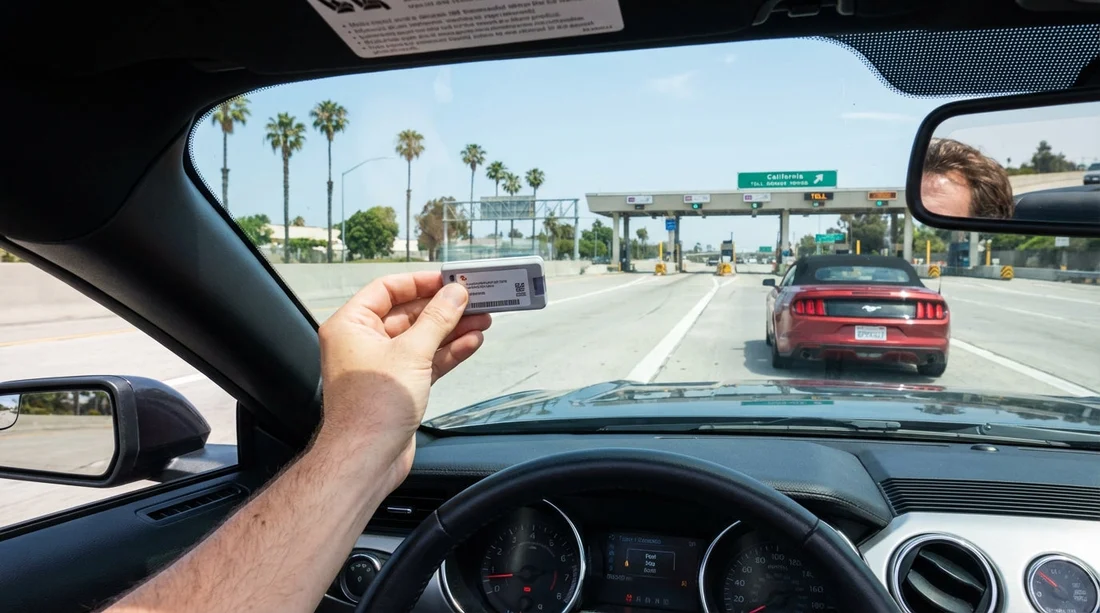
Quick Summary:
- Ask the counter to disable the rental toll programme before driving.
- Register the hire car’s plate to your FasTrak account immediately.
- Keep one toll method active, transponder or plate billing, not both.
- Check statements for 7–14 days and dispute duplicate fees quickly.
Yes, you can often use your own FasTrak transponder with a California hire car, but only if you prevent the car hire company’s toll programme from billing you at the same time. Double charges usually happen when the rental’s plate is already enrolled in a toll service that automatically pays tolls, while your personal FasTrak also pays based on the transponder signal or your account’s licence plate list. The good news is that avoiding duplicates is mostly about timing and clear confirmation at the counter.
California tolling is not one-size-fits-all. Some facilities read only the transponder, others default to licence plate imaging when no transponder is detected, and many toll agencies allow either method to link back to a FasTrak account. Meanwhile, many car hire agreements include an optional toll product that can charge daily service fees on days tolls are used, plus the tolls themselves. To stay in control, you need to understand what you are opting into, and how your personal FasTrak account will treat the hire car’s plate.
When personal FasTrak transponders are allowed in hire cars
In most cases, FasTrak transponders are portable and can be moved between vehicles, including a hire car, as long as you follow FasTrak account rules. The practical issue is not whether FasTrak allows it, but whether the car hire firm has already attached the vehicle’s licence plate to its own toll payment system. If both are active, you can end up paying tolls twice, once via your FasTrak and again through the rental toll provider, sometimes with extra administrative fees.
It is also important to match the transponder type to where you are driving. Standard FasTrak works widely, but some lanes, such as express lanes, may use settings that depend on occupancy switches or special transponders. If your device has a switch, set it correctly, because incorrect settings can create billing complications that are harder to untangle when a hire vehicle is involved.
If you are collecting a car at a major airport location, toll products tend to be common and may be pre-selected in the paperwork flow. If you are picking up in Los Angeles, it helps to review location-specific car hire details in advance, such as on Los Angeles Airport car rental, so you know what toll roads and express lanes you might encounter.
How double charges happen, and the two main billing paths
Double billing generally happens through one of these paths:
Path 1, transponder pays, rental toll programme also pays. You mount your FasTrak and the toll system reads it. At the same time, the hire company’s toll programme may still pay based on the plate being enrolled in its system, or it may later post a toll transaction based on plate imaging. You then see the toll on your FasTrak statement and also see toll charges, plus service fees, from the rental firm.
Path 2, plate pays, rental programme charges, then FasTrak matches the plate. You forget to mount the transponder correctly, or you drive in an area that bills by plate when no transponder is detected. If you have temporarily added the hire car’s plate to your FasTrak account, FasTrak may pull that transaction onto your account. Separately, the rental programme also bills it. Again, duplicates.
The fix is to ensure only one party is responsible for toll payment at a time. Either you use your personal FasTrak and opt out of the rental toll product, or you keep your personal FasTrak out of the vehicle and allow the rental toll product to handle tolls. Mixing them is what causes problems.
What to confirm at the counter, in plain language
Before you leave the car hire desk, ask questions that force a clear answer and a clear record. You are trying to confirm whether the vehicle’s plate is enrolled in an automatic toll programme, and whether you can opt out.
Use wording like:
1) “Is this vehicle enrolled in a toll programme that bills tolls automatically by plate?” If the answer is yes, you need to know whether you can opt out or whether it is unavoidable.
2) “If I use my own FasTrak transponder, can you disable or remove toll billing for this contract?” Ask for confirmation on the agreement, not just verbally.
3) “Are there any daily fees for toll processing, and when do they apply?” Some products charge only on toll days, others can have different triggers. The fee structure determines whether it is worth opting in.
4) “If a toll is paid by my transponder, will your system still charge me?” You want a direct statement that it will not.
Keep your final contract or summary page. If a dispute arises, you will need the contract number, dates, and sometimes proof that you declined a toll product. This is especially useful when travelling between cities, for example if your trip starts near San Diego car hire and later includes toll facilities around Orange County or Los Angeles.
Step-by-step, how to use your FasTrak without duplicates
Step 1, decide your method before driving. Choose one: personal FasTrak, or rental toll programme. If you are likely to use toll roads frequently or use express lanes, personal FasTrak can be simpler, but only if you can fully opt out of rental toll billing.
Step 2, if using your FasTrak, opt out properly. Decline the car hire toll product in writing where possible. If the contract shows a toll option as active, ask for it to be removed and reprinted. If the staff member says “it only charges if you use tolls”, that still means it will charge if it thinks you used tolls, even if your transponder already paid.
Step 3, add the hire car’s plate to your FasTrak account. For many trips, adding the plate is wise because it can catch transactions if the transponder is not read. However, only do this if you are confident the rental toll programme is not billing. Add it immediately after pick-up and remove it immediately after drop-off. This reduces the chance that later plate-based charges match to your account after you no longer have the vehicle.
Step 4, mount and use the transponder correctly. Place it where recommended, usually high on the windscreen, and ensure it is not blocked by metallic tinting areas. If you have an occupancy switch, set it correctly before entering express lanes. Incorrect mounting can cause plate reads and increase the risk of duplicate paths.
Step 5, keep evidence of what you did. Take a photo of the vehicle plate and the dashboard showing the transponder mounted, plus a screenshot showing you added the plate to your account with the correct dates. This is not excessive, it is often the difference between a quick refund and a long back-and-forth.
If your itinerary includes Northern California, you may be driving around Sacramento, where express lanes and tolled facilities can come into play. Planning your route alongside your car hire pick-up details, such as Sacramento car hire, helps you decide whether you will realistically use toll roads enough to justify one method over the other.
When you should not use your own transponder
There are situations where it can be safer to leave your FasTrak in your bag and use the rental’s toll option instead:
You cannot opt out in writing. If the hire company will not clearly disable toll billing, using your transponder risks duplicates.
You are unsure you can manage the plate add and remove. Forgetting to remove the hire car plate from your FasTrak account can lead to later tolls matching to you, especially if the plate is reissued or re-used, or if late postings occur.
You are using multiple hire cars on one trip. Switching vehicles increases the chance of errors. In that case, a single rental toll product per contract might reduce admin, even if it costs more.
Your transponder settings do not match your use. If you need specific express lane settings and you do not have the right device, relying on your own transponder can create misclassification charges.
If you are travelling with a larger group and using a bigger vehicle, keep in mind that mounting position and windscreen size can differ. For certain vehicle categories, review the practicalities before you drive away, such as on van rental California, so you are not improvising at the toll gantry.
How to spot duplicate billing, and how to resolve it
Duplicate charges often appear at different times. FasTrak postings can be relatively prompt, while car hire toll charges may arrive days or weeks later, often after you have returned home. Build a simple check routine:
1) Monitor your FasTrak account for transactions during the rental dates. Note the date, facility, and amount.
2) Watch your car hire invoice and card statement for toll line items. Look for tolls plus separate service fees or administrative charges.
3) Compare the dates and locations. If both show the same toll facility and time window, you likely have a duplicate.
To resolve it, start with the party that added the extra fees. If your FasTrak account shows the toll was paid, you have evidence that the toll itself should not be billed again. Contact the hire company or its toll administrator and provide the FasTrak transaction details, contract number, and proof that you declined the toll programme if relevant. If the rental programme paid first and FasTrak later matched by plate, contact FasTrak to request review, and remove the hire car plate from your account immediately to prevent more matches.
Keep in mind that some disputes are easier if you can show you did your part at pick-up. That is why the counter confirmation matters as much as the transponder itself.
Practical counter checklist to avoid surprises
Use this quick checklist when collecting a car hire in California:
Confirm toll product status. Active or declined, and captured on your contract.
Confirm what triggers service fees. Per toll day, per rental day, or other rule.
Confirm plate enrolment behaviour. Whether the plate is automatically billed regardless of a personal transponder.
Confirm returns and timing. Ask how long after return toll charges can post, so you know when to review statements.
This approach works whether you are flying into a busy hub or collecting at a smaller airport desk. The key is to leave with certainty about who is paying tolls, and what evidence you have if a back-office system later misfires.
FAQ
Can I just place my FasTrak in the hire car and drive? You can, but it is risky unless you have opted out of the car hire toll programme in writing. Otherwise the rental’s plate-based billing can still charge you alongside your transponder.
Do I need to add the hire car’s licence plate to my FasTrak account? It is recommended if you are using your own transponder and the rental toll programme is disabled. Adding the plate can capture missed reads, but remember to remove it right after drop-off.
What should I ask for on the contract to prevent double charges? Ask for the toll programme to be marked declined or removed, and for any toll device or toll option line item to show as inactive. Keep a copy of the final agreement.
How long after returning the car can toll charges appear? Toll and service fee postings can appear days to a couple of weeks later. Check both your FasTrak statement and your card statement for about 7 to 14 days.
What if I get charged twice for the same toll? Gather your FasTrak transaction record and your rental contract details, then dispute the duplicate with the party that added the extra charge or fee. Remove the hire car plate from your account to stop further matches.

























































































