


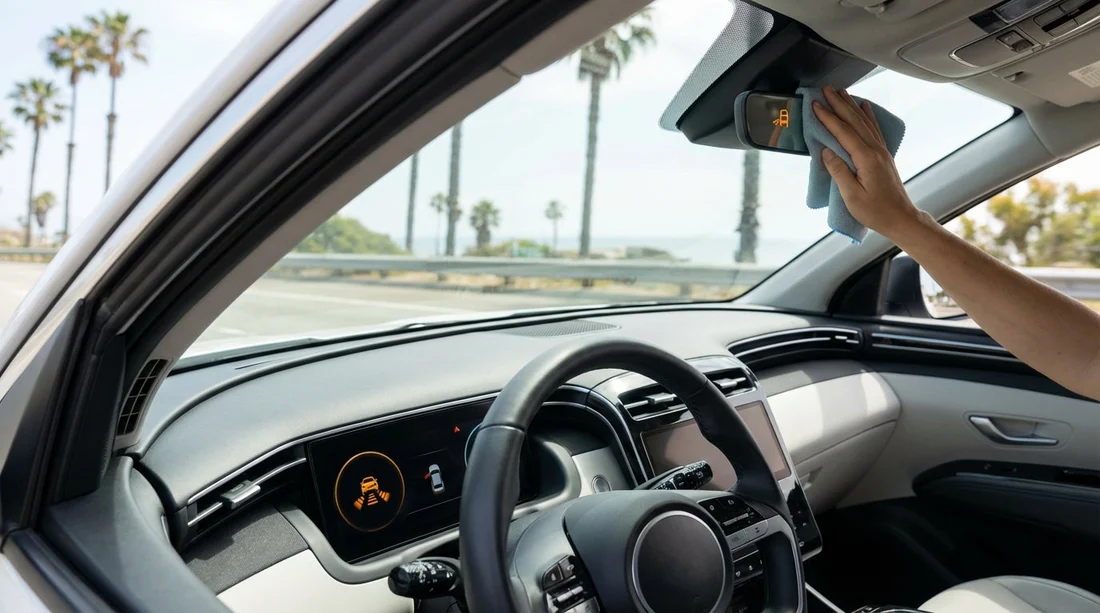
Quick Summary:
- Pull over safely, then assess visibility and any disabled safety features.
- Clean the windshield, grille emblem, and sensor areas with soft cloth.
- Remove temporary causes such as rain, fog, stickers, or road film.
- Photograph the alert, note conditions, then call for advice or swap.
A ‘front camera/sensor blocked’ warning in California usually means the vehicle cannot “see” properly through its forward-facing camera or radar. In many modern cars this can disable or limit driver assistance systems such as adaptive cruise control, lane keep assist, automatic emergency braking, or collision warnings. The car may still be drivable, but you should treat the message as a safety-related fault, not as a minor annoyance.
If you are using a car hire vehicle, the best approach is quick, safe troubleshooting, then careful documentation before you continue. That way you reduce risk, avoid accidentally damaging sensors, and have a clear record if you need a vehicle swap.
This matters in California because conditions can change fast, coastal fog on Highway 1, bright sun glare through mountain passes, dust near desert routes, or heavy spray in winter storms. Any of these can trigger the warning even when nothing is broken.
What the warning usually means
Most vehicles use one or more of the following at the front: a camera mounted high behind the windscreen near the rear-view mirror, radar hidden behind the grille or emblem, ultrasonic sensors in the bumper, and sometimes a forward-facing camera in the grille. A “blocked” warning is commonly triggered when the system detects an obstructed view, poor contrast, or inconsistent reflections.
In practical terms, your car may still steer, brake, and accelerate normally, but some automated aids may be reduced or switched off. You might see extra messages such as “Adaptive cruise unavailable”, “Pre-collision system disabled”, or “Lane assist unavailable”. Assume those aids will not work until the warning clears.
Can you keep driving in California?
Often, yes, but only if basic driving safety is unaffected and the road conditions allow it. Use this decision process:
Stop and check first. If the warning appears while driving, avoid sudden braking. Signal, move to a safe area, and stop. Check whether the windscreen is clear and whether anything is physically obstructing the sensor zones.
Continue only if you have clear visibility, normal braking response, no overheating or tyre warnings, and you can drive without relying on driver-assistance. You must be comfortable driving manually in the current conditions.
Do not continue if visibility is poor due to fog, heavy rain, smoke, or glare, or if the warning is paired with braking, steering, or stability-control warnings. Also avoid continuing if the front bumper or windscreen looks damaged or misaligned after a knock or a kerb impact.
California law does not give a one-size-fits-all rule for these alerts, but your duty is to drive safely for conditions. If the warning disables safety systems you normally depend on, treat it as a reason to slow down, increase following distance, and avoid complex driving environments until you resolve it.
Safe quick checks you can do in two minutes
These steps suit most vehicles and are appropriate for car hire use because they are non-invasive and low risk.
1) Look for obvious obstructions
Walk around the front of the vehicle. Check the bumper, grille, and emblem area. Look for:
Road grime, bugs, tar spots, or salt film on the grille or emblem, especially after long freeway miles. Leaves or plastic trapped near the lower grille. Packing tape, shipping film, or a temporary sticker left over from servicing. A mis-seated licence plate frame or decorative plate bracket that sits in front of a sensor.
2) Check the windscreen area around the camera
Most forward cameras sit behind the windscreen near the mirror. From outside, inspect that part of the glass for heavy dirt, water beading, or smear marks. From inside, check whether a dashcam mount, toll tag, or phone holder is intruding into the camera’s field of view.
3) Quick clean, the right way
Use a soft microfibre cloth if available. If you have access to water, lightly dampen the cloth. Wipe the windscreen in the camera area, then wipe the grille emblem and the front bumper sensor circles.
Avoid harsh scrubbing, paper towels that can scratch plastic covers, and strong chemicals. Do not poke into sensor recesses with keys or sharp objects. If you are at a fuel stop, a gentle rinse can help, but keep high-pressure jets at a distance to avoid forcing water into trims.
4) Restart the car, then drive a short, easy stretch
After cleaning, start the vehicle and wait 30 to 60 seconds. Many systems re-check sensors automatically. If the message persists, drive slowly in a simple environment such as a car park loop or a quiet road for a few minutes. Some systems need motion and lane markings to calibrate.
Common California triggers and what to do
Coastal fog and marine layer
Fog reduces contrast and can make lane lines hard to detect. If you are near San Francisco, Monterey, or any coastal corridor, the camera may temporarily “lose” markings. Slow down, use headlights as required, and do not depend on lane-keeping. If the windscreen is damp, use defogging and wipers, then re-check the glass around the camera.
Heavy rain and freeway spray
Spray from trucks can coat the front emblem with a milky film. Increase following distance, stop at a safe exit, and wipe the emblem and bumper sensors. If you picked up your car at car hire at San Francisco Airport (SFO) and immediately hit wet highways, this is a common first-day alert that clears after a clean.
Dust, sand, and desert routes
On drives near Joshua Tree, Palm Springs, or inland valleys, fine dust can accumulate and look “clear” to you but opaque to sensors. A damp cloth wipe on the emblem and bumper sensors is usually enough. If dust is heavy, check your cabin air settings too, as a dusty windscreen from inside haze can worsen camera clarity.
Ice, frost, or hail in mountain areas
Even in California, you can encounter frost at elevation. Do not chip ice off sensor covers with a hard tool. Use the vehicle’s defroster and warm air, then gently wipe. If you are heading toward the mountains from Los Angeles, keep in mind that a vehicle collected via car rental in California at LAX might not have seen those temperatures recently, so you may be the first to notice the issue.
Sun glare at low angles
Morning or sunset glare can saturate cameras. The warning may disappear once the angle changes. Use sunglasses, keep the windscreen clean, and avoid assuming the system has recovered until the alert is gone.
Stickers, tags, and aftermarket accessories
Parking permits, dashcam cables, suction mounts, or toll tags can block the camera. Reposition items away from the camera housing. If the car has a temporary tag or dealer sticker on the outside of the windscreen near the camera zone, do not peel it off without permission. Document it and report it.
What to document before you continue
Documentation protects you and speeds up support decisions, especially with car hire. Take 60 seconds to capture the facts.
Photograph and record:
A clear photo of the dashboard warning message. A short video showing the warning persists after cleaning. Photos of the front bumper, grille emblem, and windscreen area around the camera, close-up and wide shot. Current conditions: rain, fog, dust, sun glare, time of day, and whether wipers or defroster were on. Your location and mileage, plus whether any impact occurred (even a minor parking bump).
Also note which features are unavailable. For example, if adaptive cruise will not engage, write that down. This information is useful if you later ask for a different vehicle type, such as an SUV that better suits your route, for example through SUV rental in California at LAX.
When to request help or a vehicle swap
If the warning clears after cleaning and conditions improve, you can typically continue while staying alert. If it does not clear, use this risk-based guide.
Request assistance promptly if:
The message persists in dry, clear weather after cleaning. Multiple safety systems are disabled, or you see braking or stability warnings. The windscreen is cracked near the camera area, even a small crack can affect calibration. The front bumper or grille looks misaligned, suggesting a prior impact. You are planning long high-speed freeway driving where adaptive cruise and collision warnings are particularly useful.
For travellers collecting vehicles from major hubs, support processes can differ by brand and desk. If your agreement is tied to a specific supplier location, having your pickup page handy can help you relay details efficiently, such as Hertz car hire at Los Angeles LAX or Alamo car rental in San Diego (SAN).
What “swap” may involve
A swap might be as simple as exchanging keys at the same branch, or you may be directed to a nearby airport location. In some cases the provider may advise you to continue driving cautiously to the nearest service point if the car remains safe, but avoid assuming that is always acceptable. Your notes and photos help them decide quickly.
What not to do
A few well-intended actions can create bigger problems, especially on vehicles with sensitive calibration.
Do not cover sensors with tape “to silence” the warning. Do not attempt to remove the grille emblem or pry sensor covers. Do not use abrasive pads or aggressive solvents on plastic radar covers. Do not rely on driver-assistance features as a substitute for visibility, especially in fog or heavy rain. Do not ignore repeated warnings that return every few miles, that pattern often indicates a persistent obstruction or misalignment.
Driving cautiously until it clears
If you must continue to reach a safer stopping point or a support location, drive as if the car has no assistance features at all.
Leave extra following distance. Avoid using cruise control if the system seems inconsistent. Keep speed moderate and plan braking early. Use lane discipline and check mirrors manually, since blind-spot and lane aids may be affected in some models. In stop-and-go traffic, expect that auto emergency braking may not intervene.
If you are travelling through dense traffic corridors, consider timing your drive to avoid peak congestion. A short delay can be safer than pressing on when visibility is marginal and alerts are stacking up.
Preventing the warning on the rest of your trip
Most “blocked” alerts are preventable with simple habits that suit a California road trip.
Wipe the windscreen and emblem area at fuel stops. Keep washer fluid topped up and use it before the windscreen becomes heavily smeared. Avoid placing any interior accessories near the camera housing. After coastal drives, remove salt film promptly. After bug-heavy stretches, clean the front end sooner rather than later, bug residue can bake on in sun and become harder to remove.
Finally, remember that different makes behave differently. Some systems are conservative and trigger warnings early, especially when lane markings are faint or roadworks are present. Treat the warning as information that your car’s electronic “eyes” are limited, then drive accordingly.
FAQ
Q: Is it legal to keep driving with a “front camera blocked” warning in California?
A: Usually yes if the vehicle is otherwise safe and you can drive normally, but you must drive safely for conditions and not rely on disabled assistance features.
Q: Will the car fail to brake automatically if the sensor is blocked?
A: It can. Many vehicles reduce or disable automatic emergency braking and forward collision alerts when the camera or radar cannot see clearly.
Q: What is the quickest fix that works most often?
A: Gently clean the windscreen area near the mirror and the front grille or emblem, then restart and drive a short distance to allow the system to re-check.
Q: Should I remove a sticker or tag that looks like it blocks the camera?
A: Reposition interior accessories you added, but avoid peeling off official stickers or tags without permission. Photograph the obstruction and report it for guidance.
Q: What should I send support if I need a vehicle swap?
A: Provide photos of the warning, bumper and windscreen areas, your location, weather conditions, and what troubleshooting you tried, including whether cleaning changed anything.

























































































