


Quick Summary:
- Bring your physical driving licence, digital versions are often not accepted.
- Carry a passport or additional ID if your licence is not US-issued.
- Use a credit card in the main driver’s name for deposits.
- Print or save your confirmation, but expect staff to verify originals.
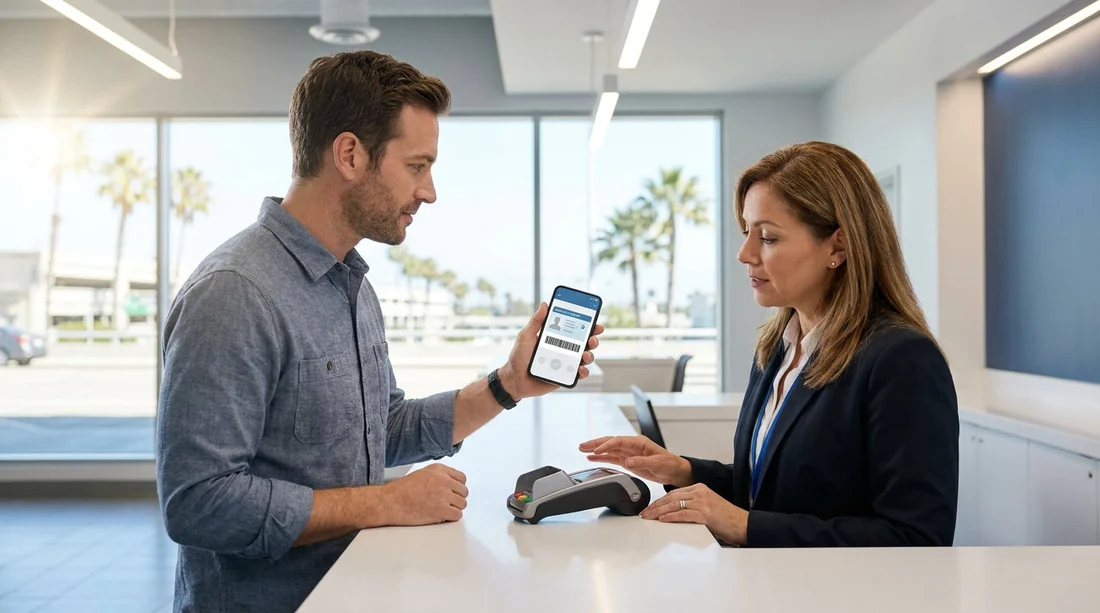
Digital driving licences and mobile wallet IDs are becoming more common, but car hire pick-up rules in California still rely heavily on physical documents. In practical terms, most rental counters expect to handle and visually inspect an original, plastic driving licence and a valid payment card, and they may decline a phone-based credential even if it is legally recognised for some uses.
This matters because rental pick-up is not just an age and eligibility check. The counter team must confirm identity, validate licence details, apply any young driver policies, and secure a deposit. If they cannot complete those checks to their standards, they can refuse to release the vehicle. The safest approach is simple, treat a digital licence as a helpful backup, not as your primary document for collecting a car in California.
Are digital driving licences accepted for car hire pick-up in California?
In most cases, no, you should not assume a digital driving licence will be accepted at the rental desk in California. Even where a mobile credential is legitimate for traffic stops or age verification, rental companies may have internal policies requiring a physical licence for fraud prevention and auditing. Counter staff are trained to check security features, expiry dates, and licence class or endorsements, and those checks are more consistent with a physical card.
Some locations may be able to accept certain forms of digital ID for limited purposes, but acceptance is not guaranteed and may vary by brand, airport, franchise, or even staffing and system availability. Because you cannot rely on it, arriving with only a digital licence is one of the most common ways travellers experience delays, extra questioning, or a declined rental.
Why rental counters still ask for physical documents
Car hire involves higher risk than many everyday identity checks. The rental company is handing over a high-value asset, taking a deposit, and relying on the driver’s ability to lawfully operate a vehicle. Physical documents provide a consistent inspection method, and many rental systems are designed around scanning or manually entering details from a card.
There are also practical issues. Phone batteries die, screens crack, apps may fail offline, and some states or countries issue different digital formats. A physical licence avoids those points of failure. Finally, some renters present a digital credential that is valid, but the rental location may not have a compliant way to verify it, so they default to the standard requirement, original plastic licence.
What to bring instead: the safest document checklist
If you want a smooth pick-up in California, bring physical documents that let the agent complete the rental agreement without exceptions.
1) Original physical driving licence
Bring your current, valid, physical licence. Temporary paper licences are sometimes not accepted, especially without the expired card, so if you are mid-renewal, check carefully before you travel. The name on your licence should match the name on the payment card used for the deposit.
2) Passport or additional government ID (especially for non-US licences)
If you are visiting from abroad, carry your passport. Many rental counters use it to confirm identity and residency, even if your driving licence is in English. If your licence is not in English, carry an International Driving Permit (IDP) alongside the original licence. The IDP is a translation booklet, not a replacement, so you still need the physical licence.
3) A payment card in the main driver’s name
Most California locations prefer a credit card for the security deposit. Some locations accept debit cards, but that may trigger extra requirements, such as additional ID, proof of return travel, a credit check, or limited vehicle categories. To reduce surprises, bring a major credit card with sufficient available credit for the deposit hold.
4) Rental confirmation details
Keep your booking confirmation accessible. A printout can help if you have no mobile signal, but it does not replace the need for original documents. If you reserved through a travel platform or consolidated site, make sure you have the correct supplier name and confirmation number.
If you are arranging a pick-up at a major hub, the process can differ slightly by airport and provider. For example, travellers comparing options for San Francisco Airport car rental often see multiple brands with their own document rules. The same is true if you are picking up via Enterprise car rental at LAX, where high volumes can make strict document checks more likely.
What happens if you arrive with only a digital licence?
Expect the agent to ask for a physical licence and, if you cannot provide it, to pause or decline the rental. In some cases, they may allow time for a companion to bring the physical licence, or they may suggest adding a different driver who can meet the requirements. However, adding a new driver can change pricing, availability, and insurance options, and it may not be possible if the booking is prepaid or restricted.
Even if a location is willing to review a digital licence, they may still need a second physical ID and a credit card. That can turn a quick counter visit into a long discussion, and at busy airports that delay can be significant.
Digital licence vs. digital copy or photo, what is the difference?
Some travellers confuse an official mobile credential with a photo of their licence stored on their phone. A photo is almost never acceptable for car hire. It is easy to edit, and it provides no reliable way to confirm authenticity. An official digital licence may be more secure, but rental companies still may not accept it because their policy requires an original physical card.
So if you are deciding what to pack, assume that neither a licence photo nor a digital wallet ID will replace your plastic licence at pick-up in California.
Extra tips for a smooth California pick-up
Match names exactly. Ensure the spelling on your licence, passport, and payment card match. Small differences, such as missing middle names or swapped surname order, can trigger extra checks.
Check age rules and additional driver requirements. Under-25 drivers may face surcharges and vehicle restrictions, and additional drivers usually must be present with their physical licence at pick-up.
Plan for different rules by city and supplier. If you are collecting near Silicon Valley via San Jose Airport car rental, or heading south through San Diego car rental providers, policies can be similar but not identical. It is worth reviewing the supplier’s terms for payment cards, ID, and licence acceptance before travel.
Bring an IDP if your licence is not in English. California generally allows visitors to drive with a valid foreign licence, but rental counters can still require an IDP for interpretation, especially when the script is non-Latin. Carry both documents.
Do not rely on screenshots. If you do carry a digital licence, ensure it is accessible within the official app, but treat it as a backup only.
So, will a digital driving licence be accepted?
For car hire pick-up in California, the practical answer is that you should not rely on it. A digital driving licence may be useful in day-to-day situations, but rental counters commonly require the original physical card, plus a payment card in the main driver’s name, and often a passport or additional ID for international travellers. Bringing the right physical documents is the simplest way to avoid delays and to make sure the vehicle can be released on time.
FAQ
Can I pick up a rental car in California using only a digital driving licence?
Usually not. Most rental locations require the original physical driving licence at the counter, even if you have a digital version.
Is a photo or scan of my driving licence acceptable for car hire?
Typically no. A photo or scan is rarely accepted because it cannot be reliably authenticated, so bring the physical card.
Do international drivers need an International Driving Permit in California?
Sometimes. If your licence is not in English or uses a different script, an IDP helps as an official translation, but you still must carry your original licence.
What payment method do I need to collect the car?
A major credit card in the main driver’s name is the safest option for the deposit. Debit card acceptance varies and may add extra requirements.
What should I do if I forget my physical licence on the day?
Contact the rental location immediately. You may need someone to bring the physical licence, or you may have to change the main driver to someone who can meet the document rules.





























































































