


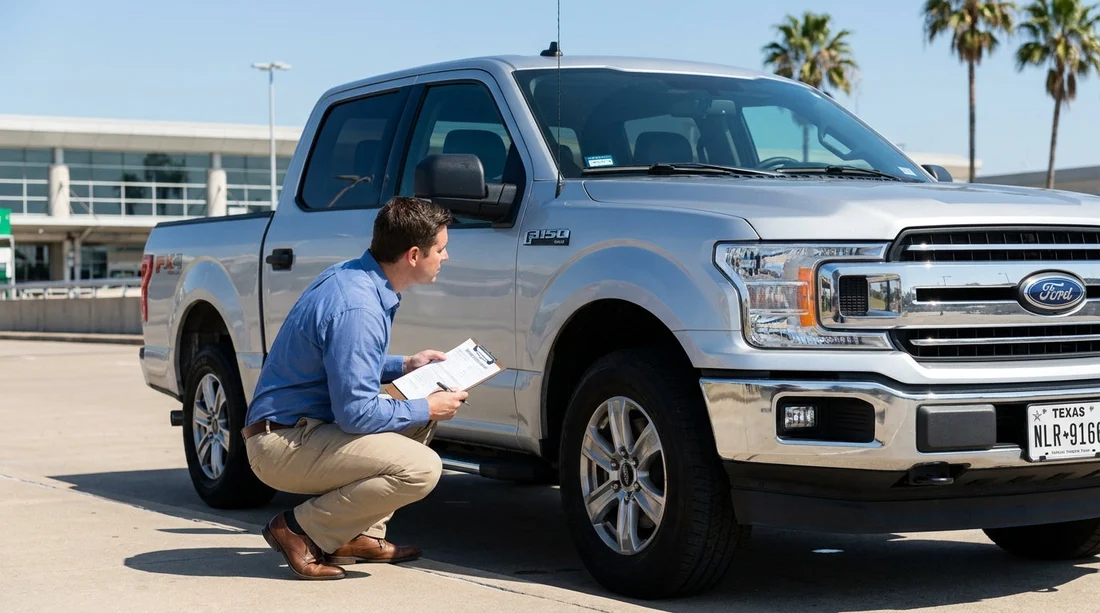
Quick Summary:
- Match the contract VIN and plate to the car before leaving.
- Verify the VIN on the windscreen plate and door jamb sticker.
- Confirm plate characters, state, and any temporary tag code match.
- Photograph VIN, plate, and paperwork to avoid disputes later.
Picking up a car hire in Texas is usually quick, but mix-ups happen, especially in busy airport garages where several near-identical cars sit together. Your goal at pick-up is simple: confirm the vehicle you are about to drive is the exact vehicle assigned on your rental agreement. The two most reliable identifiers are the VIN (Vehicle Identification Number) and the number plate (licence plate or temporary tag number).
This practical checklist walks you through what to compare at the counter, what to check at the car, and how to document the match. It is written for Texas pick-ups, including airport locations where cars may have front plates, rear plates, or temporary paper tags depending on the vehicle.
Know what you are matching: VIN vs number plate
The VIN is a 17-character serial number that uniquely identifies a specific vehicle. It does not change, and it is your best proof that the car in front of you is the car on the contract. The number plate is the external registration identifier, but it can be less straightforward in Texas because some vehicles may display temporary tags or dealer plates.
Your agreement might show the full VIN, a partial VIN (often last 6 to 8 characters), and the plate or tag number. If you are collecting from a large facility, such as those serving car hire at Dallas Fort Worth DFW, you may also see a stall number, barcode, or internal unit number. Treat the VIN and plate as the primary match points, and everything else as supporting information.
Counter checklist: get the right details before you walk out
Before you head to the garage, pause at the desk or kiosk and confirm what is printed (or displayed digitally) on your agreement. Make sure you can clearly find the vehicle description and the identifiers. If anything is missing or unreadable, ask for clarification while you are still with staff.
At the counter, confirm these items match what you expect:
1) Vehicle make, model, colour, and class. This is not enough on its own, but it helps you spot obvious mismatches quickly, for example, a sedan assigned when you expected an SUV.
2) Plate or tag number. If the contract lists a plate number, ensure it is complete and includes any spaces or hyphens exactly as shown. If it lists a temporary tag, it may be a different format than standard plates.
3) VIN or partial VIN. Some paperwork shows the entire VIN, others show a shortened version. Make sure you understand what portion you will be matching at the car, for example, “VIN ending 123456”.
If you are collecting at a busy site like Payless car rental at Dallas DFW, consider taking a quick photo of the agreement page that shows the VIN and plate. That way you are not trying to memorise numbers while walking through a garage.
At the car: where to find the VIN quickly
In most modern vehicles, you can confirm the VIN in at least two places without tools. Use both locations if possible, because it reduces the chance of reading errors.
1) Dashboard VIN plate (driver side). Stand outside the car on the driver side and look through the lower corner of the windscreen. You should see a small metal or plastic plate with the 17-character VIN. This is usually the easiest to read in daylight, and it is the most common reference point in rental checks.
2) Driver door jamb sticker. Open the driver door and look for the manufacturer label on the door frame or the edge of the door. It typically lists the VIN along with tyre pressures and weight ratings. This sticker is helpful if glare makes the windscreen plate hard to read.
How to match accurately: Compare character by character. VINs use numbers and capital letters, but they do not use I, O, or Q, which helps avoid confusion with 1 and 0. If your agreement only shows a partial VIN, match exactly the segment shown. Do not assume a near-match is fine, because a single character difference means it is a different vehicle.
How to match the number plate in Texas, including temporary tags
Once the VIN matches, confirm the number plate or temporary tag matches the agreement. In Texas, you may see:
Standard plates on the rear, and sometimes the front depending on the vehicle and origin state.
Temporary paper tags often placed inside the rear window. These may show a large alphanumeric code and an expiry date. If your contract lists a tag number, match the same code, not the printed dealer name or other text.
Out-of-state plates are common for fleet vehicles moved between states. That is fine as long as the plate or tag number matches your agreement.
Practical matching tip: read the plate slowly, then point to each character on your agreement as you confirm it. If the agreement shows a state abbreviation or plate type, do not panic if it differs, the number itself is the key. If the agreement shows a plate but the car has a temporary tag, go back to the desk and ask for a corrected contract before driving off.
Do a final “three-point match” before you load luggage
Before you start setting up phones, child seats, or loading bags, do a quick three-point match. This takes under a minute and prevents most assignment problems.
Three-point match: (1) VIN on the car, (2) plate or tag on the car, (3) VIN and plate on the agreement. If all three align, you can be confident you have the correct car hire vehicle.
If you have chosen a location such as car rental in Austin AUS, the same process applies even if you are collecting from a smaller facility. Lower footfall reduces mix-ups, but it does not eliminate them, especially during peak travel times.
What to do if the VIN or plate does not match
Do not drive the vehicle out of the facility if either identifier differs from your contract. A mismatch can cause problems at the exit gate, issues if tolls are billed to the wrong account, or complications if there is damage recorded against the wrong vehicle.
If you find a mismatch:
1) Stop and re-check in good light. Glare and smudged characters cause mistakes. Compare again using the door jamb VIN if the windscreen plate was hard to read.
2) Return to the counter or call the location number. Ask staff to confirm the assigned unit, and request an updated agreement if they intentionally swapped you to a different vehicle.
This is especially important if you are upgrading to a larger vehicle for luggage or group travel, for example when arranging van rental in San Antonio SAT. Any change must be reflected on the paperwork.
Document the match in seconds: photos that help later
Documentation protects you if there is ever confusion about what you collected. It also helps if you need to call support during the trip.
Take these three photos before leaving:
1) The VIN through the windscreen. Make sure the characters are readable in the image.
2) The plate or temporary tag. Capture the full number and any relevant tag placement in the window.
3) The agreement page showing VIN and plate. If your agreement is digital, screenshot the section with identifiers.
Then do a quick walkaround for condition, because a correct match does not guarantee pre-existing damage was recorded. If you notice anything significant, report it immediately so it is noted against the correct vehicle record.
FAQ
Q: Where exactly can I find the VIN on the rental car?
A: Check the driver-side lower windscreen for the VIN plate, then verify it again on the sticker in the driver door jamb.
Q: My agreement shows only part of the VIN. Is that enough to match?
A: Yes, if you match the exact characters shown, typically the last 6 to 8. If you cannot find those characters clearly, ask staff for the full VIN.
Q: The car has a temporary paper tag, but my contract lists a plate number. What should I do?
A: Do not leave yet. Return to the counter and ask for the agreement to be updated so the tag number on the vehicle matches the paperwork.
Q: Does Texas require a front number plate on rental cars?
A: You may see both. Some vehicles only show a rear plate or a temporary tag, so match the number shown on the car to your contract.
Q: What is the fastest way to prove I picked up the correct car?
A: Photograph the windscreen VIN, the plate or tag, and the agreement identifiers before exiting the garage.





























































































