


Quick Summary:
- Check the vehicle features list for GPS or navigation wording.
- Confirm whether sat nav is built-in, or a paid add-on.
- Ask at the counter for the exact model and trim level.
- Test the navigation screen before leaving the Orlando car park.
Built-in sat nav sounds simple, but with car hire it can be unclear unless you know exactly where to look. Some listings use “GPS” to mean a separate device, others use it to mean factory-fitted navigation, and many modern cars rely on phone mirroring rather than a standalone navigation system. If you want the convenience of an in-dash map in Orlando, you can reduce the risk of turning up to a car that only has Bluetooth by checking four things: the listing language, the inclusions and exclusions, what the desk can confirm, and what you physically test in the car.
This guide walks through each stage so you can confirm whether your rental includes built-in sat nav before you drive away, and what to do if the answer is “not guaranteed”. For general guidance on comparing options across locations, you can also browse Hola Car Rentals landing pages such as car rental airport Austin AUS and Dollar car hire Seattle SEA, then apply the same feature-checking habits to Orlando.
Understand the words companies use for navigation
Before you check anything, it helps to know the common terms used in car hire descriptions.
Built-in sat nav usually means an in-dash navigation system integrated into the car’s infotainment, controlled via the touchscreen or dial, and using the car’s own maps.
GPS in a rental context can mean built-in navigation, but it can also mean a portable GPS unit supplied as an extra. Treat “GPS” as ambiguous until you see further detail.
Navigation capable often means the car has a screen and supports Apple CarPlay or Android Auto, but it does not guarantee the car has its own map software.
Apple CarPlay or Android Auto can be a great alternative to built-in sat nav, but it depends on your phone signal, data roaming plan, and having a compatible cable or wireless connection.
Step 1: Check the car listing for feature wording and symbols
When you view a car hire quote, find the section that lists vehicle features, equipment, or specifications. You are looking for an explicit mention of navigation, not just a screen or Bluetooth.
Good signs include: “built-in navigation”, “sat nav included”, “factory navigation”, “in-dash GPS”, or a dedicated “navigation” icon in the features list. If the listing only says “GPS available” or “GPS on request”, assume it is not included as standard.
Also watch for the “or similar” issue. Many bookings are for a class rather than a guaranteed make and model. Even if one model in the class has built-in sat nav, another might not. In that case, you need to confirm whether navigation is guaranteed for the whole category, not just the pictured vehicle.
If you are comparing providers and vehicle categories, you will often see similar feature language across different markets. For example, the way equipment is described on a location page such as car hire Doral DRL can help you recognise the same patterns when reviewing Orlando quotes.
Step 2: Check what is included vs what is an optional extra
The fastest way to get caught out is to assume navigation is included because you saw “GPS” somewhere on the page. Look for a section labelled “Included”, “What’s included”, “Price includes”, or “Extras”.
If navigation is included, it should appear clearly as an included feature or included equipment. If it is an add-on, it may be listed with a daily price, sometimes with tax not included. The wording might be “GPS (extra)”, “Navigation unit”, or “Sat nav”, and it could be subject to availability.
Whether it is built-in or a device. A portable GPS can work fine, but it is different from built-in sat nav and may be mounted on the windscreen with a suction cup. If you want built-in only, you should avoid paying for “GPS” without clarifying what you will receive.
Whether it is guaranteed. Even paid extras can be “on request”. If it is not guaranteed, have a backup plan such as offline maps on your phone.
Step 3: Confirm at the counter, using the right questions
At pick-up, desk agents can often see the specific vehicle assigned or the likely options in that category. This is the moment to confirm facts, not hints.
“Does this vehicle have factory-fitted navigation built into the dashboard?” This avoids the “GPS could mean a device” confusion.
“Is navigation included in my rate, or is it an extra?” This confirms cost and whether you need to approve an add-on.
“Can you confirm the exact model and trim level I’m being given?” Trim levels often determine whether navigation is present.
“If this car does not have built-in navigation, can you assign one that does?” If navigation is important, you need to know whether a swap is possible before you sign.
If the agent says “it has a screen”, follow up. A screen alone does not mean built-in sat nav. Some base trims have a touchscreen for audio and phone only.
When you are comparing experiences across different counters and suppliers, it can help to read location-specific notes. Even pages like Payless car hire Illinois ORD can give you a feel for how brands describe inclusions, which you can apply to questions you ask in Orlando.
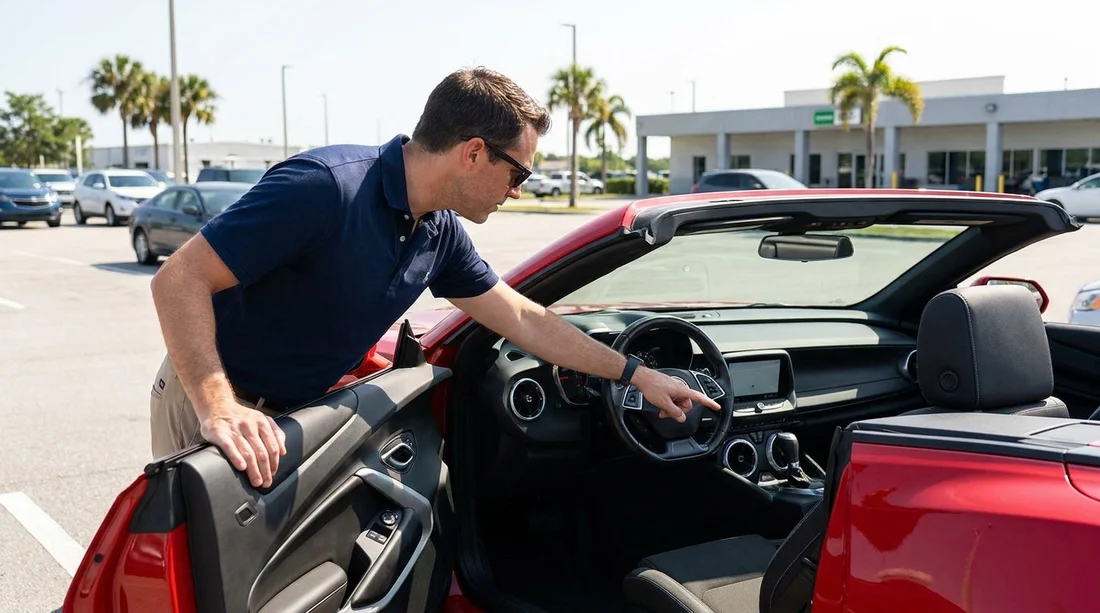
Step 4: Inspect the car before leaving the car park
Even if the paperwork suggests navigation is included, confirm in the vehicle before you drive off. You want to identify built-in sat nav quickly.
Look for a navigation app or “Nav” button. On many systems you will see a “Navigation” tile, a “Map” app, or a physical “NAV” button. If you only see “Phone”, “Audio”, and “Apps” without a map option, it may rely on CarPlay or Android Auto.
Open the map and search an address. Type a simple destination such as “Orlando International Airport” or your hotel name. If it asks you to connect a phone to use maps, it is not built-in sat nav.
Check whether maps load without a phone connected. Built-in navigation should show a map view immediately. Some systems take a minute to acquire GPS signal, but they should not require mobile data.
Ask for a quick swap if needed. If navigation was promised and the car does not have it, go straight back before leaving the car park. It is easier to resolve on-site than after you have driven away.
How to record confirmation for peace of mind
If built-in sat nav is important for your trip, keep a simple record. Save a screenshot of the feature list that mentions navigation, and keep your rental confirmation details. At the counter, ask for the agreement to reflect any paid navigation add-on, if applicable. Then do the in-car test. This takes minutes and reduces uncertainty.
Finally, remember that navigation is only one part of a smooth car hire experience. Knowing what is included, what is optional, and what is dependent on vehicle availability makes it easier to compare options logically, whether you are looking in Florida or reviewing other Hola Car Rentals pages such as Hertz car rental Philadelphia PHL.
FAQ
How can I tell if “GPS” means built-in sat nav? Treat “GPS” as ambiguous. Look for wording like “built-in”, “in-dash”, or “factory navigation”, and confirm at the counter by asking if maps work without a phone connected.
If my confirmation does not mention navigation, can I still get it? Sometimes, yes. Navigation may be available as an optional extra or by switching to a different vehicle, but availability varies by fleet and day, so check at pick-up and test in the car.
Does a touchscreen mean the car has sat nav? No. Many cars have a touchscreen for audio, settings, and phone integration only. You need to see a dedicated navigation app or map function that runs without your phone.
What should I do if sat nav was included but the car does not have it? Go back to the desk or kiosk immediately, before leaving the car park. Ask for a vehicle swap to one with built-in navigation, or have the agreement corrected if you were charged for an extra you did not receive.
Is built-in sat nav better than using my phone in Orlando? Built-in sat nav can be convenient and avoids mobile data use, but phone maps can be more up to date. The best choice depends on your roaming plan, signal expectations, and whether the car supports CarPlay or Android Auto.





























































































