


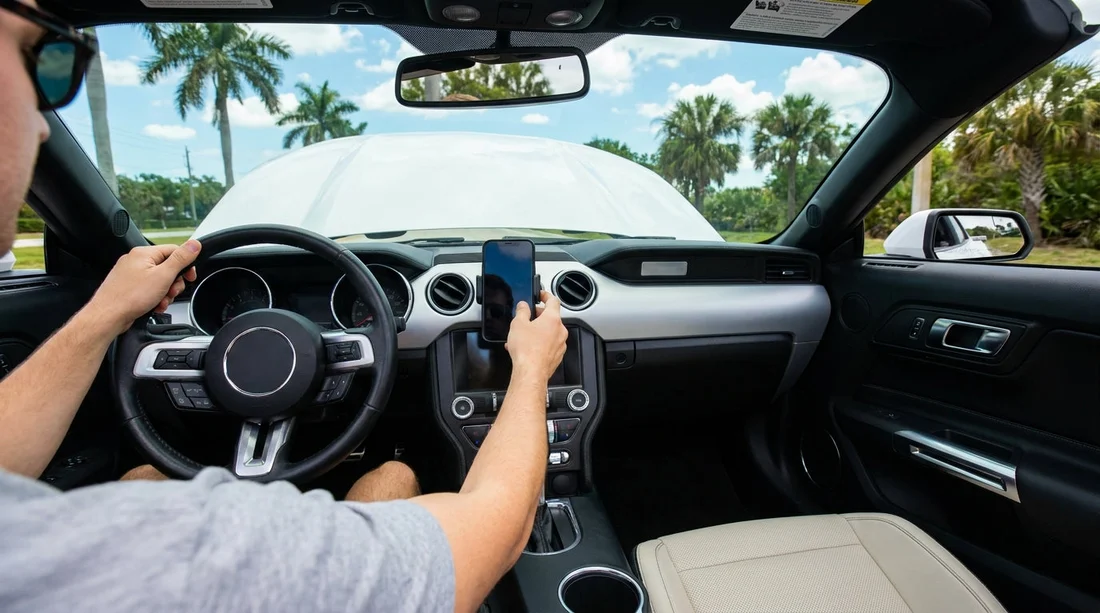
Quick Summary:
- Assume most Florida car hire vehicles will not include a phone mount.
- Bring a universal vent or dashboard mount, plus a long charging cable.
- Check for Apple CarPlay or Android Auto, and whether it is wired.
- Set up navigation before driving off, and keep the screen unobstructed.
When you land in Florida and pick up your car hire, navigation is usually top of mind. You might expect a phone mount to be waiting in the vehicle, but in practice mounts are rarely guaranteed. Some cars may have one left behind by a previous driver, or a staff member might provide a basic option, but you should plan as if there is no mount included.
That does not mean you are stuck. With a little prep you can get reliable maps, safe screen placement, and steady charging for long Florida drives. This guide covers what to expect, how to check for CarPlay or Android Auto, and which accessories are worth packing so you are ready the moment you collect the keys.
Do rental cars usually come with phone mounts in Florida?
In most cases, phone mounts are not a standard inclusion with car hire in Florida. Car hire fleets turn over quickly, and accessories that attach to dashboards, windscreens, or vents can be lost, broken, or removed during cleaning. Because of that, many providers avoid promising a mount as part of the vehicle specification.
Occasionally, you might find an integrated phone shelf in the centre console, a wireless charging pad with a grippy surface, or a built in holder. These features depend on the make and model, and they vary widely across categories. Even when a holder exists, it may not be positioned for safe navigation viewing, especially if it sits low near the gear selector.
If you are collecting at a busy hub like Orlando Airport, you may be assigned a vehicle from a broader pool where interior features differ. The simplest plan is to pack your own mount and treat any in car holder as a bonus.
CarPlay and Android Auto: the better navigation setup for car hire
For many travellers, the best outcome is not a phone mount at all, it is using Apple CarPlay or Android Auto on the car’s built in screen. This keeps the phone out of your hands and reduces screen glare, while still letting you run maps, take calls, and listen to podcasts.
However, you should not assume every Florida car hire vehicle has CarPlay or Android Auto enabled. Newer cars are more likely to have it, but older models, base trims, or certain fleet configurations may not. Even when the system exists, it might be wired only, which means you will need the correct cable.
Before you drive away, check the infotainment menu for “Phone”, “Projection”, “CarPlay”, or “Android Auto”. If it asks you to connect via USB, you will need a data capable cable, not a charge only lead. If you do have CarPlay or Android Auto, you may not need a mount, but you still should keep a mount as backup in case the system fails, the port is worn, or the car is missing the right cable connection.
What to pack for smooth navigation in Florida
Because mounts are not reliably included, a small navigation kit can save time and stress. These are the items that make the biggest difference for car hire.
1) A universal phone mount
Choose a mount that fits multiple vehicles. Vent mounts are compact and quick to attach, but some cars have delicate or oddly shaped vents that do not grip well. Dashboard mounts can be stable, but adhesives may not stick to textured surfaces, and you should avoid leaving residue. Windscreen suction mounts can work well, but positioning matters so you do not block your view.
2) Two charging options
Bring a long cable (around 1.5 to 2 metres) so your phone can reach a comfortable position. Also bring a short cable for tidy charging when the phone is in a cup holder or console. If your phone uses USB C, pack USB C to USB A and USB C to USB C if you have both. For iPhones, bring a Lightning cable if your model needs it.
3) A car charger that matches the ports
Some vehicles still have a 12V socket and USB A, others have USB C, and a few have limited ports. A compact 12V charger with both USB A and USB C outputs covers most situations. It also prevents you from relying on a single built in port that might be loose from heavy fleet use.
How to set up safely before leaving the car hire location
Do your setup while parked in the pick up bay or a safe nearby spot. A few minutes here can prevent distractions later.
Position the mount for visibility, not convenience. Keep it within easy glance distance but not blocking the windscreen. Avoid covering airbag panels, and do not place it where the phone could become a projectile during sudden braking.
Test charging and data connection. Plug in, confirm the phone is charging, and if you want CarPlay or Android Auto, confirm the connection starts reliably. If it disconnects when you touch the cable, try another port if available.
Plan your first route before pulling out. Enter your first destination, check toll preferences, and choose whether you want motorways or avoid toll roads. This matters in Florida, where toll roads can be frequent depending on your route.
Florida specific considerations: heat, glare, and toll roads
Florida’s sun can make phone screens hard to read, and high cabin temperatures can trigger phone overheating warnings. If you are using a mount, place it away from direct sunlight if possible. Vent mounts can help keep the phone cooler when the air conditioning is running, but make sure the vent fins are sturdy.
Toll roads are another reason to get your navigation settings right early. Many travellers want to avoid tolls, while others prefer the fastest route even if it includes them. Check your maps settings and confirm your plan so you are not making last second choices at exits.
If you are driving between areas such as Miami Beach and the surrounding districts, having a stable setup helps in heavy traffic and complex junctions. Picking up around Miami Beach often means navigating busy streets soon after collection, so set everything up before joining the flow.
Choosing a vehicle type that supports your setup
If hands free navigation is important to you, vehicle age and trim matter. Newer cars and SUVs are more likely to include modern infotainment, USB ports, and better screen placement. If you are travelling with family and multiple devices, the extra ports in an SUV can also help keep everyone charged.
If your trip includes long drives and you prefer a bigger screen, you might consider an SUV category, for example options similar to those shown on SUV rental in Miami Beach. Even then, pack the basics, because ports and features can still vary by model.
Where you pick up can also shape your experience. Collection points serving leisure routes, such as Disney area locations in Orlando, often see lots of family travel and heavy phone usage, so USB ports may be well used. Having your own charger and cable avoids relying on a single tired port.
FAQ
Do rental cars come with a phone mount in Florida? Usually not. Some vehicles may have a built in holder or a left behind mount, but car hire providers rarely guarantee one, so bringing your own is safest.
If the car has CarPlay or Android Auto, do I still need a mount? Not always. If CarPlay or Android Auto works reliably, you can keep your phone in the console. A small backup mount is still useful if the system is wired only or connection is unreliable.
What cable should I bring for car hire in Florida? Bring a data capable cable that matches your phone, plus a spare. For best compatibility, pack both USB A and USB C options if you have them, along with a 12V car charger.
Can I use a windscreen suction mount in a hire car? Yes, but position it so it does not block your view and does not interfere with airbags. Remove it before returning the vehicle and ensure it leaves no marks.
How can I prevent my phone overheating while navigating in Florida? Keep it out of direct sun, use a vent mount with cool airflow if possible, and charge by cable rather than wireless. Lower screen brightness if it remains readable.





























































































