


Quick Summary:
- Do not assume a phone mount is provided, it varies by car.
- Bring your own mount that fits vents or windscreen securely.
- Set up navigation and hands-free audio before leaving the car park.
- Carry a charging cable and 12V adapter for longer New York drives.
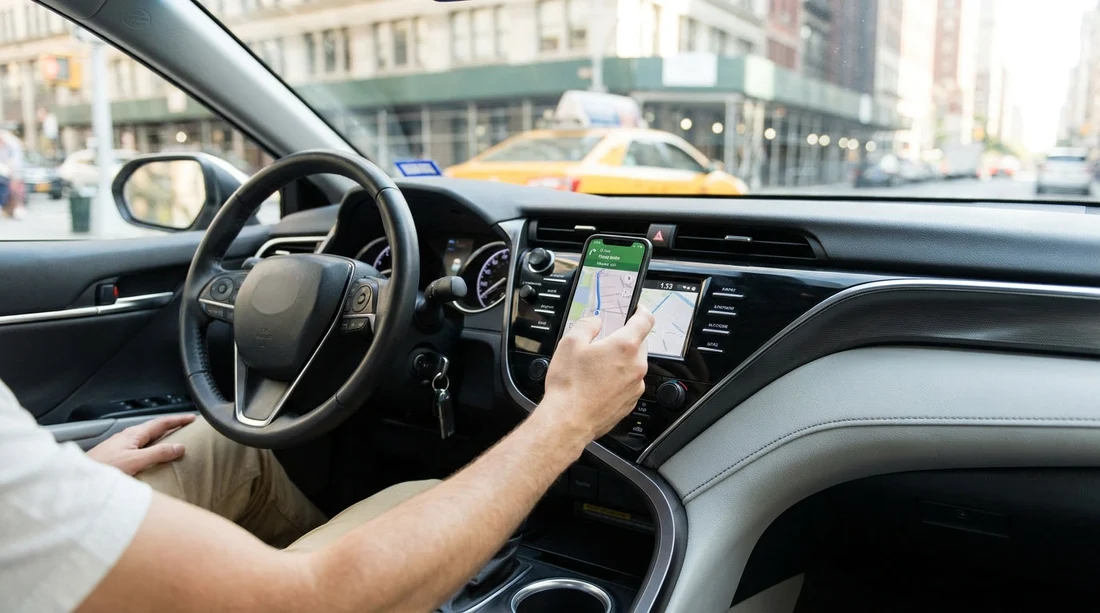
If you are collecting a car hire vehicle in New York, it is sensible to assume the car will not come with a phone mount at pick-up. Some vehicles may already have a mount fitted by a previous driver, or an accessory might be available at the counter, but it is not a standard inclusion that you can rely on. Because you will likely want turn-by-turn navigation immediately, and because handling a phone while driving can lead to fines and safety risks, the best approach is to plan as if you need to be self-sufficient.
This article sets expectations for what is typically included inside the car at pick-up, what is not, and what you can bring to stay hands-free and compliant from the moment you pull out of the rental facility.
Are phone mounts normally included with car hire in New York?
In most cases, phone mounts are not guaranteed for car hire pick-ups in New York. Rental companies tend to supply the essentials required to drive legally and safely, such as the vehicle itself, keys or key fob, registration and insurance documentation as applicable, and basic safety equipment required by policy. A phone mount sits in the category of convenience accessories, similar to an auxiliary cable, a USB adapter, or a sunshade, so availability can be inconsistent.
Even when a mount is present, it may not be ideal for your device. It could be loose, missing parts, incompatible with larger phones, or attached in a position that blocks your view. For that reason, treat any in-car mount you find as a bonus, not an expectation.
Pick-up locations around the region can also differ. If you are arriving into a major airport and collecting at a busy facility, you will see a wide mix of car types, trims, and infotainment setups. A car collected via car rental at New York JFK might have modern smartphone integration but no mount, while another might have a basic stereo and a leftover mount that you would not want to trust. The same uncertainty applies if you collect near Newark for city access, such as car rental at Newark Airport (EWR).
Why it matters before you drive off
New York’s rules around distracted driving are strict, and for good reason. Holding a phone while driving is a common cause of collisions, and enforcement can be proactive. The practical takeaway for travellers is simple: do your setup before you put the car in gear. That includes mounting your phone, connecting audio, choosing your route, and setting a safe volume.
It is also worth factoring in the first few minutes after pick-up. Airport and city facilities often require you to navigate ramps, exit lanes, toll approaches, or multilane roads straight away. If you are still trying to wedge a phone into a cup holder or searching for a cable, your attention will be divided at the worst possible time.
What you can expect inside the car at pick-up
While phone mounts are not standard, many New York car hire vehicles will include at least some of the following that can help you stay hands-free:
Bluetooth connectivity: Many cars have Bluetooth for calls and streaming, but pairing can take a minute. Plan to do it while parked.
USB ports: Often present, but location varies, centre console, dashboard, or rear. Some ports are charge-only and may not support media.
Apple CarPlay or Android Auto: Increasingly common, especially in newer models, but not universal. Some systems require a USB cable rather than wireless.
Built-in navigation: Sometimes available, but it may require learning an unfamiliar interface. Many drivers still prefer phone navigation.
If you are choosing a larger vehicle for a family trip, you might prioritise multiple charging points and easy connectivity. For example, a people carrier booked via minivan rental at Newark (EWR) may offer more ports for passengers, but you should still bring the right cables to match your devices.
What to bring so you are not caught out
The simplest way to avoid disappointment at pick-up is to bring a small kit that covers phone mounting and power. These items take little space in hand luggage and can save time at the rental facility.
1) A reliable phone mount that suits different dashboards
Consider a vent mount if you like a clean windscreen and simple fitting, but check that your phone will not block airflow. A windscreen suction mount can be very stable, but you must place it where it does not obstruct your view. A dashboard adhesive mount can work well, but you should avoid sticking anything permanent to a rental vehicle. Choose a mount that is removable and leaves no residue.
2) The correct charging cable, plus a backup
Bring a cable that matches your phone, and consider a spare in case of damage or an incompatible in-car port. Some USB-A ports are still common, while many travellers now carry USB-C cables, so a small adapter can help.
3) A 12V car charger (cigarette-lighter adapter)
Even if the car has USB ports, a 12V adapter gives you predictable charging speed, which is valuable if you are running navigation all day.
4) A slim power bank
If you are stopped with the engine off, such as waiting to meet someone, your phone may still drain quickly when displaying maps. A power bank provides insurance.
5) A headset is usually unnecessary
For most drivers, Bluetooth hands-free is enough. The goal is to avoid extra complexity at pick-up.
How to set up hands-free quickly at the pick-up location
Once you are in the car and before you leave the bay, run through a short routine. First, adjust the seat, mirrors, and steering wheel, then place your phone mount and cable so they do not interfere with controls or airbags. Next, pair Bluetooth or connect CarPlay or Android Auto. After that, set your destination and check the first few turns, especially if you are exiting an airport complex.
If you arrive without a mount, do not improvise in a way that forces you to look down. Balancing the phone in your lap, on the seat, or loosely in a cup holder can lead to constant glances away from the road. A safer fallback is to rely on audio directions and keep the phone out of your hands, for example in a secure compartment, while you drive to a convenient stop where you can buy a mount.
If your car hire plan involves crossing into New Jersey or picking up on that side for access to Manhattan, you may want your navigation ready early due to complex junctions. If you are arranging a collection around the area served by car rental in New Jersey near EWR, set your first route while still in the facility so you are not reacting at speed.
Choosing a vehicle that makes hands-free easier
A phone mount is only one part of staying hands-free. The car’s own technology can reduce how often you need to touch your phone at all. When comparing options, look for clear infotainment controls, strong Bluetooth performance, and, if possible, CarPlay or Android Auto compatibility. Even without a mount, an integrated system can display maps on the car screen and keep your phone tucked away.
FAQ
Q: Do rental cars in New York usually come with a phone mount at pick-up?
A: Usually not. A phone mount is not a standard car hire inclusion, so it is best to bring your own.
Q: Can I rely on Apple CarPlay or Android Auto instead of a phone mount?
A: Sometimes, but not always. Many cars support smartphone integration, yet availability varies by model and trim, and some require a USB cable.
Q: What is the safest way to set up navigation before leaving the rental facility?
A: While parked, fit the mount, connect power, pair Bluetooth or connect CarPlay, set the destination, and review the first turns.
Q: If I forgot a mount, can I put the phone in a cup holder?
A: It is better to avoid anything that makes you look down repeatedly. Use audio directions and stop later to buy a proper mount.
Q: Will the rental company provide a mount if I ask at the counter?
A: Some locations may have accessories, but it is inconsistent and not guaranteed. Bringing your own is the most dependable option.





























































































