


Quick Summary:
- Have driving licence, passport, and matching credit card ready.
- Enter reservation details, confirm extras, then collect a printed agreement.
- Expect desk referral for licence checks, deposits, or extra drivers.
- Allow time for age, insurance, and fraud checks at busy periods.
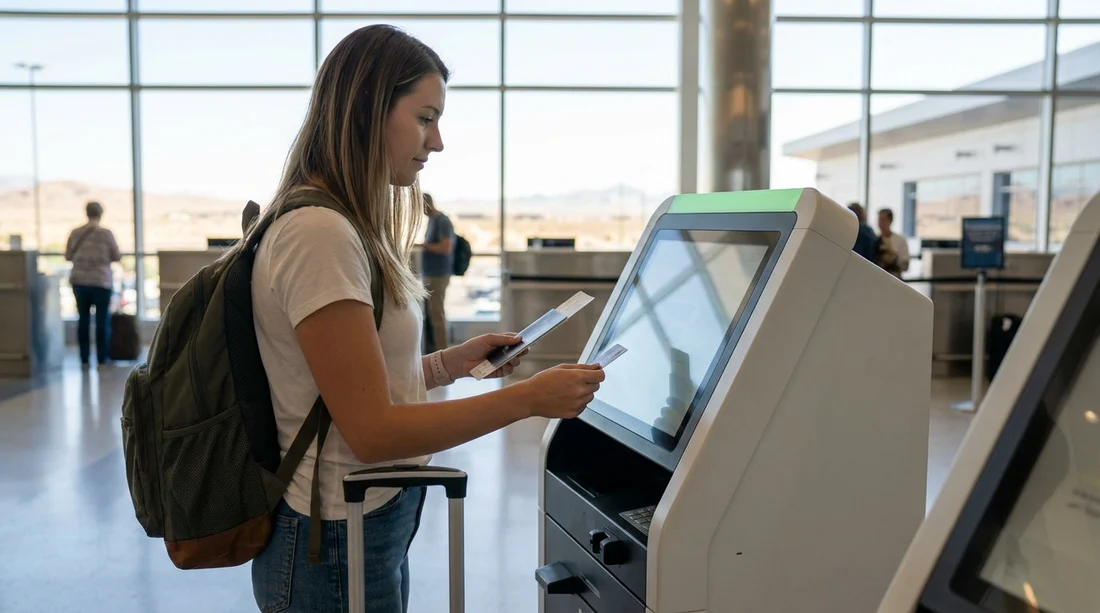
Yes, at Las Vegas you can often use a self-service kiosk to speed up car hire pick-up, but it is not a guaranteed counter-skip every time. Whether you can complete the process at a machine depends on the rental company, your reservation details, and whether your identity and payment details pass automated checks. Kiosks are designed to confirm your booking, capture or verify key details, and print paperwork, so you can head to the garage and select or locate your vehicle with minimal queuing.
If you are planning airport car hire, it helps to know the typical kiosk flow, what you will be asked for, and the common triggers that send customers to an agent. For location specifics and options, see car hire at Las Vegas Airport and the wider Las Vegas car rental overview.
Where kiosks fit in at Las Vegas Airport
At Harry Reid International Airport (Las Vegas), most major brands operate from the consolidated rental car facility. Kiosks are typically placed in the customer lobby area near the company counters. Even when a kiosk is available, you may still need to speak to an agent for certain checks or changes, and some renters prefer the counter for questions about tolls, insurance, and local driving rules.
In practice, kiosks work best for straightforward bookings, for example, a standard pick-up and return time, a single driver, and a payment card that matches the lead driver’s name. If you booked a specialty vehicle, travel in a larger group, or need to add drivers and coverage, you might still be served faster by going directly to an agent.
The typical kiosk flow, step by step
While screens differ by company, the sequence is usually similar. Knowing the pattern makes it easier to move quickly and spot where issues might arise.
1) Start and locate your reservation
You will be asked to identify your booking using one or more of the following, confirmation number, surname and pick-up date, or a scanned barcode if you have one. If you booked via a broker or a package, your paperwork may show both a broker reference and the rental company confirmation number. Have both available in case the kiosk recognises only one format.
2) Verify identity and eligibility
The kiosk may request a scan of your driving licence, or it may ask you to enter details manually. Some systems also prompt for passport details, especially for international renters. Expect questions about your address, date of birth, and sometimes flight number, because these help confirm identity and support fraud prevention.
3) Confirm the driver and any additional drivers
You will confirm the lead driver’s details and may be offered the option to add an additional driver. Adding a driver at the kiosk is not always possible, and it often triggers a desk referral if the extra driver must present their own licence in person.
4) Choose vehicle class, upgrades, and extras
Common extras include sat nav, child seats, fuel options, and toll products. Upgrades may appear if the company has limited availability in your reserved class. If you are travelling with family, it may help to consider a minivan hire in Nevada option in advance rather than deciding under time pressure at the kiosk.
5) Review insurance and protection products
Kiosks typically show protection options and ask you to accept or decline. This is one of the biggest reasons renters slow down, because the wording can be dense. If you already have cover via your travel insurance, a credit card benefit, or a pre-purchased package, make sure you understand what is included and what is not. If you are unsure, it can be better to ask an agent before accepting terms.
6) Payment card validation and deposit authorisation
Even if you prepaid, most companies still take a security deposit or authorisation on a payment card. The kiosk will confirm your payment card details and may ask you to insert or tap the card. The name on the card usually must match the lead driver, and some companies require a credit card rather than a debit card. If the kiosk cannot complete the authorisation, it will route you to the counter.
7) Print the rental agreement and directions
If everything is approved, the kiosk prints your rental agreement and often a slip that directs you to an aisle or stall. Some operators assign a specific car, while others send you to a row where you choose a vehicle within your class. Keep the paperwork accessible because staff at the exit gate may ask to see it alongside your driving licence.
What you need to use a kiosk successfully
To maximise the chances of skipping the counter, bring the essentials and make sure they align with the reservation.
Driving licence
Your physical, valid driving licence is the key requirement. Temporary licences or digital-only formats are often not accepted. If your licence is not in English, you may need an International Driving Permit depending on your country of issue and the rental company policy.
Passport or government ID
International travellers are commonly asked for a passport. US residents may be asked for a state ID in addition to a licence in some cases. Kiosks sometimes request document scans, so ensure your documents are present and in good condition.
Payment card in the lead driver’s name
This is a frequent sticking point. For kiosk completion, the card should match the lead driver’s name exactly, including initials if required by the system. If a different person intends to pay, that can trigger a desk visit, or it may not be permitted at all. Also, ensure you have enough available credit for the deposit, plus the estimated rental charges.
Reservation details and contact information
Have your confirmation number, phone number, and email ready. If the kiosk cannot find your booking quickly, it may time out and send you to the counter, especially during busy arrival waves.
Age and licence tenure requirements
If you are under a certain age, you may face a young driver surcharge, and some vehicle categories may be restricted. Similarly, some renters need to have held a licence for a minimum period. These rules can be enforced automatically, and if the kiosk cannot verify them cleanly it will refer you to an agent.
Common reasons you will still be sent to the desk
Even with all documents in hand, kiosk approval can fail for reasons that are not obvious. These are the most common triggers at Las Vegas Airport.
Name mismatch, address mismatch, or booking mismatch
If the lead driver’s name differs between reservation, licence, and payment card, the kiosk may refuse completion. Typos, missing middle names, and different surname formats are enough to cause a referral.
Debit card, cash deposit requests, or insufficient deposit capacity
Some companies allow debit cards with additional requirements, but kiosks often apply stricter rules than an agent can. If the authorisation fails, you will be directed to the counter to resolve payment method or deposit issues.
Additional drivers, one-way rentals, or complex itinerary changes
Adding drivers, changing return locations, or modifying dates can require an agent. If you need flexibility for a longer Nevada itinerary, it can help to review options on car rental in Nevada before you arrive, so the booking is already aligned with your plans.
Vehicle class constraints or specialty cars
High-demand classes, premium models, and certain specialty vehicles may require manual assignment or additional verification. Travellers aiming for extra space, for example, might consider browsing SUV hire in Nevada ahead of time so there is less pressure to switch class at the kiosk.
Protection products and compliance prompts
If you select certain protection packages, decline others, or indicate you have your own coverage, the kiosk may require a signature capture, disclosures, or a manual review. This is common if the system detects a higher risk profile or an unusual combination of selections.
Random security and fraud prevention checks
Sometimes you will be sent to the desk even when everything is correct. Automated systems may select reservations for additional verification, particularly at peak times, late-night arrivals, or when the booking was made very close to pick-up.
Tips to genuinely save time with kiosk pick-up
Check your reservation details before you fly
Make sure the lead driver name, pick-up time, and return time are accurate. If your flight arrives late, adjust the pick-up time if needed. A missed pick-up window can complicate kiosk processing.
Use the same person for driver and payer
If you want the shortest path through kiosk car hire, keep the lead driver and the cardholder the same person. Where that is not possible, plan for a counter visit.
Decide on key extras in advance
Child seats, extra drivers, and fuel options are the choices that slow people down. Having a clear plan avoids delays at the screen and reduces the odds of making a costly last-minute decision.
Allow time for the shuttle and the facility
Even if you skip the counter, you still need to reach the rental car centre, find the right area, and pass the exit gate check. Build in extra time if you land during a busy convention week or holiday weekend.
If you are routed to the desk, treat it as normal
A desk referral is not automatically a problem. It usually means the system needs a human to verify a document, adjust a detail, or explain a policy. Keeping calm and having your documents organised is the fastest way to get moving again.
FAQ
Can I always skip the counter with a kiosk at Las Vegas Airport? No. Kiosks can speed up car hire pick-up for simple bookings, but payment, ID checks, or booking changes can still require an agent.
What documents should I have in hand at the kiosk? Bring your physical driving licence, passport or government ID, and a payment card in the lead driver’s name, plus your reservation confirmation details.
Will a prepaid booking still need a credit card at pick-up? Often yes. Many companies still require a card for a deposit or authorisation, and kiosks may be stricter about card type and name matching.
Why does the kiosk send me to the counter when everything seems correct? Automated systems can flag reservations for extra verification, require manual review for selected options, or fail to authorise a deposit instantly.
Does adding an extra driver work at a kiosk? Sometimes, but often it triggers a counter visit because the additional driver may need to show their licence and meet eligibility rules in person.





























































































