


Quick Summary:
- Photograph all four sides, roof, wheels, and glass during one walk-around.
- Capture close-ups of every scratch, dent, chip, and scuffed alloy wheel.
- Take dashboard photos showing fuel level, mileage, warning lights, and time.
- Photograph paperwork and the damage diagram before you drive away.
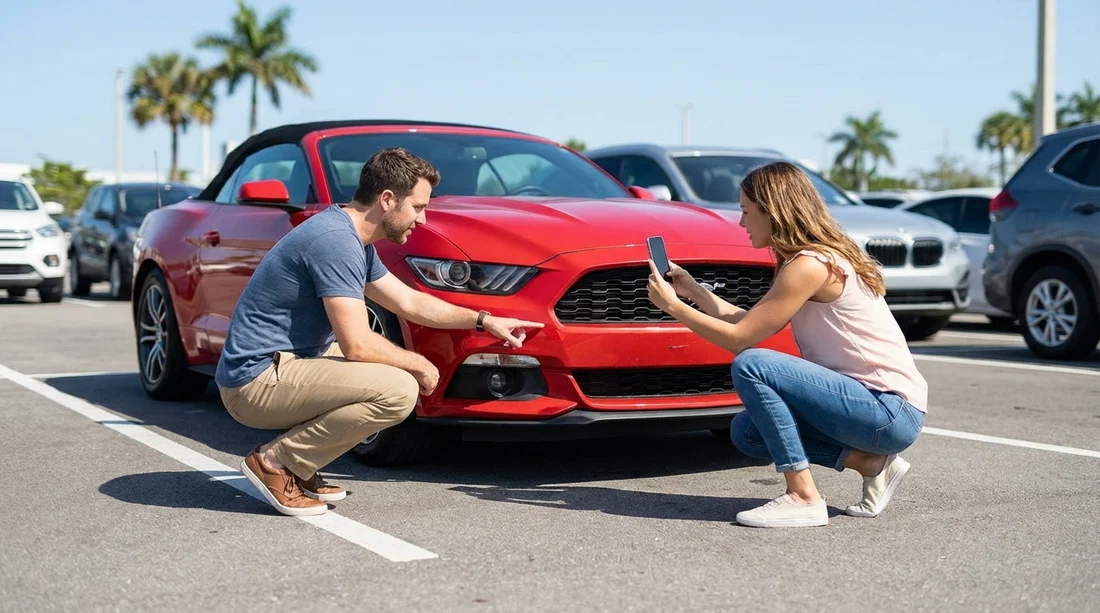
When you collect a car hire in Miami, the fastest way to protect yourself is to create a clear, time-stamped record of the vehicle’s condition before it moves an inch. Photos reduce the chance of disputes about pre-existing damage, fuel level, or warning lights, and they help you remember what you saw when the return lane is busy.
Take your photos before you load luggage and before you leave the pick-up bay. If it is raining, the car is dirty, or the lighting is harsh, that is even more reason to take extra angles, reflections and water can hide scratches.
If you are picking up around the airport and Brickell area, this can be especially helpful in high-turnover lots, see car hire Airport Brickell for local context on pick-up locations.
Your essential walk-around: wide shots first
Start with a slow 360-degree walk-around and take wide photos that show the whole car in each frame. These images establish the overall condition and make it harder for anyone to claim a mark was not there when you collected it.
Front: Stand far enough back to include bumper, grille, headlights, and number plate.
Rear: Include the rear bumper corners, tailgate boot seam, lights, and number plate area.
Both sides: Photograph the full driver and passenger sides, including doors, sills, mirrors, and handles.
Roof: If you can safely do so, photograph the roof, especially if the car has panoramic glass or a sunroof.
Wheels in context: Get a wide shot where each wheel is visible on its corner of the car.
Close-ups that prevent most damage disputes
After the wide shots, move to detailed close-ups of anything that looks questionable, even if it seems minor. In car hire disputes, small marks matter because they can be categorised as new damage if you cannot show they were present at collection.
Bumpers and corners: Front and rear corners suffer the most from parking scuffs. Photograph from a slight angle so depth and paint transfer are visible.
Alloy wheels and hubcaps: Kerb rash is a frequent chargeback area. Photograph each wheel straight-on, then at a 45-degree angle.
Windscreen and glass: Look for chips and cracks. Photograph any chip with a finger or coin for scale.
Headlights and tail lights: Lens cracks and moisture can be blamed on you later. A quick photo of each light cluster helps.
Door edges and sills: Open each door and photograph door edges, lower sills, and the step area, where paint can be scuffed by shoes or luggage.
If you are collecting in busy neighbourhood locations, build in time for this. Areas like Coral Gables have a mix of street and garage parking, so documenting wheel and bumper condition is particularly useful, see car hire Coral Gables.
Dashboard, mileage, fuel, and warning lights
Next, sit in the driver’s seat and take clear dashboard photos before you move the car. These images can be critical if there is later disagreement about fuel, mileage, or whether a warning light appeared during your rental.
Odometer mileage: Photograph the mileage reading clearly.
Fuel gauge: Take a photo that includes the fuel gauge needle or bars.
Warning lights: With ignition on, photograph the instrument cluster once the usual lights settle.
Time and date context: Take a photo that includes the infotainment clock, or a shot of the car in the bay with a visible lot sign.
For Downtown pick-ups where return lanes can be quick and staff may only glance at the car, having these dashboard photos can help keep the process smooth. Related location info is available via Budget car hire Downtown Miami.
Interior photos, what matters and what you can skip
Most disputes focus on exterior damage, but interior documentation can still save you time. Do a quick sweep that proves the general condition, then focus on anything that is already torn, stained, or broken.
Driver’s seat and upholstery: Photograph any rips, heavy stains, or burn marks.
Dashboard and centre console: Capture cracks, missing knobs, or broken trim.
Boot trunk area: Photograph the boot floor and side panels if you see existing damage.
Floor mats: A quick shot can show whether mats were present at collection.
You can usually skip photographing every minor speck of dust. Focus on notable damage, missing items, or anything that could plausibly be attributed to your use.
Paperwork and the damage diagram
Before you leave, photograph the rental agreement and any condition report or damage diagram, including any check-in forms. Your photos should show what was recorded at the time you collected the keys.
The damage sheet: Ensure the marks on the diagram match what you photographed.
Fuel policy and return requirements: Photograph the section that states full-to-full, pre-purchase, or other policy.
Insurance coverage notes: Photograph the page that shows what cover is included and any excess amounts.
If your car hire is through a specific brand partner location, it can help to know the exact branch and policies tied to that listing, for example Avis car rental Downtown Miami.
How to organise your photos so they are usable later
A big batch of random images is less useful than a tidy set you can quickly search. Before you drive off, take 30 seconds to review your camera roll and confirm the key items are readable: fuel gauge, mileage, damage close-ups, and paperwork.
Use a consistent order, retake blurred shots, and keep everything in one album named with the date. With a clear set of photos, you can drive away knowing you have a straightforward record of the vehicle’s condition at collection.
FAQ
How many photos should I take before leaving the car hire lot in Miami? Aim for 20 to 40 photos, covering wide exterior angles, close-ups of any damage, dashboard mileage and fuel, plus paperwork.
What if the car is dirty or wet and I cannot see scratches? Photograph the car anyway, then take extra angled shots that catch reflections on panels and glass. If you suspect hidden damage, ask staff to note it and photograph the note.
Should I photograph the fuel receipt or refuelling policy? Yes. Photograph the policy section in your agreement at pick-up, and keep a fuel receipt when you refill near return.
Do I need photos at return as well? Yes. Take a quick return set, especially fuel gauge, mileage, and a new walk-around in the return lane.
What if I notice a warning light after I leave the lot? Pull over safely as soon as practical, photograph the light and mileage, then contact the rental provider promptly.































































































