


Quick Summary:
- Most Tesla rentals can Supercharge without a personal Tesla account.
- Many public charging networks need an app, RFID, or contactless payment.
- Ask at pick-up how charging fees are billed, including admin fees.
- Install key charging apps and add a payment card before arrival.
Renting an EV in California can feel simple until you reach the first charger and realise every network seems to work differently. The good news is that most EV car hire drivers can charge easily without creating a new account for every stop. The less good news is that you will save time and avoid surprise fees if you understand how the rental company expects charging to be activated and billed.
This guide explains whether you need a Tesla account or app, how charging is typically started on common Californian networks, and what to set up before you collect your car.
Do you need a Tesla account or app for a Tesla rental?
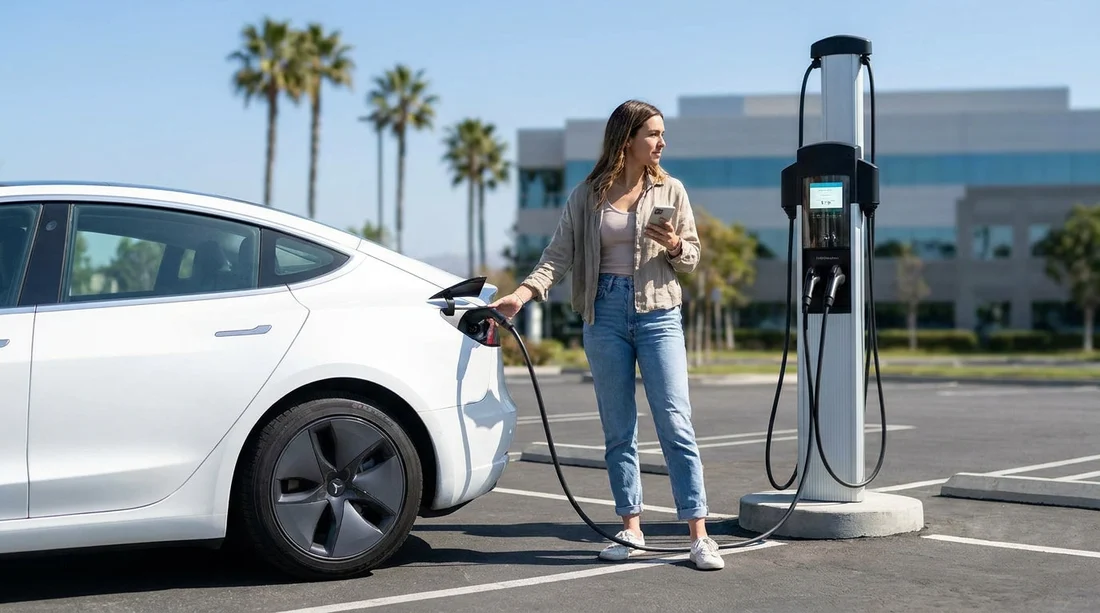
In most cases, no. If your EV rental is a Tesla and you use a Tesla Supercharger, you typically do not need your own Tesla account or the Tesla app to start charging. Supercharging is usually authorised automatically when you plug in, because the car identifies itself to the charger. Billing is commonly handled through the rental company, then passed on to you according to the rental agreement.
There are exceptions. Some rental operators may allow or encourage app access for convenience features, but they often keep the vehicle linked to their fleet account. That means you might not be able to add the car to your personal Tesla app at all, or you might be asked not to, so the company can retain control of access and billing.
How Supercharging is usually activated for rentals
At a Tesla Supercharger, activation is normally plug-and-charge. You reverse into the bay, connect the cable, and the session begins after a brief handshake between car and charger. The driver’s role is mostly to choose the stall, plug in properly, and monitor the session on the car’s screen.
What matters for renters is billing. Many rental companies bill Supercharging to the card on file after the trip, sometimes with an admin fee. Others offer an optional prepaid charging package, or they may require the vehicle to be returned at a certain charge level, similar to fuel policies.
Before you leave the lot, ask for three specifics: whether Supercharging is enabled, how it will be billed, and whether any idle fees or admin fees apply. Idle fees can happen if the car stays connected after charging has finished, especially at busy stations, and these costs can be passed through to the renter.
If you are collecting near a major hub, you may want to check pick-up logistics and local driving patterns. For example, travellers arranging car hire near the Bay Area may be choosing between different pick-up points such as San Francisco Airport or nearby cities, where charger availability and queues can vary by time of day.
When you will need an app or account in California
For non-Tesla public charging, you often need either an app, an RFID card, or a contactless payment method. California has strong charging coverage, but it is not perfectly standardised, so the most realistic expectation is that you will use a mix of options depending on where you drive.
DC fast chargers (road trips): Networks frequently require you to start the session in their app, scan a QR code, tap an RFID card, or use a payment terminal. Some sites have unreliable mobile signal, so having the app already installed and your payment method saved can reduce friction.
Hotel and destination chargers: Many hotel chargers use ChargePoint or a similar platform and may require app activation, even if the electricity is free. Some destinations provide a simple tap to start, but do not count on it.
If your California itinerary includes Southern California, note that dense urban areas can have more chargers but also more competition during peak hours. If you are comparing pick-up points, it can be useful to understand the local ecosystem around places like Los Angeles LAX or San Diego, where fast charging is available but queues can happen near main corridors.
Typical ways charging is activated, step by step
1) Plug-and-charge: You connect the cable and the charger starts automatically. This is common with Tesla Superchargers and is increasingly supported on some non-Tesla vehicles and networks, but it is not universal.
2) App start: You open the network app, select the charger, and press start. This can require location permissions, Bluetooth, or scanning a QR code.
3) RFID tap: You tap a membership card or key fob on the charger. Some frequent EV drivers carry these, but rental customers rarely do unless the rental company provides one.
4) Contactless card reader: You tap a bank card. This is improving across California, but not guaranteed at every station.
Because car hire drivers may be unfamiliar with the local charging landscape, the simplest approach is to prepare for app start and contactless payment, and treat plug-and-charge as a bonus when it is available.
What to set up before pick-up
Even if you do not need a Tesla account, a small amount of preparation makes charging in California much smoother.
Install the main charging apps: Download the apps for the networks most common on your route. Create accounts and verify your email address before you fly. If you are arriving late or driving out immediately, you will appreciate not having to troubleshoot passwords at the kerbside.
Add a payment method in each app: Many apps let you add a card in advance. This reduces the risk of failed starts or timeouts while you are standing by the charger.
Bring a physical payment card: Do not rely only on a phone wallet. Some chargers have temperamental readers, and a physical card can save time.
Ask about the return charge policy: Some companies require you to return the car at a certain state of charge, or they will charge a fee. Clarify this before you drive away.
How charging costs are typically handled on EV car hire
There are three common billing models for rental EV charging:
Pass-through billing: Charging fees incurred via a network account linked to the car are passed through to you later, sometimes with an admin fee.
You pay at the charger: You activate and pay directly using your own app or payment card, just like an EV owner would. This is common when using public networks that are not linked to the rental company.
Prepaid or bundled charging: Less common overall, but sometimes offered, especially for specific vehicle types or markets.
If you are planning longer drives, it helps to understand how your route affects charging stops. Travellers picking up around San Jose Airport often have quick access to multiple charging corridors, but the best choice still depends on your hotel charging and daily mileage.
What if you cannot access the Tesla app features?
Some renters expect to use the Tesla app for remote lock and unlock, climate control, or locating the car. In rental fleets, those features may be restricted or controlled by the operator. Even without app access, you can usually do everything essential from the car’s screen and key card, including planning routes with charging stops and monitoring charge level.
If you are considering different suppliers, availability and policies can differ. Looking at operator pages like Alamo at SFO can help you compare practical details around vehicle types and pick-up processes, which can indirectly affect how smooth charging feels on day one.
FAQ
Do I need my own Tesla account to use Superchargers on a rental? Usually not. Most Tesla rentals can Supercharge by plugging in, with billing handled through the rental company’s account and passed to you.
Can I add a rental Tesla to my Tesla app? Often you cannot, because fleet vehicles are managed under the rental operator’s account. If app access is offered, follow the provider’s instructions to avoid access issues.
What apps should I install for charging in California? Install the major public charging network apps you are likely to use on your route, and add a payment card in advance so you can start sessions quickly.
How do I pay for charging if I do not want extra rental fees? Use chargers where you can pay directly via app or contactless, and confirm whether the rental company adds admin fees for any charging billed through them.































































































