


Quick Summary:
- Ask the desk to disable the rental toll programme before exiting.
- Register the rental vehicle plate to your E‑ZPass account temporarily.
- Keep the rental transponder sealed or removed, so only one tag reads.
- Check receipts and your E‑ZPass activity within 48 hours of travel.
Yes, you can often use your own E‑ZPass in a rental car in Pennsylvania without double billing, but only if you prevent two systems from charging for the same trip. The risk comes from having both your personal transponder and the rental company’s toll programme active at the same time. Pennsylvania tolling, including the PA Turnpike, relies on E‑ZPass transponder reads and also supports toll by plate. Rental fleets may be enrolled in their own plate based billing, even when a tag is present.
If you are arranging car hire in Pennsylvania, the key is to confirm three things before you leave the car park: whether the rental vehicle has a built in transponder, whether the rental agreement automatically enables a toll service, and whether you can add the rental plate to your E‑ZPass account for the dates you will be driving. These checks take minutes and can save you from a toll charge plus an extra service fee later.
Why double billing happens with rental toll programmes
Double billing usually does not mean you pay the exact same toll twice to the same place. More commonly, your personal E‑ZPass account is charged for the toll, and then the rental company also bills you because their system detected a toll event tied to the vehicle’s plate. Some programmes bill per day of toll usage, others add an administrative fee per toll, and some do both.
In Pennsylvania, toll points may record both the transponder ID and the plate image. If the system cannot confidently match the tag read, or if the rental vehicle is associated with a fleet toll profile, the plate event can still flow to the rental company’s processor. This is why the safest approach is to make sure only one payment path is active for the vehicle during your trip.
What to confirm before you drive away
Start by asking a direct question at the counter: is this vehicle enrolled in a rental toll programme by default, and can it be disabled if I use my own E‑ZPass? Policies vary by company and even by location. If you are picking up near the terminals, staff at Philadelphia Airport car rental desks are used to these questions because many travellers bring their own tags.
Next, inspect the car. Look for a transponder box on the windscreen, a small device near the mirror, or a compartment that holds a toll tag. Some rental transponders are meant to be left in place but placed in a “closed” or “shielded” position when not in use. If the rental transponder is active and your own tag is also present, both can be read. When two tags are detected, toll authorities may charge one, and the rental toll system may still bill via plate, creating a messy dispute.
Finally, review your rental agreement for toll language before you sign. Look for terms such as “toll pass”, “e toll”, “platepass”, “toll by plate”, “cashless tolling”, “administrative fee”, or “convenience charge”. If the agreement says toll charges will be billed automatically, ask how to opt out when using your personal E‑ZPass.
How to use your own E‑ZPass correctly in Pennsylvania
Using your personal transponder works best when you pair it with temporary plate registration in your E‑ZPass account. Many E‑ZPass issuers let you add an additional vehicle plate online or in an app. Add the rental vehicle plate number and state, set start and end dates if your issuer supports it, and then remove it after the trip. This helps if a toll point falls back to toll by plate, because the plate can still be associated with your account instead of going to the rental company.
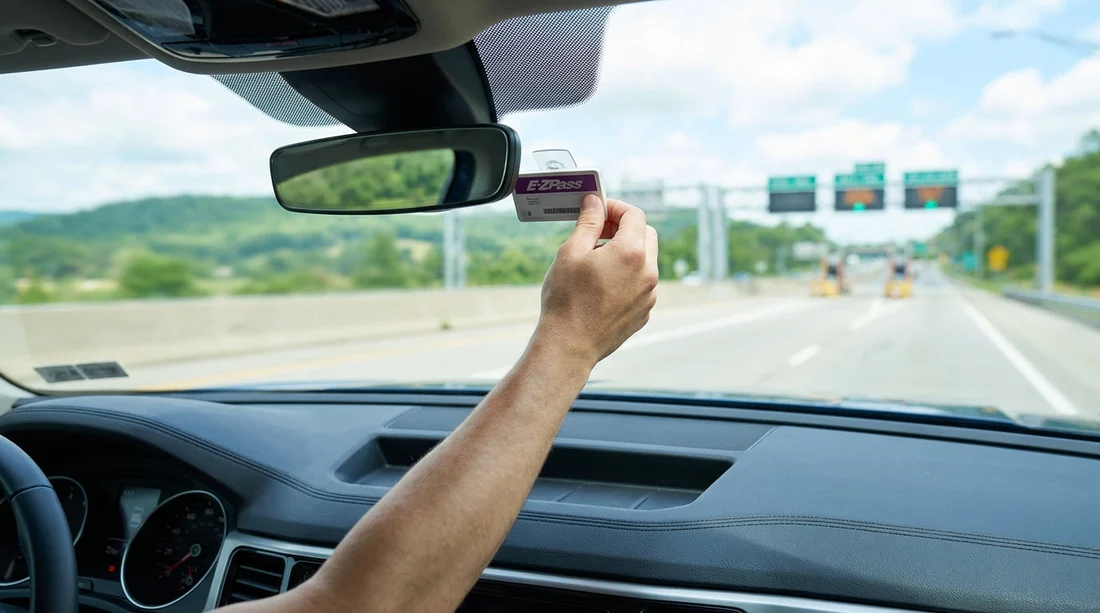
Mount your tag correctly. E‑ZPass tags are designed to be mounted high on the windscreen, typically behind or near the rear view mirror, with the label facing outward. Avoid placing it in a glovebox or low on the dashboard, where reads can fail and trigger plate billing. If your tag is a portable one from your own car, make sure it is not blocked by metallic tinting or heated windscreen elements.
If the rental car has its own tag, do not leave both in readable positions. If the rental tag can be placed into a shielded sleeve or closed compartment, do that. If it is a sticker tag and cannot be shielded, you should not use your own tag, because the toll reader may pick up the rental tag regardless. In that situation, either accept the rental toll programme, or ask for a different vehicle without an active tag, if available.
Special considerations for Philadelphia and surrounding routes
Drivers on car hire trips from Philadelphia often combine Pennsylvania Turnpike segments with bridges and expressways that also participate in E‑ZPass interoperability. That makes personal tags convenient, but it also increases the chance that a plate based record is produced somewhere along the journey. If you are collecting in the city, car rental in Philadelphia listings can help you compare providers, then you can check each company’s toll policy at pick up.
UK travellers should also confirm that their E‑ZPass account is funded and active, particularly if it was not used recently. If your tag is inactive, you might still drive through toll points, but the charges can route to toll by plate, and then to the rental company, which is exactly what you are trying to avoid. When browsing car hire Philadelphia options, treat toll planning as part of the overall trip budget, just like fuel and parking.
What if you already got charged twice?
If you notice both an E‑ZPass charge and a rental toll programme charge for the same trip, gather documentation first. Take a screenshot or download of your E‑ZPass transactions showing date, time, and toll location. Then match that to the rental invoice line items. Some rental toll providers display toll location codes or timestamps, which can be compared.
Contact the rental company or its toll administrator and dispute the duplicate. Ask for removal of the toll amount and any related service fees, explaining that your personal E‑ZPass was used and charged. Results vary, but clear evidence helps. In parallel, you can contact your E‑ZPass issuer if you believe the transponder read should not have occurred, for example if the rental tag was incorrectly billed to your account because you temporarily added the plate and forgot to remove it later.
Prevention is easier than disputes. If you are travelling with family or lots of luggage, a vehicle class like a minivan rental in Philadelphia can make the trip comfortable, but you still need the same toll checks before you exit the lot. The vehicle size does not change the toll logic, only the toll rate class in some cases.
Checklist to run at the barrier
Right before you drive out, confirm you have done the essentials: your personal E‑ZPass is mounted properly, the rental transponder is shielded or deactivated, and the rental agreement does not force an always on toll programme. If anything is unclear, stop and ask. It is much simpler to swap a car or change a setting at the kiosk than to fix a week of toll and fee charges after you return home.
Also consider your route. If you are planning longer drives in a larger vehicle, such as from Philadelphia towards the Poconos or across the state, you might compare comfort and storage in an SUV rental in Philadelphia. Regardless of vehicle type, keep your E‑ZPass account balance healthy and monitor transactions during your trip.
FAQ
Can I use my own E‑ZPass in a Pennsylvania rental car? Yes, in many cases you can, but you must ensure the rental toll programme is not also charging you via the plate.
Will I get double billed if I bring my transponder? You might, if the rental vehicle is enrolled in a toll service and the rental tag or plate billing remains active. Prevent it by disabling or shielding the rental device and adding the plate to your account.
Do I need to add the rental car licence plate to my E‑ZPass account? It is strongly recommended, because if a toll point falls back to toll by plate, it helps route the charge to your E‑ZPass instead of the rental company.
What should I do with the rental car’s own transponder? If it can be placed in a shielded position or closed compartment, do so. If it is a fixed sticker tag that cannot be blocked, do not use your personal tag in the same car.
How soon should I check for toll charges after my trip? Check your E‑ZPass activity within 24 to 48 hours, and review the rental invoice when it arrives, because toll programme fees may post later than the toll itself.































































































