


Quick Summary:
- Match the contract to the car, dates, price, and included cover.
- Confirm fuel policy and odometer reading, then photograph both clearly.
- Walk around, record every mark, and ensure the agent notes damage.
- Test lights, wipers, air-con, and controls before exiting Orlando Airport.
Picking up a car hire at Orlando Airport can feel like a race to reach the parks or hotel, but most rental disputes start in the first ten minutes. The safest approach is a counter-to-car routine that checks your paperwork, the vehicle’s condition, and the features you will rely on in Florida traffic.
If you arranged your rental through Hola Car Rentals, you will still collect the vehicle from the supplier desk and lot at MCO. Use the same checklist whichever supplier you have, and take photos or short videos as you go. Your goal is simple, make sure the contract matches what you agreed, and make sure any existing issues are recorded before you drive away.
For reference on Orlando Airport pick-up options, see Orlando MCO car rental and car hire Orlando MCO.
At the counter, confirm the contract matches your booking
Before you accept keys, slow down and read the rental agreement. Counter staff process a lot of customers quickly, and small mismatches can become expensive later.
Check the basics: your name, driving licence country, pick-up and drop-off location, and the exact dates and times. At Orlando Airport, returning even an hour late can trigger an extra day charge, so ensure the return time shown matches your travel plans.
Verify the car category: the contract usually lists a class, not a specific model. Make sure the class is what you paid for, especially if you need luggage space or a larger vehicle for a family. If you are choosing an SUV, compare typical size expectations on SUV hire Disney Orlando MCO so you know what “SUV” means in practice.
Confirm mileage terms: most Orlando rentals are unlimited miles, but some deals can be limited. Look for “unlimited” or the stated allowance and overage cost. If it is not clear, ask for it in writing on the agreement.
Check what is included and what is optional: review insurance or cover lines carefully. Ensure any optional extras you did not want are not listed, such as roadside packages, toll devices, or upgrades. If you did agree to an extra, check the daily price and number of days charged.
Deposit and payment method: confirm the deposit amount, currency, and whether your card will be charged or a hold placed. Make sure the last four digits of the card shown are yours. If more than one driver will use the car, ensure every additional driver is added on the contract before you leave the counter.
If you are comparing suppliers and inclusions, you can cross-check typical terms on pages like Hertz car rental Orlando MCO and Payless car rental Orlando MCO.
Before you start the engine, confirm fuel policy and odometer
Fuel and mileage details are among the most common areas of confusion, because they are easy to overlook when you are tired after a flight.
Fuel policy: identify whether you are on “full to full”, “same to same”, or a prepaid fuel option. For full to full, the vehicle should be handed over with a full tank, and you return it full. If the gauge is not at full, go back immediately and ask for it to be corrected or written on the paperwork with a time stamp.
Take clear photos: photograph the fuel gauge, odometer, and the dashboard warning light area. If the car uses a digital fuel range display, photograph that too. These images can help if you later receive a fuel charge that does not match what you collected.
Odometer reading: check the odometer matches what is written on the agreement or check-out slip, if provided. If it differs, ask for the paperwork to be updated. This protects you if there are mileage limitations or if a distance-based charge appears later.
Do a full walk-around and document existing damage
In a busy car hire lot at Orlando Airport, lighting and time pressure can hide scuffs. A systematic walk-around avoids missed marks.
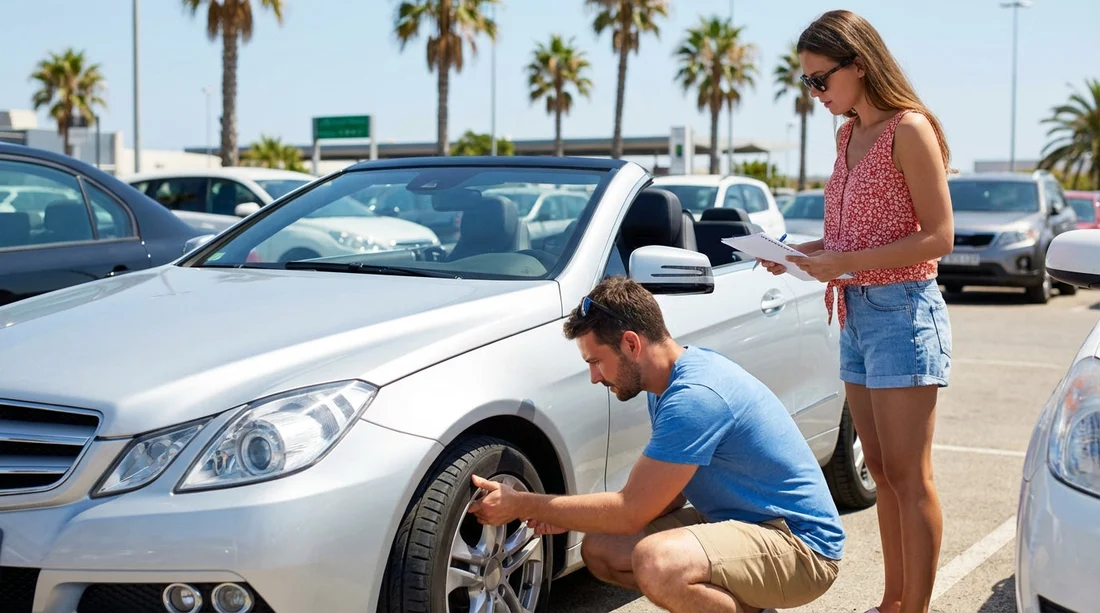
Start with a slow loop: walk around the car once to spot obvious dents, scratches, cracked lights, or mirror damage. Then do a second loop closer in, looking at bumpers, door edges, wheel arches, and the lower panels where kerb marks are common.
Photograph everything: take wide shots of each side plus close-ups of any marks. Include the number plate in at least one photo. A short video that pans the whole vehicle can be useful, but still take close-ups because they show detail better.
Glass, lights, and roof: check windscreen for chips, especially near the edges. Look at headlamps and tail lamps for cracks. If you can safely see the roof, look for scratches, dents, or missing trim, particularly if the vehicle has roof rails.
Wheels and hubcaps: inspect each wheel for kerb rash and check hubcaps, if fitted, are intact. Wheel damage can be charged at high rates, so record any existing scrapes clearly.
Interior condition: open all doors and check seats, door cards, and dashboard for tears, stains, or broken trim. Look for smells that might indicate smoking. Make sure any interior issues are recorded too, not just exterior marks.
Get it noted properly: do not rely on “it’s fine” verbally. Ask for damage to be marked on the condition sheet or logged digitally and confirm you receive a copy or it appears on your rental paperwork or app.
Tyres and safety essentials to check in two minutes
Tyres are the only contact point with the road, and Florida downpours can arrive suddenly. You do not need specialist knowledge to spot obvious issues.
Tread and condition: check each tyre has visible tread and no bulges or cuts on the sidewall. If a tyre looks unusually worn on one edge, flag it, as it can affect handling.
Tyre pressures: you usually will not have a gauge at the lot, but you can look for a low tyre warning light on the dash once the car is on. If a warning appears, return to the booth immediately.
Spare wheel or inflator kit: open the boot and confirm what the car has. Many modern vehicles have a tyre inflator kit rather than a full spare. Locate it so you are not searching on a hard shoulder later. Also check that the locking wheel nut key is present if the car has locking nuts.
Emergency items: confirm you have any required items the supplier provides, such as a warning triangle if applicable, and check the condition of floor mats so pedals cannot snag.
Key features to test before you leave the lot
It is easier to switch vehicles at the airport than after you have joined traffic on the 528 or I-4. Spend a couple of minutes confirming the basics work and you know how to use them.
Start-up and key type: confirm whether you have a physical key, a fob, or push-button start. Make sure you have all keys provided, and test lock and unlock.
Lights and signals: test headlights, brake lights if possible with assistance, indicators, and hazard lights. Verify the high beams operate and that no headlamp warning appears.
Wipers and screenwash: run the wipers and check there is washer fluid. In Florida, sudden storms and insects can make this essential.
Air conditioning: set the air-con to cold and confirm it cools quickly. Also test demist for the windscreen. Poor air-con is miserable in Orlando heat and can affect visibility if windows fog.
Mirrors and seat adjustment: adjust mirrors, steering wheel, and seat before moving. Confirm you can see properly and that seat belts latch and retract smoothly.
Infotainment, Bluetooth, and charging: check the screen powers on, volume works, and you can connect your phone if you plan to use navigation. Locate USB ports and confirm at least one works. If the car supports Apple CarPlay or Android Auto, check it connects without repeated errors.
Reverse gear and camera: with the car stationary and safe, select reverse to verify reverse lights, parking sensors, and camera view (if fitted) function correctly. A blank screen can indicate a fault.
Fuel door and boot release: locate how to open the fuel flap and boot. It sounds minor, but it saves confusion at a petrol station when you are returning the vehicle.
Understand tolls, plates, and where you can drive
Orlando roads include many toll routes, and a misunderstanding can create admin fees.
Toll programmes: ask how tolls are handled for your car hire. Some rentals provide a toll transponder with a daily fee, others charge tolls plus admin, and some allow you to pay tolls yourself where possible. Confirm the chosen option is written into your agreement.
Licence plate match: quickly confirm the plate on the vehicle matches your paperwork. This matters for toll billing and any parking receipts you keep.
Driving restrictions: check if there are any restrictions relevant to your plans, such as taking the car out of state. If you are heading to beaches or other Florida cities, ensure there is no mileage or area limitation that conflicts with your trip.
Final “ready to roll” check before exiting MCO
Before you join the exit lane, take 30 seconds for a final confirmation.
Warning lights: look at the dashboard for engine, tyre pressure, brake, or airbag warnings. If any stay on after start-up, go back immediately.
Parking brake and transmission: confirm you know how to release the parking brake, especially if it is electronic. If you are not used to an automatic, locate PRND and practise moving from park to drive while stationary with your foot on the brake.
Set your route safely: programme your first destination into navigation before driving, or pull into a safe area to set it up. Orlando Airport roads can become busy quickly.
Keep your evidence: save photos and the contract to a folder so you can find them at return time. If you need to report an issue later, you will have clear records of the vehicle’s initial condition.
FAQ
Should I take photos of the rental car even if staff do an inspection? Yes. Take time-stamped photos of all sides, wheels, windscreen, fuel gauge, and odometer. They help if there is any later disagreement about damage or fuel level.
What fuel policy is best for car hire at Orlando Airport? Full to full is often the simplest to manage, because you only pay for the fuel you use. Whatever the policy, confirm it in writing and photograph the fuel gauge at pick-up.
What if I notice a scratch after I have left the Orlando Airport lot? Report it immediately to the rental company using their stated process and keep a record of the time and the person or reference number. Early reporting is more credible than raising it at return.
How do I know if the tyres are safe enough? Look for visible tread, no bulges or cuts, and no dashboard tyre pressure warning light after start-up. If anything looks worn or uneven, ask for a different car before leaving.
What key features should I test before driving off? Confirm locking works, lights and wipers operate, air-con blows cold, reverse gear and camera function, and that you can adjust mirrors and seats. These checks are quick and can prevent an awkward swap later.






























































































