


Quick Summary:
- ANPR cameras record entry and exit, then match your plate to payment.
- If the app cannot verify the plate, pay at reception and keep evidence.
- Prevent duplicates by using only one payment route per stay.
- Check your rental agreement for admin fees linked to parking notices.
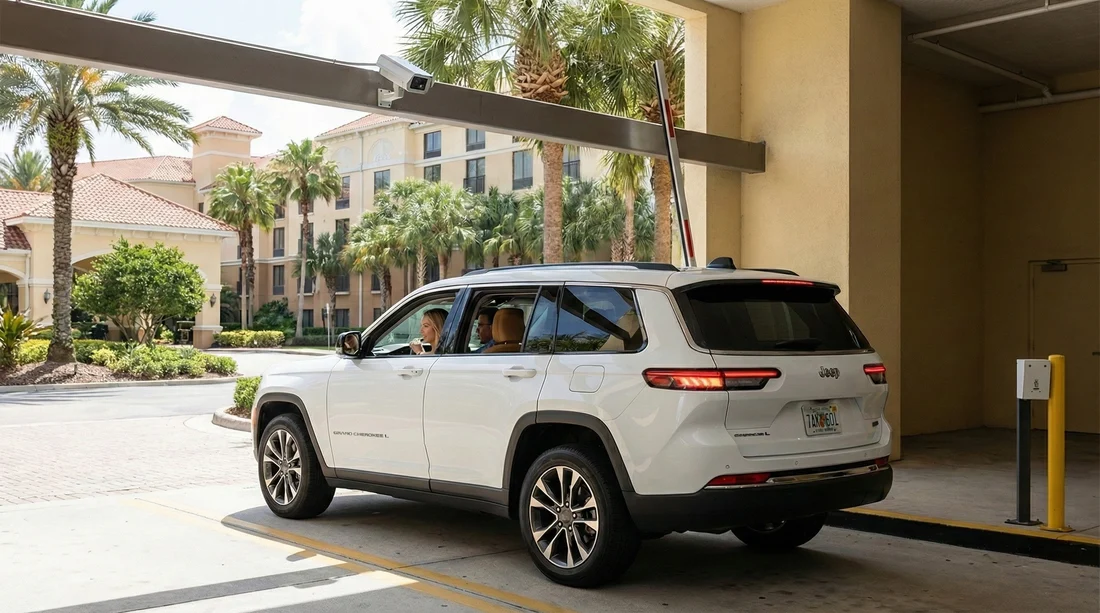
Hotel car parks in Orlando increasingly use ANPR, which stands for automatic number plate recognition. Instead of taking a paper ticket, cameras read the vehicle registration plate at the barrier or driveway. The parking system then tries to match that plate to a valid payment method for the time you were on site. For visitors using car hire, this can feel unfamiliar, because the plate is not “yours” and may even be brand new to the system.
This guide explains, in plain terms, how ANPR billing works at hotels, what to do when the parking app cannot verify a rental plate, and practical steps to reduce the risk of duplicate or incorrect charges. If you are collecting a vehicle at the airport, it helps to know the likely format and timing for plate recognition before you arrive at a hotel. For general Orlando airport pick-up context, see Orlando MCO car hire.
How ANPR hotel parking systems actually bill a vehicle
ANPR hotel parking is usually built around three elements, cameras, a plate database, and a payment record. When you enter, cameras capture the plate and a time stamp. When you exit, the system records the second time stamp. Billing depends on the rules the hotel has set, for example, free for registered guests, paid by the hour, or a flat daily fee.
Most hotels then connect that visit record to a payment in one of these ways:
1) Pay-by-plate app or website. You enter the plate, choose a duration or register for your stay, and pay by card. The system looks for your plate in its “seen recently” list. If it finds a match, it marks the visit as paid or authorised.
2) Reception validation. You provide your plate at check-in, and reception staff validate it in their portal. Sometimes they charge a daily parking fee to your room, other times they simply authorise the plate for free parking.
3) On-site pay station. Less common in newer setups, but still used. You type the plate into a kiosk, pay, and the system logs the plate against a paid session.
4) Barrier-controlled entry linked to plate allowlists. Some hotels use a barrier that opens automatically for allowlisted plates. Rental vehicles are typically added at check-in, then removed after check-out.
In all cases, the plate is the key identifier. For a rental, that means your financial liability can flow through whichever entity receives the charge, the parking operator, the hotel, or later, via the rental company if a notice is sent to the registered keeper.
Why rental plates are more likely to trigger app or camera problems
Rental vehicles can be more prone to ANPR mismatches for a few practical reasons:
Recently issued plates and database lag. If the vehicle has been newly registered, or recently transferred between states, some third-party verification tools may not recognise it immediately. The ANPR camera can still read it, but the payment app might use a separate validation service that lags behind.
Plate format confusion. US plates vary by state and style. Some have stacked characters, decorative fonts, or a mix of letters and numbers that users misread when typing. A single character error can cause the payment to attach to a different vehicle, or to no vehicle at all.
Temporary tags. If your car has a temporary tag, some ANPR systems struggle with glare, placement behind tinted glass, or non-standard layouts. Apps also sometimes reject temporary formats.
Camera read errors. Dirty plates, bike racks, tow hitches, or frames can obscure characters. Night-time reflections and heavy rain can reduce accuracy. Even high-quality systems occasionally misread a character, and then your payment cannot match the captured plate.
Multiple drivers and multiple payment attempts. On holiday, one person might register the plate in the app while another pays at reception, or someone retries a payment thinking it failed. That is a common route to duplicates.
If you are planning a family trip around theme parks, consider checking parking rules as part of your arrival routine, especially if you are picking up an SUV or a larger model that might park further from cameras. Related vehicle options are outlined at SUV hire for Disney area arrivals.
How ANPR matches plates to payments, step by step
Understanding the matching logic helps you fix problems quickly.
Step 1: The system creates a “visit” record. Entry camera reads the plate, stores the best image, and records date and time. Some sites also create a confidence score and store alternate reads.
Step 2: The system waits for authorisation. Depending on the hotel’s rules, it expects an approved registration (guest list), a paid parking session, or both.
Step 3: Your payment creates a “session” record. When you pay, the app or staff portal logs the plate you entered plus time period and payment reference.
Step 4: A matching engine links them. The software matches the visit plate to the session plate, often with additional checks like “paid within 15 minutes of entry” or “registered against room number”.
Step 5: Exit confirms duration. If billed by time, the exit read finalises the charge. If billed by day, the system simply checks you were authorised for that day.
A mismatch usually happens because the plate in the visit record is not identical to the plate in the payment session record. That can be caused by a user typing error, an app rejecting the plate and creating a partial record, or a camera misread. Your job is to make it easier for the operator to find the correct visit and link it to proof of payment.
What to do if the parking app cannot verify your rental plate
If an app says it cannot find or verify your plate, do not keep trying random variations. That can create multiple pending sessions and increase the chance of duplicates. Instead, follow a controlled approach.
1) Check the plate carefully, then take a clear photo. Photograph the front and rear plate (if both exist), plus the windscreen area if a temporary tag is displayed. This gives you an accurate reference for letters, numbers, and spacing.
2) Confirm whether the hotel wants app payment or reception validation. Many hotels use ANPR but still require you to provide your plate at check-in. If the hotel validates plates, paying in the app can be unnecessary and can cause a double charge route.
3) Use an alternate official payment channel. If the app fails, pay via reception or an on-site pay station if available. Ask for a receipt showing the plate and dates. If the hotel posts parking to your room, ask them to read the plate back to you to confirm accuracy.
4) Keep your evidence bundle. Save the receipt, screenshots of any app error message, and a note of entry time. If the system later claims non-payment, this evidence helps the hotel or operator correct it quickly.
5) If you already attempted payment, do not repeat without checking your bank authorisations. Some systems create a pending authorisation that looks like a charge temporarily. Repeating the process can multiply holds and complicate refunds.
Where you collected the vehicle can matter, because newly issued plates or temporary tags are more common in high-turnover airport fleets. If you are arriving through MCO and want to understand rental processes and providers, see car rental at Orlando MCO.
How to prevent duplicate charges during a hotel stay
Duplicate charges tend to come from mixed payment routes. Use these prevention steps:
Choose one method only. Either register at reception, or pay in the app, or use the kiosk. Do not do two “just in case”. If the hotel validates plates as part of check-in, treat that as the primary method unless staff explicitly instruct you to pay separately.
Register the correct dates. If the system requires start and end dates, ensure they cover your full stay, including late check-out or an evening departure. An overnight gap can create a second payable visit.
Avoid registering twice under slightly different plate formats. Some users add a space or omit a state identifier. Enter the plate exactly as displayed, and be consistent if you must edit it later.
Keep the same car for the stay if possible. If you swap vehicles mid-trip due to an upgrade or maintenance, you must update the hotel immediately. Two different plates tied to one room can cause unexpected billing or enforcement notices.
Check folio and card statements separately. A hotel parking fee charged to your room is different from a parking operator charge. If you see both, query it quickly with reception while you are still on site and can show the vehicle.
If your rental is with a major brand, policies on admin fees for notices can differ, so it helps to know who holds the registration and how correspondence is handled. Background on one common provider is at Enterprise car rental at Orlando MCO.
What happens if an ANPR system issues a notice to the rental company
If the parking operator believes a visit was unpaid or unauthorised, they may send a notice to the registered keeper of the vehicle. For a rental, that is typically the rental company, not you. The rental company may then:
Charge an administration fee for processing the notice, depending on the rental terms.
Provide your details to the operator so the operator can pursue the charge directly.
Charge you the underlying amount if the terms allow, especially if they pay it on your behalf.
This is why evidence matters. If you can show you paid, or that the hotel validated your stay, you can dispute the charge through the hotel or operator, and you can also query any rental admin fees if the notice was issued in error. Always refer to your rental agreement and the paperwork from check-in.
Troubleshooting checklist for incorrect ANPR charges
When something looks wrong, work through this checklist in order:
1) Identify the charging party. Is it the hotel (on your folio) or a parking operator (separate merchant name)? Different parties require different dispute routes.
2) Confirm the plate on the receipt matches the car. One mistyped character is the most common cause of “paid but still billed”.
3) Check timestamps. If you arrived before you could check in, some hotels allow a grace period, others do not. Paying after the grace window can still trigger an unpaid flag.
4) Check for multiple entries. If you left and returned, the system might treat it as separate visits. Some hotels require you to pay per exit, others per day.
5) Ask for the ANPR images if available. Operators can often view entry and exit captures. If the camera misread your plate, they can correct the visit record to match your payment.
6) Resolve before departure when possible. On-site resolution is usually faster because staff can see your registration and vehicle details immediately.
Rental-specific tips that make ANPR smoother in Orlando
Record the plate as soon as you collect the car. Add it to your phone notes with the state and any distinguishing features. That reduces typing mistakes at a hotel after a long flight.
Keep the windscreen and plate areas clean. Even a quick wipe can improve camera accuracy, especially after motorway spray or rain.
Be careful with plate frames or dealer adverts. Rental cars sometimes have frames that can obscure small text. If a frame blocks characters, ask the rental desk for advice before you leave.
Know your hotel’s parking rules before you arrive. Some hotels validate only at check-in. Others require registration within a short arrival window. Planning this avoids an accidental “unpaid” visit record.
Do not assume “free parking” means “no registration”. Many hotels offer free parking but still require plate registration to suppress enforcement. Always ask reception what is required for ANPR authorisation.
FAQ
How does a hotel ANPR system know my rental car is authorised? It does not automatically know. Your plate must be matched to a paid session or added to the hotel’s authorised guest list, usually at check-in or via an app.
What if the app says my plate cannot be found? Pay or register through reception or the on-site kiosk, then keep a receipt showing your plate and dates. Avoid multiple app attempts that can create duplicate sessions.
Can I be charged twice, once by the hotel and once by the parking operator? Yes, if you pay in an app and the hotel also posts a parking fee to your room, or if validation fails. Use one payment route and check your folio before departure.
Will the rental company charge me if the hotel parking says I did not pay? Possibly. If a notice is sent to the registered keeper, the rental company may apply an admin fee and pass on the claim under the rental terms, even if you later dispute it.
What evidence should I keep to fix an ANPR dispute? Keep photos of the plate, screenshots of app errors, receipts with the plate, and your check-in or folio details. These help the hotel or operator match your payment to the correct ANPR visit.






























































































