


Quick Summary:
- Check the meter number and city branding match nearby official signage.
- Use the app store to download parking apps, never QR codes.
- Inspect stickers for tampering, misalignment, bubbles, or fresh adhesive.
- If you scanned a suspect code, freeze cards, change passwords, report.
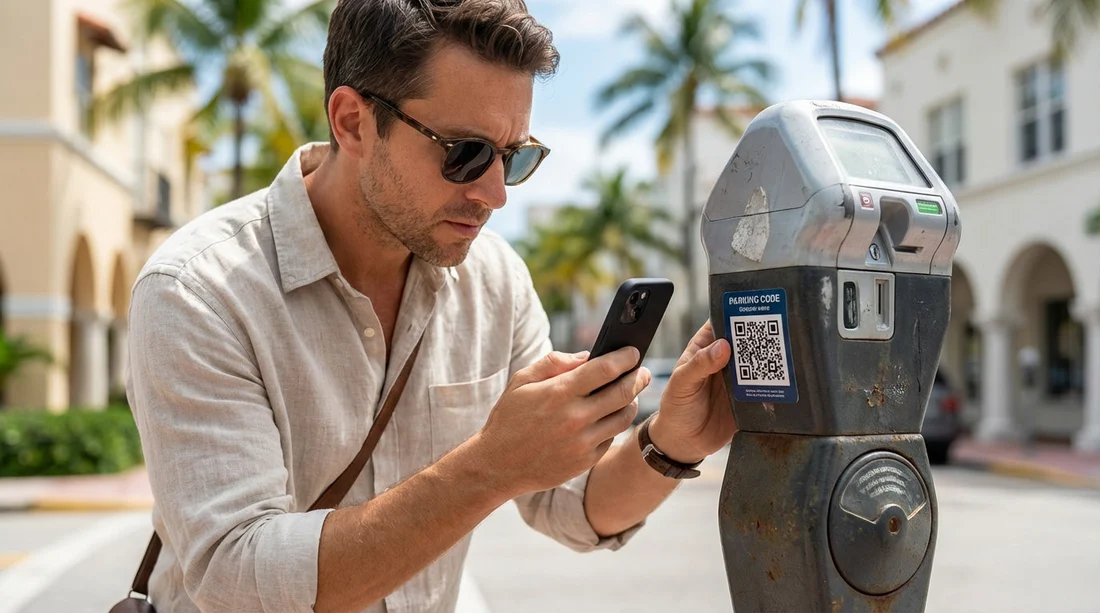
Miami is a brilliant city to explore with car hire, but parking can be where scammers try their luck. One of the most common tricks is a fake QR code placed over, or near, a legitimate pay-by-app or pay-by-plate instruction. You scan it, land on a convincing payment page, then hand over card details to criminals.
This guide gives you a practical, on-street checklist for spotting genuine parking payment instructions in Miami, plus clear steps to take if you have already scanned a suspicious code. The aim is not to make parking stressful, it is to help you pause for ten seconds, verify what you are seeing, and pay in a way that is hard to intercept.
If you are collecting a vehicle near the beach or downtown, it helps to know the local patterns before your first curbside stop. For example, drivers picking up around Miami Beach often start their trip with short street parking, which is exactly where sticker scams appear. If you are planning routes in that area, this neighbourhood page can help you get oriented: car hire Miami Beach.
How parking meter and QR code scams typically work
Most fake QR code scams rely on speed and distraction. You have luggage, traffic behind you, and a timer ticking. A scammer adds a sticker with a QR code that looks official, sometimes including a logo or the words “pay here”. When you scan it, you are sent to a site that mimics a legitimate parking provider. You enter your plate, time, and payment details, and the scammer harvests card information or sets up a recurring charge.
In some versions, the QR code opens a “wallet” or “payment” screen that prompts you to approve a charge. In others, it prompts you to install an app from outside the official app store. Either way, the key problem is that you are not paying the actual parking operator.
With car hire, there is an extra reason to be careful: any unpaid parking session can turn into a ticket, and tickets can lead to admin fees from the rental provider. A few minutes of verification can save hours later.
On-street checklist: how to spot legitimate pay-by-app and pay-by-plate signs
Use this checklist every time you park somewhere unfamiliar. You do not need to be an expert, you just need to check for consistency.
1) Look for consistent city or operator branding across multiple items. Legitimate parking instructions usually appear in more than one place: the meter, a nearby sign, and sometimes on the pay station. If the meter label says one operator but the sign shows another, treat it as a red flag. Scammers often copy a logo but cannot match the full set of official details.
2) Confirm the payment method matches the equipment. A pay-by-plate area should clearly tell you where to enter your plate, often at a pay station or via an established app. If the only instruction is “scan QR to pay” and there is no meter number, zone number, or official wording, be cautious. Legit systems usually include a zone, location code, or meter ID so enforcement can match payments to a place.
3) Check the meter ID and location code are printed, not taped on. Official IDs are typically engraved, printed under a protective layer, or integrated into the sign. A sticker that adds a “new code” or covers an old one can be suspicious, especially if it looks freshly applied.
4) Inspect QR codes for tampering. Stand close and look for edges lifting, bubbles, wrinkles, misalignment, or a second label layered over the first. If you can see a different code underneath, do not scan it. A quick touch can reveal a loose sticker, but do not peel anything off, simply choose a different payment method.
5) Read the instructions, not just the QR code. Real signs usually mention the name of the parking app and how to find it. They may say “download in the App Store or Google Play” or list a website and customer service number. A scam label tends to be minimal and urgent, for example “scan to pay” with no other details.
6) Use your phone camera preview as a safety pause. Most phones show a link preview before you open it. If the address looks odd, misspelt, overly long, or unrelated to parking, do not open it. Even if it looks plausible, you can still choose to pay without scanning by using the official app directly.
7) Prefer pay-by-app without scanning. The safest method is to open the official parking app you already have, then enter the zone or location code shown on the sign. If you do not have the app, download it from your phone’s official app store by searching the app name, not by scanning a code on the street.
8) Avoid “instant install” prompts or profiles. If scanning a code leads to a message asking you to install a configuration profile, allow notifications from an unknown source, or enable non-store downloads, stop. That is not typical for legitimate parking payment flows.
9) Sanity-check the price and time options. A scam page may offer suspiciously cheap all-day parking or odd time blocks that do not match the posted rates. Compare what the sign says to what the payment page shows. Any mismatch is a reason to back out.
10) Look for a secure checkout, but do not rely on it alone. A padlock icon in the browser is not proof of legitimacy, scammers can use HTTPS too. Use it as a minimum standard, not a guarantee.
Visitors often encounter these situations in high-turnover areas such as beachfront streets, nightlife zones, and business districts. If your itinerary includes Coral Gables for dining or shopping, it is worth planning where you will park in advance so you are not making quick decisions at the kerb. This local guide may help you map stops: car hire Coral Gables.
Safe ways to pay for parking in Miami when you are unsure
If something feels off, you still have options that do not involve scanning.
Use the official app from your phone’s app store. Search by the exact app name shown on the sign, then open the installed app and enter the zone or meter number. If the sign does not show an app name, treat that as suspicious and look for an alternative.
Pay at a pay station when available. In some areas, you can pay at a nearby kiosk and enter your plate. This avoids QR codes entirely.
Choose a different space. If the only way to pay appears to be a QR code and the signage looks tampered with, moving to another block can be the fastest solution.
Use a card with strong controls. A credit card is often easier to dispute than a debit card. Using a virtual card number or a card that lets you freeze transactions quickly can reduce risk while travelling.
If you are driving a larger vehicle, you might be more likely to use garages rather than kerbside meters. Garages can reduce exposure to QR scams, although you should still verify payment instructions at entry kiosks. If you are in the Brickell area with extra passengers or luggage, you may be looking for larger bays; this page may be useful context for trip planning: minivan hire Brickell.
What to do if you already scanned a suspicious parking QR code
Do not panic, but act quickly. The goal is to limit what the scammer can do with what you have shared.
Step 1: Close the page and do not enter any more information. If you have not submitted details yet, stop there. If you did enter details, take screenshots of the page, the web address, and any confirmation screens. Evidence helps your bank and any report you make.
Step 2: Freeze your card or contact your bank immediately. If you entered card details, freeze the card in your banking app, or call the number on the back of your card. Ask about cancelling the card and issuing a replacement, and request a chargeback process if a payment went through.
Step 3: Change passwords if you reused any login details. If the scam page asked you to “sign in” or used a password you have used elsewhere, change that password immediately on the real service, and anywhere else you reused it. Turn on two-factor authentication where possible.
Step 4: Check your device for anything you installed. If the QR code led you to install an app, remove it. If it asked you to install a profile or grant unusual permissions, revoke those permissions and consider running a trusted mobile security scan. If you are unsure, a reset of settings or a full device review may be appropriate.
Step 5: Pay for parking the correct way. If you still need to park, do not assume you are covered. Use the legitimate method, either the official app from the app store using the zone code, or a pay station. A scam payment does not typically register with enforcement.
Step 6: Monitor statements for small test charges. Criminals sometimes run small authorisations before larger charges. Keep an eye on your card activity for several weeks, and report anything unfamiliar immediately.
Step 7: Report the suspicious code to local authorities or parking enforcement. If you can, take a photo of the meter and the sticker without touching it, then report it to the relevant city or parking operator so they can remove it. This can protect other drivers the same day.
How to avoid knock-on issues with tickets and car hire paperwork
If you suspect you paid a fake site, there is a realistic chance you could still receive a parking citation because the real parking session was never started. With car hire, that can be inconvenient because notices may be mailed later and then forwarded, sometimes with processing fees.
Keep proof of your attempted payment. Screenshots, bank pending transactions, and any emails can help you explain what happened, even if the payment was fraudulent.
Document where you parked. Note the street, nearest cross street, time, and meter number. If you later need to contest a ticket, those details matter.
Do not ignore mail or app notifications. If a legitimate operator emails you about parking, verify it by going directly to the official app or known website rather than clicking the email link.
Understand that rental companies must pass on official notices. The best protection is prevention, but if something happens, prompt action with your bank and accurate records reduce the headache.
Many travellers start their drive straight after landing, when they are tired and more likely to scan without thinking. If you are collecting near an airport corridor or heading towards the beach straight away, planning your first stop and payment method can help. This page provides local context for arrivals and nearby driving: car hire airport Miami Beach.
Extra red flags that often indicate a fake parking payment
Use these quick indicators as a final “gut check” before you pay.
Spelling mistakes or odd grammar on the sticker or payment page, especially in “official” instructions.
A web address that looks unrelated to parking, or that uses extra words, hyphens, or unusual endings.
Pressure tactics like “pay within 2 minutes” or “avoid immediate fine”.
Payment screens that ask for too much such as full address, PIN, or banking login.
No accessible customer service details such as an operator name, phone number, or a clear dispute route.
Practical habits for safer parking throughout your trip
QR scams are only one travel risk, but they are easy to prevent with a few habits.
Decide in advance how you will pay. Install likely parking apps before you go out for the day, on hotel Wi-Fi, and set up payment securely.
Use a dedicated travel card. Keeping a separate card for day-to-day spending can limit exposure if details are compromised.
Do a 10-second scan of the physical sign. Most scam stickers are caught by a simple check for overlay, fresh adhesive, or mismatched instructions.
When in doubt, change location. The easiest win is to park where payment looks straightforward and consistent.
FAQ
Are QR codes on Miami parking meters always a scam? No. Some legitimate parking systems use QR codes, but scammers also use them. Treat a QR code as optional, and prefer opening the official parking app directly.
What is the safest way to pay for street parking with car hire in Miami? Use the official app downloaded from your phone’s app store, then enter the zone or meter number shown on the sign. Avoid installing anything prompted by a street QR code.
If I paid a fake site, will I still get a parking ticket? Possibly, because the real parking operator may not have received a valid session. Pay correctly as soon as you realise, keep evidence of what happened, and monitor for any citation notices.
Should I remove a suspicious QR sticker from the meter? It is better not to touch it. Take a clear photo and report it to the relevant parking authority or operator so they can remove it safely and document the issue.
What details should I capture if I suspect a scam? Photograph the meter and sticker, note the meter ID or zone number, record the time and location, and take screenshots of any web pages you opened before closing them.






























































































