


Quick Summary:
- Choose built-in sat nav when you expect weak signal or roaming.
- Use phone maps if you download offline areas before you land.
- Compare daily sat nav fees with eSIM or SIM costs.
- Test setup in the car park, mount, charger, audio, permissions.
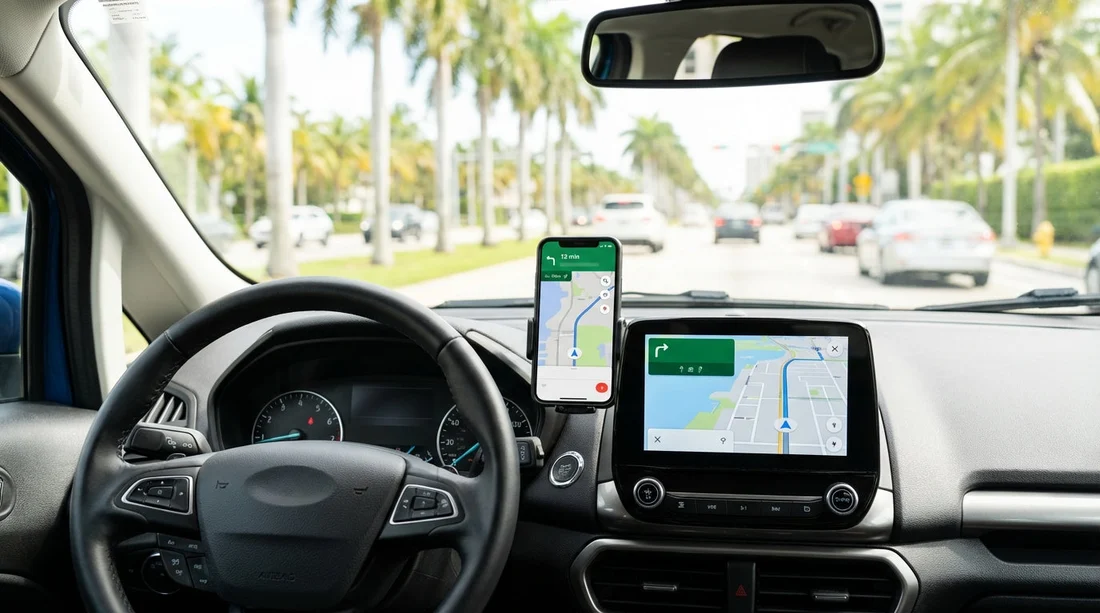
When you’re arranging car hire in Miami, sat nav is one of the most common add-ons people consider at the counter. The choice is usually between paying for the car’s built-in navigation (or a portable unit supplied with the vehicle) and relying on Google Maps, Apple Maps, or Waze on your phone. Both options can work well in Miami, but they solve different problems. The best choice depends on cost, offline reliability, data use, and how quickly you can get moving after pick-up.
Miami driving is a mix of fast multi-lane highways, frequent exits, tolled express lanes, and dense one-way downtown streets. Navigation matters, not because the roads are hard, but because missing an exit on I-95 or the Dolphin Expressway can add time quickly. If you’re collecting at the airport, the first ten minutes are often the most stressful, so whichever option you choose, you want it ready before you leave the car park. If you’re comparing pick-up locations, Hola Car Rentals provides details for car rental in Miami and the nearby Miami Airport car rental area.
Cost: daily sat nav fees vs what you already own
Built-in sat nav is convenient, but it can be one of the pricier add-ons on a short trip. Rental companies often price navigation per day, sometimes with a cap. Over a week, that can be more than the cost of a local eSIM, a prepaid SIM, or even a small power bank and decent vent mount. If you already have a phone with maps and a charging cable, the “extra cost” of phone navigation can be close to zero.
That said, phone navigation is not always free in practice. If you’re using your UK plan in the US without a travel pack, roaming can add up. If you need to buy data on arrival, factor that into your decision.
Offline reliability: who keeps working when signal drops?
Miami has strong mobile coverage in most places, but “mostly” is not “always”. Parking garages, certain stretches of causeways, and some rural areas outside the city can be patchy. Built-in sat nav typically uses GPS signals from satellites and stored maps, so it keeps positioning even when your mobile data drops. That’s its biggest advantage, reliable turn-by-turn guidance without relying on a cellular connection.
Phone maps can be just as reliable if you prepare correctly. Download offline maps for the Miami area before you land, ideally on Wi-Fi. Google Maps supports offline areas, and Apple Maps supports offline maps in many regions too. With offline maps saved, your phone still uses GPS for location, and it can navigate even when data is weak. What you lose without data is live traffic, incident reports, and fast re-routing based on congestion.
If you know you’ll be driving beyond Miami, consider downloading a wider area. Visitors often plan day trips north or west. If you’re flying into Fort Lauderdale and driving down, offline coverage for both airports and the I-95 corridor can reduce hassle. Hola Car Rentals also has information for Fort Lauderdale Airport car hire, which can be relevant if you’re comparing arrival options.
Ease of setup: which gets you out of the car park faster?
Built-in sat nav usually wins on “ready to go”, but only if the system is modern and the interface is familiar. Some rental fleets include newer infotainment systems with clear maps and fast search. Others can be slow, with awkward address entry and outdated points of interest. If you choose rental sat nav, allow two minutes at pick-up to set language, units, and a simple “home base” destination like your hotel.
Phone maps win on familiarity. You already know how to search for “Miami Beach” or paste a hotel address. The setup steps are simple, but easy to overlook when you’re tired, it helps to do this checklist before you pull away:
Phone maps setup checklist: enable location services, download offline maps, switch to driving mode, connect Bluetooth, start charging, and mute notifications if they distract you.
Traffic and tolls: staying calm on Miami’s fast routes
Miami traffic can change quickly, especially around rush hours and big events. Here, phone navigation with live traffic often provides better real-time re-routing than built-in systems, unless the car’s sat nav has strong connected services enabled.
If you’re staying in a dense area like Brickell or Downtown Miami, navigation can get complicated due to one-way streets, valet entrances, and short turns. Knowing your exact drop-off or parking entrance matters more than the general destination. If you’re picking up in the city, details for locations such as Budget car rental in Brickell and Avis car rental in Downtown Miami can help you plan where you’re actually starting your drive.
So, is built-in sat nav worth it in Miami?
Built-in sat nav is worth paying for when you expect data problems, need maximum simplicity for multiple drivers, or prefer not to handle phone mounting and charging. It can also be a good choice if you’re on a tight itinerary and want a dedicated screen that is always on, without draining your phone.
Phone maps are usually the better value for most travellers doing car hire in Miami, especially if you prepare offline maps and have a reliable charging setup. You gain better search, easier destination sharing, and often better traffic awareness. The trade-off is that you need to manage battery, data, and notifications, and you should ensure the phone is mounted safely.
If you’re undecided, a balanced approach works well, use phone maps as your primary navigation, but download offline maps and store your hotel address separately so you can still navigate if signal drops. That gives you most of the benefit of sat nav without the daily fee.
FAQ
Is phone navigation legal to use while driving in Miami? Yes, but you should mount the phone and use hands-free. Avoid holding the phone while driving, and set your route before moving off.
Will offline maps work properly for Miami and Miami Beach? Yes, if you download the area in advance. Offline maps keep GPS positioning and routing, but live traffic and some re-routing features may be limited.
Does built-in sat nav include live traffic? Sometimes, but it depends on the vehicle’s system and whether connected services are active. Ask at pick-up if traffic data is included and currently enabled.
How much mobile data does phone navigation typically use? It varies by app and behaviour, but basic turn-by-turn navigation is usually modest. Data use rises with frequent searches, satellite imagery, and streaming audio.
What’s the simplest setup for stress-free navigation after pick-up? Before leaving, mount your phone or set the sat nav destination, start charging, connect Bluetooth, and confirm the first few turns out of the car park.






























































































