


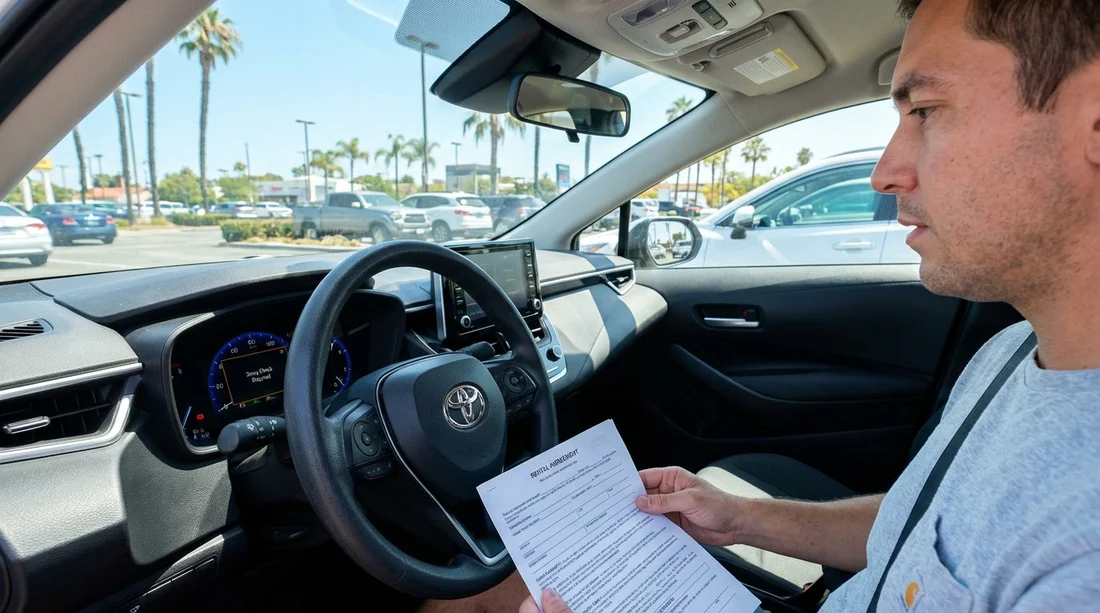
Quick Summary:
- It usually indicates an emissions-related fault code stored in the car.
- Photograph the dashboard warning, odometer, VIN plate, and fuel level.
- Ask for contract notes stating the warning existed at collection time.
- If the light stays on after restart, request a swap immediately.
Seeing “Smog Check Required” on a California hire car at pick-up can be unsettling, especially when you have just left the counter and you are trying to get on the road. In most vehicles this message is tied to the emissions system, and in California emissions compliance is taken seriously. The key point for renters is practical, a warning message can signal anything from a loose fuel cap to an underlying fault that could worsen, affect drivability, or create hassle if the vehicle later needs attention.
This guide explains what the message commonly means, how to decide whether to accept the vehicle or swap it, what photos and screenshots to take as evidence, and what specific wording to ask staff to add to the rental agreement notes. The goal is not to diagnose the car, but to protect you and keep your trip smooth.
What “Smog Check Required” usually means in California
In many modern cars, “Smog Check Required” is a dashboard message triggered by the engine management system. It commonly appears alongside, or in place of, a check engine light. The car’s computer has logged an emissions-related issue that could cause the vehicle to fail an emissions test, often called a smog check in California.
For a renter, that does not automatically mean the car is unsafe or illegal to drive. It does mean the system has detected a fault that should be investigated by the fleet operator. Some faults are minor, others can cause reduced performance, poor fuel economy, or intermittent stalling. A hire car should ideally be delivered without warning lights, so treat it as a quality and risk signal.
If you are collecting from a busy airport location, it can help to know the most common benign triggers. A loose or recently tightened fuel cap can sometimes set a code that lingers until the system completes self-tests. A battery change or recent workshop work can also leave temporary status messages. Still, you should not rely on assumptions, your best protection is evidence and clear contract notes.
If you are collecting around Southern California airports, you might see higher vehicle turnaround and quick cleans. For context on pick-up flows and typical counter processes, these pages can be useful reading: car hire at Los Angeles LAX and car rental in San Diego.
Is it OK to drive with the message showing?
Often, the car will drive normally, but your decision should be based on what you observe in the first two minutes. Here is what matters most at pick-up:
1) Whether the warning clears after a full restart. If you turn the car fully off, wait a few seconds, then restart and the message remains, treat it as an active issue rather than a momentary alert.
2) Whether any other warnings appear. A single emissions message is different from multiple warnings, such as flashing check engine, overheating, oil pressure, or battery/charging alerts. Multiple warnings are a strong reason to swap immediately.
3) Whether the car shows symptoms. Rough idle, strong fuel smell, delayed acceleration, or a noticeable misfire are all reasons to reject the vehicle. If the check engine light is flashing, do not drive away, ask for another car on the spot.
4) Your trip profile. If you are about to take a long drive, cross desert areas, or have a tight schedule, the cost of a possible breakdown is higher. In that case, swapping at pick-up is usually the least stressful option.
Accept or swap, a practical decision checklist
Use this checklist before you leave the lot. It is designed for renters, not mechanics.
Swap the vehicle immediately if: the warning stays on after restart, the car runs rough, there are additional alerts, you smell petrol strongly, the car is overdue for service on the display, or staff cannot note the issue in writing on the agreement.
Consider accepting (with strong documentation) if: the car drives smoothly, no other warnings are present, staff acknowledge it in the contract notes, and you have clear photos showing the message at time of collection. Even then, you should ask what to do if it worsens and where to call for roadside support.
Prefer a swap if you have a choice. A hire car is meant to reduce uncertainty, not add to it. If a comparable car is available, swapping is often the simplest solution, even if the original issue ends up being minor.
What evidence to capture at pick-up (photos and screenshots)
If you decide to accept the car, your evidence set should show three things, the warning existed at collection, the car identity is clear, and the condition at handover is documented. Take the following before leaving the facility, ideally while still in the pick-up area.
Dashboard and warning evidence: Take a clear photo of the “Smog Check Required” message. If the vehicle also shows a check engine light, capture that too. Include the instrument cluster with the engine running so the warning is visible as “current”, not just an ignition-on moment.
Odometer and time context: Photograph the odometer in the same frame if possible. If your phone adds timestamps automatically, keep that setting on. If it does not, take a second photo that shows your rental paperwork time or the pickup area sign, then the dashboard again.
Vehicle identity: Photograph the VIN plate, usually visible at the bottom of the windscreen on the driver’s side, and the door jamb label on the driver’s door if accessible. Also photograph the registration plate. This helps if you later need to match the warning to the exact vehicle.
Fuel level and range: Capture the fuel gauge and estimated range, because disputes often combine warning lights with fuel discrepancies.
Walkaround condition set: Take photos of all four sides, wheels, windscreen, and roof if possible. Also take interior photos, especially existing stains, tears, or cracks. While not directly related to smog warnings, having a complete condition record strengthens any later conversation.
Short video (optional but useful): A 10 to 20 second video panning from the exterior plate to the dashboard warning can be powerful. If you do this, also take still images in case video upload is inconvenient later.
What to ask staff, and the exact contract note wording
Your aim is to ensure the rental agreement records that the warning was present before you took possession, so you are not blamed for causing it. Verbal reassurance is not enough if a dispute arises later.
Ask the agent to do three things:
1) Confirm acknowledgement. Ask them to come to the car or view your photo and confirm the message is present.
2) Add a note to the agreement. Do not accept “we will note it internally” without seeing it on your paperwork or digital contract notes.
3) Explain the next step if the car worsens. Ask who to call and whether you should return to the same location or another branch.
Suggested wording to request in the notes (copy exactly): “Customer reports dashboard message ‘Smog Check Required’ present at time of pick-up. Warning acknowledged at collection. Customer not responsible for pre-existing warning or related fault codes.”
If the check engine light is also on, add: “Check engine light illuminated at pick-up, vehicle drives normally at collection.”
If they refuse to add notes: request a different vehicle. If that is not possible, ask for a supervisor, and keep your photos and any written messages you receive from staff.
Could you be charged or blamed later?
Charges usually arise when a company believes damage or misuse occurred during the rental. An emissions warning could be misinterpreted as something the renter caused, for example, refuelling error or ignoring a warning until it became a bigger issue. Clear pick-up documentation reduces that risk.
Also be aware that if the warning turns into a drivability problem and you continue driving for a long time, the company might argue you did not mitigate the situation. That is why it is important to report the warning promptly through the official support channel once you are aware of it, even if the car seems fine.
What to do if the message appears after you leave the lot
Sometimes the message shows up after a few miles. If that happens:
Pull over safely if you notice rough running, unusual noises, smoke, or a flashing check engine light. A flashing light is a stronger warning than a steady one.
Take new photos showing the message and odometer at the moment it appeared. This creates a timeline.
Call the rental company support number from your paperwork and follow their instructions. Ask for a case or incident reference number and write it down.
Do not attempt DIY fixes beyond checking the fuel cap is fully tightened, if you have recently refuelled. Avoid clearing codes with your own tools, it can remove evidence and complicate support conversations.
If you are travelling through different parts of the state, it is useful to know your closest major airport branch options in case a swap is authorised. For example, these pages provide location details and expectations for larger desks: car rental at Santa Ana SNA and National car hire at San Francisco SFO.
Why this message appears on a rental car at all
Fleet cars can accumulate many short trips, quick turnarounds, and varied driving styles. Some emissions systems need consistent driving patterns to complete self-tests. If a car is started, moved, and parked repeatedly, it may take longer to clear certain readiness monitors or may hold onto a warning until it is properly diagnosed.
Another reason is timing, a car can be returned with a new warning, and the next renter may receive it before the vehicle has had workshop attention. That should be uncommon at well-run locations, but it can happen during peak seasons.
Regardless of cause, as the renter you should treat the message as a handover defect and handle it like any other pre-existing issue, document it and ensure it is recorded.
How to communicate calmly at the counter
A practical approach is best. Show the photo, state what you want, and keep the request specific. For example: “This vehicle is showing ‘Smog Check Required’. I am happy to take another vehicle, or please add a note to the agreement confirming it was present at pick-up.” This keeps the interaction focused and usually produces a quick resolution.
If you are assigned a larger vehicle class, you may be offered an SUV as an alternative. If you are picking up near the state capital, this can be relevant: SUV hire in Sacramento SMF. The most important point is that any replacement should be free of warning messages at handover.
FAQ
Does “Smog Check Required” mean the car is illegal to drive in California? Not necessarily. It usually means the car has stored an emissions-related fault code. The car may still be drivable, but you should document it and request written acknowledgement or a swap.
Should I refuse the car if the message is on? If the message remains after restart, or you see any drivability issues, swapping at pick-up is the safest choice. If you accept it, make sure the warning is recorded in the contract notes and you have clear photos.
What photos do I need to protect myself? Photograph the warning on the running dashboard, the odometer, the VIN plate, and the number plate. Also take a full walkaround set to show general condition at collection.
What exact wording should be added to my rental agreement notes? Ask for: “Customer reports dashboard message ‘Smog Check Required’ present at time of pick-up. Warning acknowledged at collection. Customer not responsible for pre-existing warning or related fault codes.”
If the message appears later during the rental, what should I do? Take a photo with the odometer, then contact the rental company support line listed on your paperwork. If the check engine light flashes or the car runs poorly, stop driving and request guidance immediately.




























































































