


Quick Summary:
- Join the rental company’s programme and complete verification before landing.
- Use the app to confirm licence, payment card, and pick-up time.
- Expect a desk stop if details mismatch, you are underage, or upgrades change.
- Carry physical licence and card, even when using kiosks.
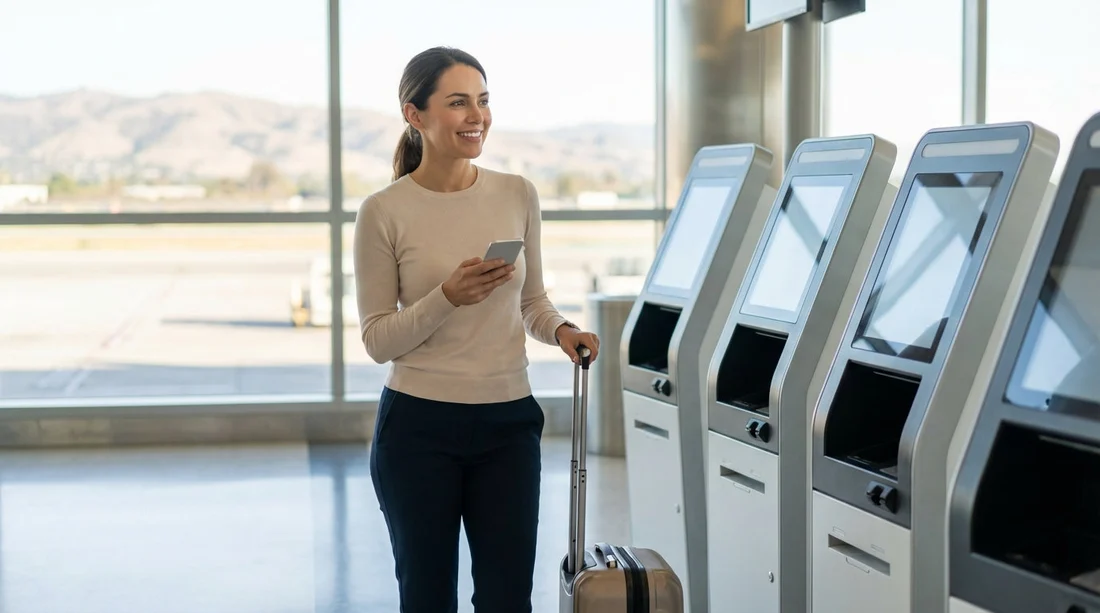
Yes, you can sometimes skip the counter for car hire at SFO in San Francisco, but it depends on your rental company, your booking details, and whether your documents and payment method pass their express checks. At San Francisco International Airport (SFO), “skip the counter” usually means one of three flows: go straight to a kiosk for identity checks and a printed agreement, use an app-based “express pick-up” that sends you directly to the garage, or collect keys from a designated desk that is faster than the main counter.
The catch is that airlines, airports, and rental brands all have their own rules, and any mismatch can turn “express” into a queue. The fastest pick-up happens when you arrive with a clean reservation, valid documents, and no pending verification steps. If you are arranging car hire specifically for SFO, start with the practical guidance on car hire San Francisco SFO so you know what to expect at this airport location.
What “skip the counter” usually means at SFO
SFO’s rental cars operate from a consolidated facility accessed by the AirTrain. Once you reach the rental facility, the “skip” options typically look like this:
App-based express pick-up: After checking in on the rental company’s app, you may be assigned a bay or stall number. You go to the car, inspect it, and drive out after showing documents at the exit gate if required.
Kiosk check-in: You enter your reservation details, scan a driving licence (sometimes), confirm payment, and print the rental agreement. Then you collect keys at a small desk or directly in the garage, depending on the brand and the time of day.
Fast-track or elite aisle: Some brands allow members to choose a vehicle from a designated aisle. You still complete the contract step, but it is often handled quickly at the garage exit rather than a full counter visit.
Even with these options, it is normal to speak briefly with staff at some point. “Skipping” usually means avoiding the main counter queue, not eliminating all human checks.
What usually qualifies you for express pick-up
Most rental companies use similar criteria to decide whether you can go straight to a kiosk or the garage. If you meet the items below, your odds of skipping the desk are much higher.
1) You are enrolled in the company’s loyalty or express programme
Many brands gate app-based pick-up behind membership. Joining is typically free, but approval can require verifying your driving licence and payment card in advance. If you enrol at the last minute, the system may still force a desk visit for manual checks.
2) Your reservation details are complete and consistent
Express flows like clean data. Your name, date of birth, and contact details should match your driving licence and the reservation. If you used an abbreviated name on one field and a full legal name on another, the system may not auto-approve.
3) You have an eligible payment method
A major credit card in the main driver’s name is the most widely accepted for express pick-up. Debit cards can be accepted, but they more often trigger additional verification steps, a deposit, or a desk conversation. If your payment card and billing address cannot be validated quickly, the kiosk can send you to the counter.
4) Your driving licence meets requirements
A full, valid licence is essential. If you are visiting from abroad, some companies require your home licence plus an International Driving Permit, depending on your issuing country and licence format. Even when the app says you are cleared, bring the physical licence because staff may need to see it at the exit.
5) You are not changing the deal at pick-up
Express pick-up works best when you do not need to add a different driver, change the vehicle category, alter the drop-off, or renegotiate coverage at the desk. Those changes usually require a contract reissue, which pushes you back into a staffed line.
If you are comparing brands at SFO, Hola Car Rentals’ pages for specific operators can help you understand what is typically available at this airport, such as Enterprise car rental San Francisco SFO, National car hire San Francisco SFO, and Alamo car hire San Francisco SFO.
Common reasons you might be forced to visit the desk
At SFO, the most frequent “express-to-counter” triggers are predictable. Knowing them helps you prepare and avoid surprises.
Name mismatch or profile mismatch
If the reservation does not match your membership profile, or the profile does not match your driving licence, the system may lock the express option. This includes middle names, hyphenated surnames, and swapping first and last names.
Age-related restrictions
Underage drivers, commonly under 25, can face mandatory counter processing due to added fees, extra documentation, or vehicle-class restrictions. Even if you are eligible, the kiosk may still route you to staff for confirmation.
Payment method issues
Using a different card from the one on file, presenting a card without embossed numbers if the brand requires them, or using a card that fails verification can all force a desk visit. Corporate cards and prepaid cards can be problematic depending on the operator.
International licence checks
Some apps do not fully validate overseas licences. If your licence is not in English, or if the system flags it for review, you may need staff to confirm eligibility. Have your passport available in case identity questions arise.
Adding an additional driver
Extra drivers often need to be present and sign. Many brands require staff to check the additional driver’s licence, which usually cannot be completed purely in-app at pick-up.
Vehicle upgrades, special vehicles, or equipment
Large SUVs, specialty cars, and some premium categories can require additional authorisation, higher deposits, or different insurance rules. Child seats, toll products, or one-way changes can also complicate automated check-in.
Outstanding holds, previous balances, or security flags
If your account has an unpaid charge, a previous dispute, or any internal flag, automated pick-up may be disabled.
Connectivity and app failures
It is mundane, but common: phone battery, roaming issues, or app outages. Kiosks can also be offline. In those moments, the desk becomes the fallback.
What to prepare so you save time at SFO
If your goal is to minimise time between landing in San Francisco and leaving the rental facility, preparation matters more than choosing an app versus a kiosk. Use this checklist to reduce the chance of being sent to the counter.
Complete verification before travel
If the rental company offers identity verification, driving licence validation, or payment pre-check, do it at home on stable Wi-Fi. Look for confirmations in the app that you are “ready to go” or “checked in”. If there is an option to store your licence and card securely in your profile, do that in advance.
Use consistent personal details everywhere
Match your reservation name to your licence, including spacing and hyphens. If your airline ticket uses a different variation of your name, that usually does not matter, but your rental agreement must align with your ID.
Bring the physical essentials, even if the app claims you do not need them
For car hire at SFO, assume you may be asked for: your physical driving licence, the payment card used for the deposit, and a second ID such as a passport if you are an international visitor. A screenshot of your confirmation can also help when mobile data is slow.
Know your insurance and coverage choices beforehand
Time is lost when you are deciding coverage at the kiosk or counter. Understand what your personal car insurance, travel insurance, or credit card offers, and what the rental company’s options mean. If you plan to decline extras, be ready to confirm quickly. If you need coverage, selecting it during online check-in can streamline the pick-up.
Be realistic about arrival time and queue patterns
SFO can experience peak surges when several flights land close together. Even the best express flow can slow down at the garage exit when staff are checking documents. If you land late evening, limited staffing can also reduce kiosk availability, and that may push more people to the counter.
Check for holds and available credit
Deposits and authorisations can be higher than expected, especially for larger vehicle classes. Ensure your card has available credit to cover the hold plus your planned spending. A declined authorisation is a near-certain desk visit.
App versus kiosk: which is faster at SFO?
In many cases, the app is faster when it works, because it can assign your vehicle and let you head straight to the garage. Kiosks can be fast too, but they still involve input, printing, and sometimes queuing to collect keys. The fastest option depends on your membership status and whether the operator has a well-staffed express lane at the time you arrive.
As a rule of thumb:
Choose app-based pick-up if you are already enrolled, your profile is verified, and you are comfortable confirming coverage and refuelling preferences digitally.
Choose kiosk pick-up if your app is unreliable, you want a printed agreement immediately, or you anticipate minor changes that a kiosk can still handle without a full counter visit.
Expect a desk visit if you are making substantial changes, adding drivers, using a less common payment method, or you are unsure whether your documents meet requirements.
What the pick-up process can look like, step by step
While each company differs, a typical express-friendly flow at SFO looks like this:
1) Before you fly: confirm your booking details, check in on the app if available, and confirm the main driver’s licence and payment method.
2) After landing: head to the AirTrain and ride to the rental car facility. Keep your licence and card accessible, not buried in luggage.
3) At the facility: follow signage for the operator and look for “members”, “express”, or “kiosk” lanes. If the app assigns a bay, go directly there.
4) At the vehicle: inspect the car, take photos of existing marks, confirm fuel level, and check that the plate and class match your booking.
5) At exit: be prepared to show your driving licence and the payment card. Some exits are quick checks, others are more thorough during peak periods.
Doing the inspection properly can feel like it adds time, but it often saves time later by reducing disputes about damage.
Tips for a smoother return and avoiding surprises
Counter-skipping is only one part of saving time. Returns can also be quick if you plan ahead.
Keep receipts for fuel and tolls if relevant
If you refuel near the airport, hold onto the receipt in case fuel level is questioned. For tolls, understand whether your rental uses a toll transponder programme and how charges are applied.
Allow extra time for the AirTrain back to terminals
Build a buffer, especially during busy periods. Returning the car is usually straightforward, but walking to the drop-off lanes and getting back to your terminal can take longer than expected.
Do a final walk-around photo at return
A quick set of photos at drop-off can help if a question arises later. This is helpful regardless of whether you skipped the counter at pick-up.
FAQ
Can I really skip the counter for car hire at SFO?
Often yes, if you are enrolled in the company’s express programme and your licence and payment method are pre-verified. If anything needs manual review, you will be routed to the desk.
Do I still need my physical driving licence if I use an app?
Yes. Even with app-based pick-up, staff may ask to see your physical licence at the exit gate or during random checks.
What usually forces a desk visit at SFO?
Common triggers include name mismatches, underage driver rules, payment verification problems, international licence checks, and adding an additional driver.
Is a kiosk faster than the counter?
Usually, but not always. Kiosks can still queue during peak arrival waves, and they may send you to staff if verification fails or changes are required.
What should I do if the app or kiosk fails?
Have your reservation number ready, bring your licence and payment card, and allow extra time. The staffed desk can complete the agreement when systems are down.




























































































