


Quick Summary:
- Apple Pay may pay the rental balance, but deposits often need a card.
- Contactless means tap-to-pay for charges, not skipping identity checks.
- Bring a physical credit card in the main driver’s name.
- Ask whether a pre-authorisation is required and how it is released.
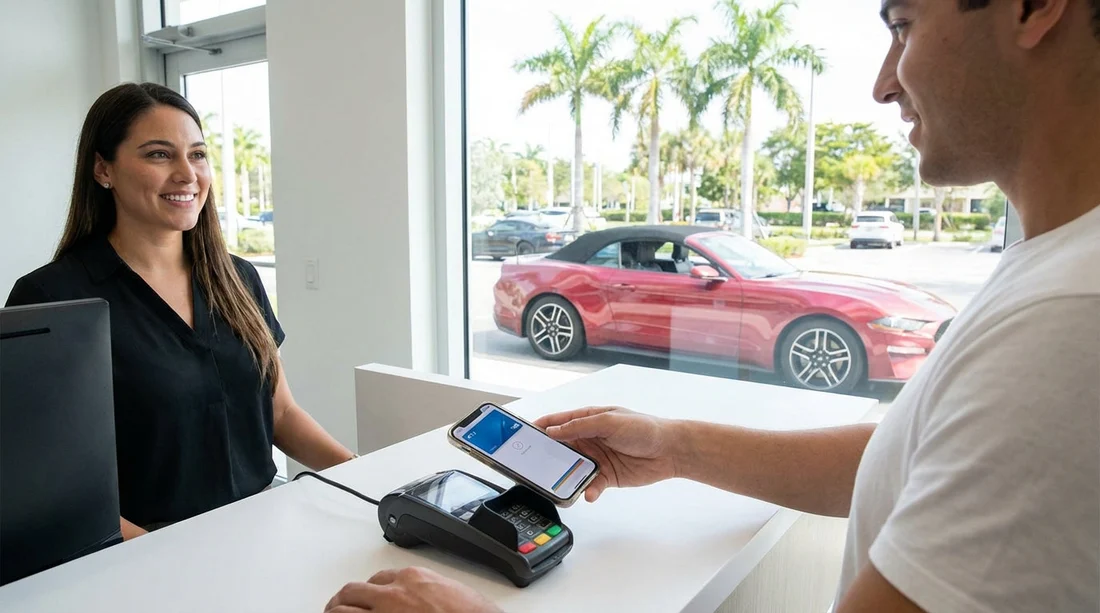
Apple Pay is widely accepted in Miami for everyday spending, so it is natural to ask whether you can use it for both the car hire deposit and the remaining balance at pick-up. The short, practical answer is that Apple Pay can sometimes be used for the final payment, but the deposit is where most restrictions appear. In car rental, the deposit is usually handled as a pre-authorisation, and many counters still require a physical card for that step.
This article explains what “contactless” really means at the counter, why deposits are treated differently from normal purchases, and how to avoid turning up in Miami only to find your payment method is not accepted.
How payment usually works at pick-up in Miami
At a Miami car hire counter there are typically two separate money movements:
1) The rental charge (the balance): This is the amount you pay for the hire itself, plus any taxes, fees, and any extras you choose at the desk. This is a standard card payment, which many terminals can take via contactless, including Apple Pay, if the location permits it.
2) The security deposit: This is usually a pre-authorisation, also called a “hold”, placed on a payment card. It is not the same as taking money, it temporarily reduces your available credit until the hold is released. This is the part that most commonly requires a physical credit card, because the rental company wants a card they can reliably pre-authorise and later charge if needed.
Even when a counter advertises contactless payments, it can mean “contactless for purchases” rather than “contactless for pre-authorisations”. That distinction is the key to understanding Apple Pay limitations at pick-up.
Can you pay the deposit with Apple Pay in Miami?
Sometimes yes, often no. The deposit is the sticking point because of how Apple Pay tokenises your card details. A normal contactless purchase with Apple Pay transmits a device-specific token, not the full card number. That is great for security, but some car rental systems, especially for deposits, are built around reading the physical card or matching the payment card against the driver’s documents in a specific way.
When a rental company requires a physical credit card for the deposit, it is usually for one or more of these reasons:
Pre-authorisation compatibility: Some terminals and payment processors handle holds more reliably with chip-and-PIN or swipe on a physical card.
Card verification and traceability: The company may want to see the card, verify the name, and ensure it is a credit card (not a debit card), rather than relying on a tokenised wallet transaction.
Policy requirements: Many brands set counter rules that specify “physical credit card required”, regardless of whether the terminal technically supports Apple Pay.
If your plan is to use Apple Pay for everything, the safest expectation in Miami is: Apple Pay might cover the balance, but you should bring a physical credit card for the deposit in the main driver’s name.
Can you pay the balance at pick-up with Apple Pay?
More likely. Paying the balance is a standard card-present transaction and many counters in Miami can take contactless payments. However, acceptance still varies by brand, location, and even by the specific terminal at that counter on that day.
Another practical issue is that some rental desks prefer to put both the deposit and the rental charges on the same physical card to keep everything aligned. Even if Apple Pay is accepted for purchases, they may still ask to charge the balance to the same card used for the deposit hold, which again pushes you towards having a physical card available.
What “contactless” really means at the car hire counter
In everyday retail, “contactless” can feel like “tap and go”. In car hire, “contactless” has a narrower meaning. It usually refers to the method of payment at the card terminal, not to removing all counter requirements.
At pick-up, “contactless” usually means:
You can tap a card or phone to make a payment for eligible transactions, typically the rental balance or add-ons.
It does not usually mean:
No physical card required. A physical card can still be required for the deposit.
No checks at the counter. You still need identity verification, licence checks, and the rental agreement.
No card in the driver’s name needed. Many suppliers require the main driver to present the payment card used for the deposit, and that requirement often implies a physical card.
So “contactless” is about how you pay, not about the removal of the deposit process or driver verification.
Why a physical card is still required in many cases
If you are picking up a car in Miami, the most common scenarios where the counter will insist on a physical card include:
Deposit as a hold: Holds are sometimes declined through mobile wallets even if normal purchases work.
Name matching: The agent may need to see the printed name on the card and match it to the driving licence and booking.
Credit card requirement: Some counters accept only credit cards for deposits. If your Apple Pay is backed by a debit card, it may fail the policy even if it would technically process.
Risk controls: Certain vehicle groups, premium cars, or one-way rentals can trigger stricter deposit rules.
In other words, bringing a physical card is not about rejecting modern payment, it is about meeting the rental company’s deposit policy and processing reliability.
Apple Pay, credit cards, and debit cards: what matters for car hire
Apple Pay is a digital wallet, not a type of card. The underlying card in your Wallet still matters. For car hire deposits, rental companies often care about whether the funding card is a credit card rather than a debit card.
If your Apple Pay is linked to a credit card, you are in a better position, but you can still face a “physical card required” rule. If it is linked to a debit card, you may see additional hurdles such as higher deposit amounts, more limited vehicle categories, or outright refusal for the deposit.
For Miami pick-ups, treat Apple Pay as a convenience for paying, but not a guarantee that you can satisfy deposit requirements.
What to do before you travel to Miami
Avoiding counter surprises is mostly about preparation. Here is a practical checklist you can follow before your flight.
Check who the supplier is and their payment rules. Different brands can apply different deposit and card policies at the same airport.
Bring a physical credit card. Ideally one with enough available credit to cover the deposit plus your normal spending.
Make sure the card is in the main driver’s name. Even if someone else is travelling with you, the deposit card often must match the driver on the agreement.
Plan for incidentals. Tolls, fuel, fines, and extra days can be charged after return, and that is simpler when the rental company has a standard card on file.
If you are comparing pick-up points around Miami, the payment experience can still vary. Locations linked to major travel hubs can have high volume and consistent processes, such as Enterprise car rental Miami. If you are staying outside the core tourist areas, a neighbourhood location like car hire Doral can be convenient, but you should still assume the same physical-card deposit rules may apply.
What happens at the counter, step by step
Understanding the flow helps you see where Apple Pay might fit, and where it might not.
1) Document checks: The agent checks your driving licence, and may check your passport or other ID. They confirm the main driver and any additional drivers.
2) Payment card validation: They confirm you have an acceptable payment method for the deposit. This is where they may request a physical card, even if you intend to use Apple Pay.
3) Deposit hold (pre-authorisation): The system places a hold amount on your card. You will not receive cash, it simply reserves funds.
4) Balance payment: If there is anything due at pick-up, it is charged. Some desks will insist it is charged to the same card as the deposit hold.
5) Final paperwork and keys: You sign the agreement and receive the vehicle details.
As you can see, Apple Pay is most likely to be accepted at step 4. Step 3 is the one most likely to require a physical card.
Deposit timing and release: what to expect
Even when you pay the balance with Apple Pay, the deposit hold can remain on your card for a while after return. Release times vary by bank. The rental company can release the hold quickly, but your card issuer may take several business days to reflect the change in available credit.
That matters if you are travelling with a low-limit card, or if you have multiple hotel and travel holds at the same time. In Miami, it is common to have hotel incidentals and car hire deposits overlapping, so plan your available credit accordingly.
Does it differ between Miami Airport and nearby airports?
Yes, it can. Miami International Airport is busy and policies are often enforced consistently, especially around deposit cards and driver name matching. Nearby airports can have slightly different desk setups and staffing, which can influence whether contactless is offered for balance payments.
If you are flying into a neighbouring hub and driving down to Miami, you might pick up at Fort Lauderdale instead. It can be helpful to compare location details such as car hire at Fort Lauderdale Airport. If you are travelling with a larger group and considering a people carrier, note that vehicle type can influence deposits, see van rental Fort Lauderdale.
Practical tips if you want to rely on Apple Pay
If Apple Pay is your preferred way to pay, you can still use it in Miami for many parts of the trip, but treat it as a supplement rather than your only plan for pick-up.
Carry at least one physical credit card. This avoids the most common deposit problem.
Keep the same card available throughout. If the rental company requires the same card for the deposit and final charges, switching between Apple Pay and a different card can cause delays.
Ensure your Apple Pay card is the one you intend to use. Wallets can default to a different card than you expect.
Do not assume “contactless accepted” equals “Apple Pay accepted for deposits”. Ask specifically about pre-authorisation by mobile wallet if you have the option to confirm in advance.
These steps keep things smooth, without depending on a single payment method for a process that often still expects a physical card.
FAQ
Can I use Apple Pay to pay the car hire deposit in Miami? Sometimes, but many counters require a physical credit card for the deposit hold. Apple Pay is more likely to be accepted for the final balance than for a pre-authorisation.
If the counter says “contactless”, does that mean I do not need a card? No. Contactless usually refers to tapping to pay for charges. You may still need a physical card for the deposit and for name verification.
Will a debit card in Apple Pay work the same as a credit card? Not always. Deposit policies often prefer or require a credit card, and a debit-backed Apple Pay card may be restricted or declined for the deposit.
Can I pay the balance with Apple Pay if the deposit is on a physical card? Often yes, but some desks prefer charging the balance to the same card used for the deposit hold. Bringing the physical card you used for the deposit helps avoid issues.
How long does it take for the deposit hold to be released? The rental company can release it after return, but your bank may take several business days to restore your available credit. Timing varies by card issuer.




























































































