


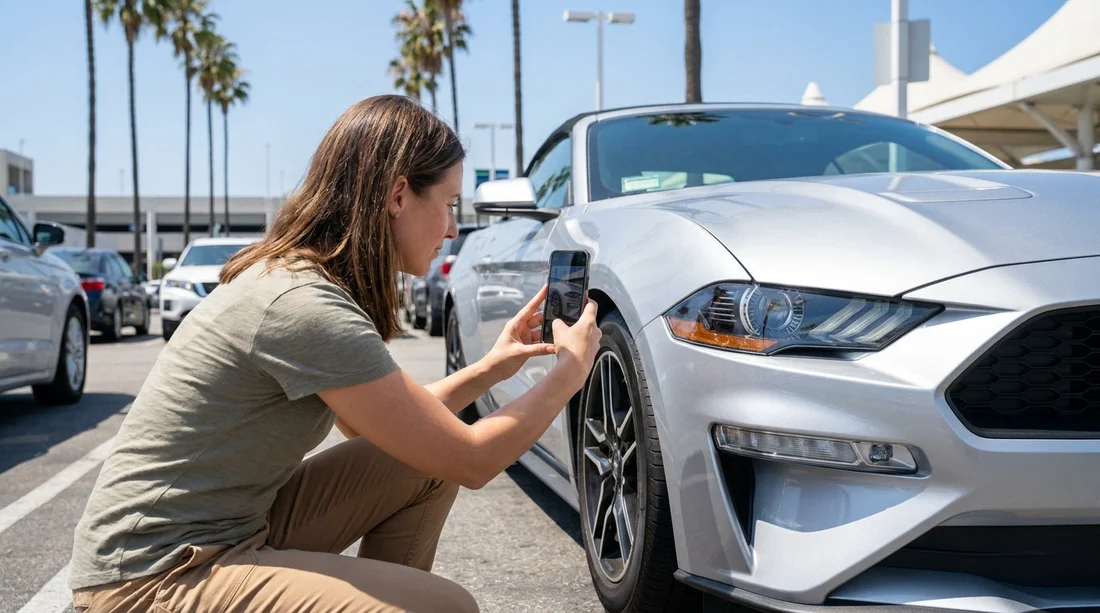
Quick Summary:
- Photograph every side, bumpers, and roofline before leaving the car park.
- Take close-ups of wheels, tyres, and any kerb rash you spot.
- Capture windscreen, windows, mirrors, and lights, including any chips clearly.
- Record mileage, fuel level, warning lights, and keys to prove baseline readings.
Picking up a hire car in Los Angeles can be fast-paced, especially at busy airport locations and multi-storey car parks. A two to five minute photo set taken before you drive off is one of the simplest ways to protect yourself from disputes about pre-existing damage. The aim is not to create an art project, it is to create clear, time-stamped evidence that shows condition, context, and scale.
This checklist is designed to be high-impact and repeatable. Take photos in good light if possible, use wide shots to show where the damage sits on the car, then close-ups to show what it is. If you are collecting at an airport counter, you might find it helpful to review your pick-up location details first, such as Los Angeles LAX car rental or California LAX car hire, so you know where you will be doing the inspection.
Before you start: set up your phone for evidence-quality photos
Turn on your camera flash only if lighting is poor, because reflections can hide scratches on paint. Wipe the lens, then switch to the standard 1x camera for most shots, wide-angle can distort panels and make dents harder to interpret. If your phone allows it, ensure date and time are correct and location tagging is enabled, since that can support where the photos were taken. Take photos, not screenshots, and avoid filters.
Finally, keep the set organised. The easiest approach is to shoot in a consistent loop: front, front-left, left side, rear-left, rear, rear-right, right side, front-right, then roof. If you are hiring at LAX with a specific provider, you can also cross-check return instructions on pages like Avis car hire Los Angeles LAX or Thrifty car hire Los Angeles LAX so you know what angles might matter for drop-off too.
Exterior photos: the full walkaround (your core evidence)
Start with wide shots that show the entire vehicle from each corner. Stand back far enough to include the full bumper and at least one wheel in each corner shot. These wide angles prove overall condition and help show that close-up damage belongs to this specific car.
Front bumper and grille: Photograph the bumper face-on, then from each corner. Include the lower lip and fog-light surrounds. In Los Angeles car parks, scrapes and scuffs often occur low down and can be missed at first glance.
Bonnet and front wings: Take a photo looking across the surface at a shallow angle, which reveals dents and ripples. Do the same on both wings.
Doors and door edges: Capture each door panel straight-on, then take a close-up of the door edge when open. Door edge chips are common and can be blamed on you if not recorded.
Rear bumper and boot: Photograph the rear straight-on, then both corners. Include the boot lip area, especially if luggage loading could cause scuffs.
Roofline: If you can safely do so, take one or two shots of the roof and roof edges. Many people forget this, but tree branches, parking structures, and overhead signs can leave marks that are hard to see from eye level.
Wheels and tyres: four corners plus close-ups
Wheels are a frequent source of post-rental claims because kerb rash is easy to miss and hard to describe. Photograph each wheel in two ways: a wider shot showing wheel, tyre, and adjacent body panel, then a close-up of the rim edge.
For each tyre, take a clear photo of the sidewall, looking for bulges, cuts, or obvious damage. If the tyre tread looks low, a photo can help demonstrate the pre-existing condition. Also photograph hubcaps or wheel covers if fitted, as clips can be broken without obvious signs.
Tip: kneel down and angle the camera slightly to capture the lower edge of the bumper near each wheel. This area often collects scrapes from steep driveways and car park ramps.
Glass and mirrors: chips, cracks, and visibility issues
In Los Angeles, windscreen chips can happen from motorway debris, but you want to avoid being blamed for chips that were already there. Take these photos before you drive.
Windscreen: Stand outside and photograph it straight-on, then take close-ups of any chips, cracks, or wiper marks. If you find a chip, take one close-up and one wider shot that shows its position relative to the edge or a sticker.
Side windows and rear window: Take a photo of each window from a slight angle to catch scratches. Pay attention to the rear window around the wiper area on hatchbacks and SUVs.
Mirrors and mirror caps: Photograph both wing mirrors, including the housing, mirror glass, and indicator lenses if present. Mirror damage is easy to overlook because it is higher than bumper level.
Lights: Take clear photos of headlight and tail light lenses. Cracks in plastic lenses can be subtle and are expensive to replace.
Interior photos: cleanliness, damage, and missing items
Interior condition matters as much as exterior, especially for claims about stains, burns, tears, and missing accessories. Start with wide shots from each door to show the overall cabin, then zoom in.
Seats and upholstery: Photograph the driver seat, passenger seat, and rear seats. Focus on bolsters and seat bases where tears and stains appear. If there are car seats, take photos of their condition too.
Dashboard and centre console: Take one wide shot, then close-ups of screen, buttons, and any scratches. If the car has built-in navigation or a touchscreen, capture any existing cracks or deep marks.
Floor mats and carpets: Photograph footwells and mats, especially if they are wet, heavily soiled, or missing. Missing mats can lead to cleaning claims later.
Boot area: Open the boot and photograph the floor, side panels, and parcel shelf. If there is a spare tyre kit, jack, or inflator, take a photo showing it is present.
Fuel, mileage, warning lights, and keys: the must-have dashboard set
Before leaving the car park, sit in the driver seat and take photos that prove operational status and baseline readings.
Odometer: Photograph the mileage clearly. If the car displays both trip and total miles, capture both, then reset only if you want to track your own driving.
Fuel gauge or battery range: Photograph the fuel level. For hybrids and EVs, capture the range display and battery percentage if shown. This is essential if your agreement expects full-to-full or a specific charge level.
Warning lights: With the ignition on, photograph the instrument cluster. If any warning lights remain on after the car is started, capture that.
Key fob and spare key: Photograph the key fob, and any second key if provided. If there is a physical damage tag on the key ring, capture it.
Paperwork and damage notation: match photos to the inspection report
Most rental companies provide a vehicle condition diagram at pick-up. Photograph that document, or the digital inspection screen, and check whether any pre-existing damage you found is marked. If you spot something unmarked, ask staff to add it, then photograph the updated report.
If the report uses codes for scratches and dents, take a clear photo close enough to read the codes. Then take a photo that shows the car’s registration plate or vehicle number sticker, so your image set can be linked to the exact vehicle you drove.
FAQ
How many photos should I take at pick-up in Los Angeles? Aim for 25 to 50 photos, covering wide exterior angles, four wheels, all glass, key interior areas, and the dashboard fuel and mileage.
Should I take a video as well as photos? A slow walkaround video can help with context, but photos are usually easier to zoom and reference for specific chips, scuffs, or wheel marks.
What if the car is dirty or wet and I cannot see paintwork clearly? Photograph the dirt or water coverage, then take extra angled shots of likely impact areas like bumpers, door edges, and wheels to capture any visible marks.
Do I need to photograph the registration plate or vehicle number? Yes, take at least one image that links your photo set to the exact car, such as the plate, VIN plate area, or a rental barcode sticker.
What if I notice a warning light after I leave the car park? Pull over safely, photograph the dashboard immediately, and notify the rental company so the issue is recorded early with supporting evidence.

























































































